How to Spot Fake Apps Before They Steal Your Data
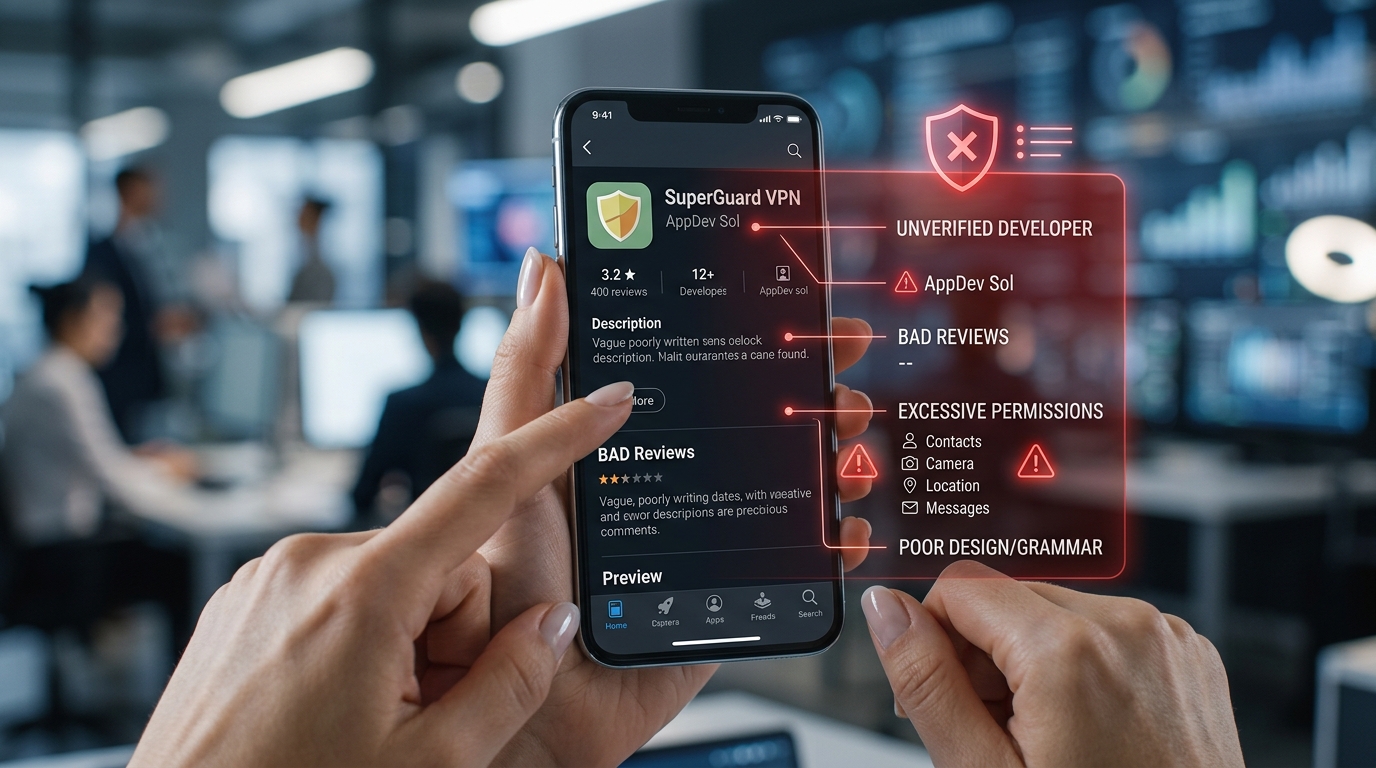
You’re scrolling through your app store, looking for that trending photo editor everyone’s talking about. You find it. Five-star reviews. Millions of downloads. You tap install without a second thought.
Three weeks later, your bank account is drained.
This scenario plays out thousands of times every day. Fake apps have become so sophisticated that even careful users fall victim. But there are telltale signs that separate legitimate software from data-stealing imposters.
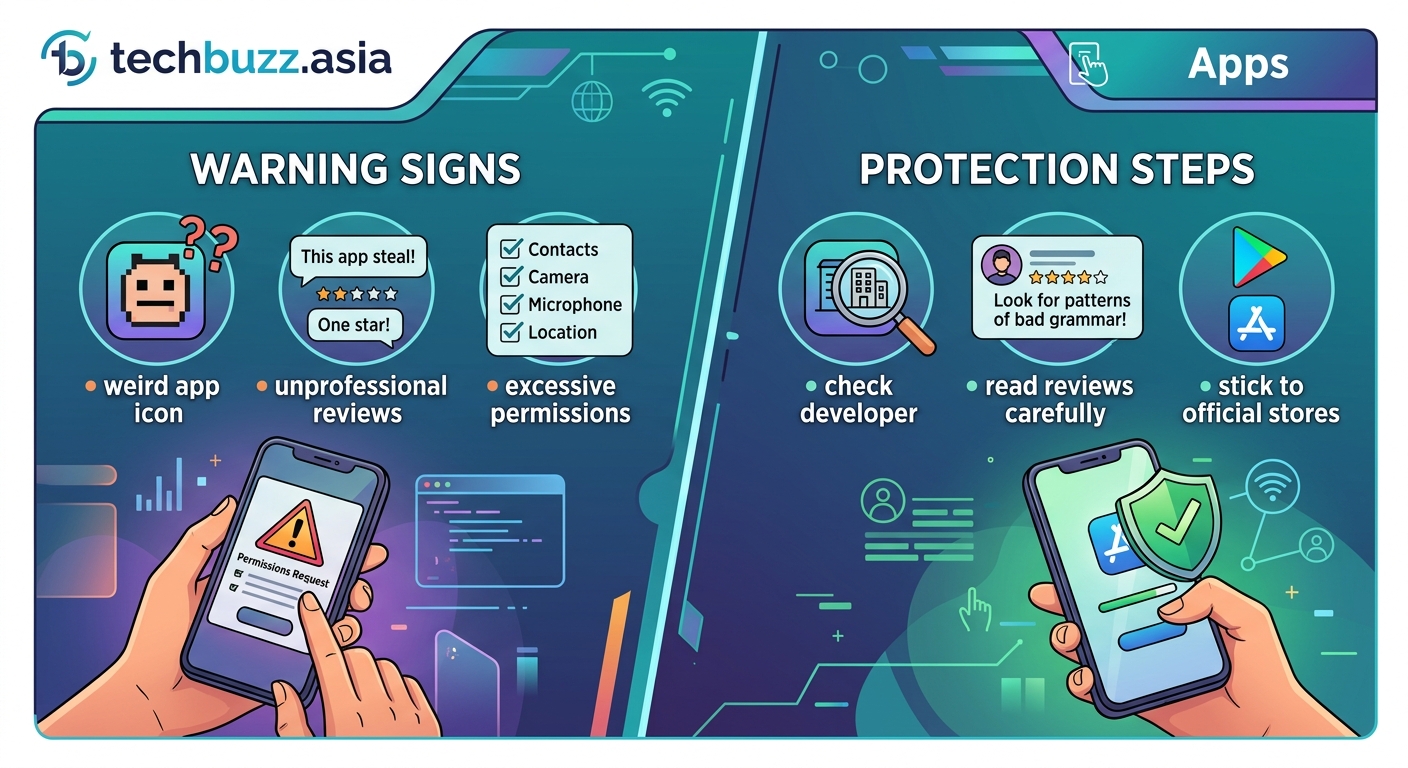
Fake apps masquerade as legitimate software to steal your personal information, banking details, and login credentials. Before downloading any application, check the developer name, scrutinize reviews for patterns, examine permission requests, verify download counts against the app’s age, and research the official developer website. These five steps take less than two minutes but can save you from identity theft and financial loss.
Check the Developer Name First
The developer name is your first line of defense.
Scammers often create names that look almost identical to legitimate companies. They’ll use “WhatsApp Inc.” instead of “WhatsApp LLC” or add subtle characters that are hard to spot at a glance.
Before you download anything, tap on the developer name. It should link to a page showing all their published apps. A legitimate company like Adobe will have their entire suite of products listed. A scammer will typically have just one or two apps, often with suspiciously similar names.
Real developers maintain consistent branding across all their applications. If you see a developer with apps that range from fitness tracking to photo editing to VPN services, that’s a red flag. Companies specialize. Scammers diversify to cast wider nets.
Google and Apple verify some developers with special badges, but not all legitimate developers have them. The absence of a badge isn’t damning, but its presence adds credibility.
Examine Reviews for Suspicious Patterns
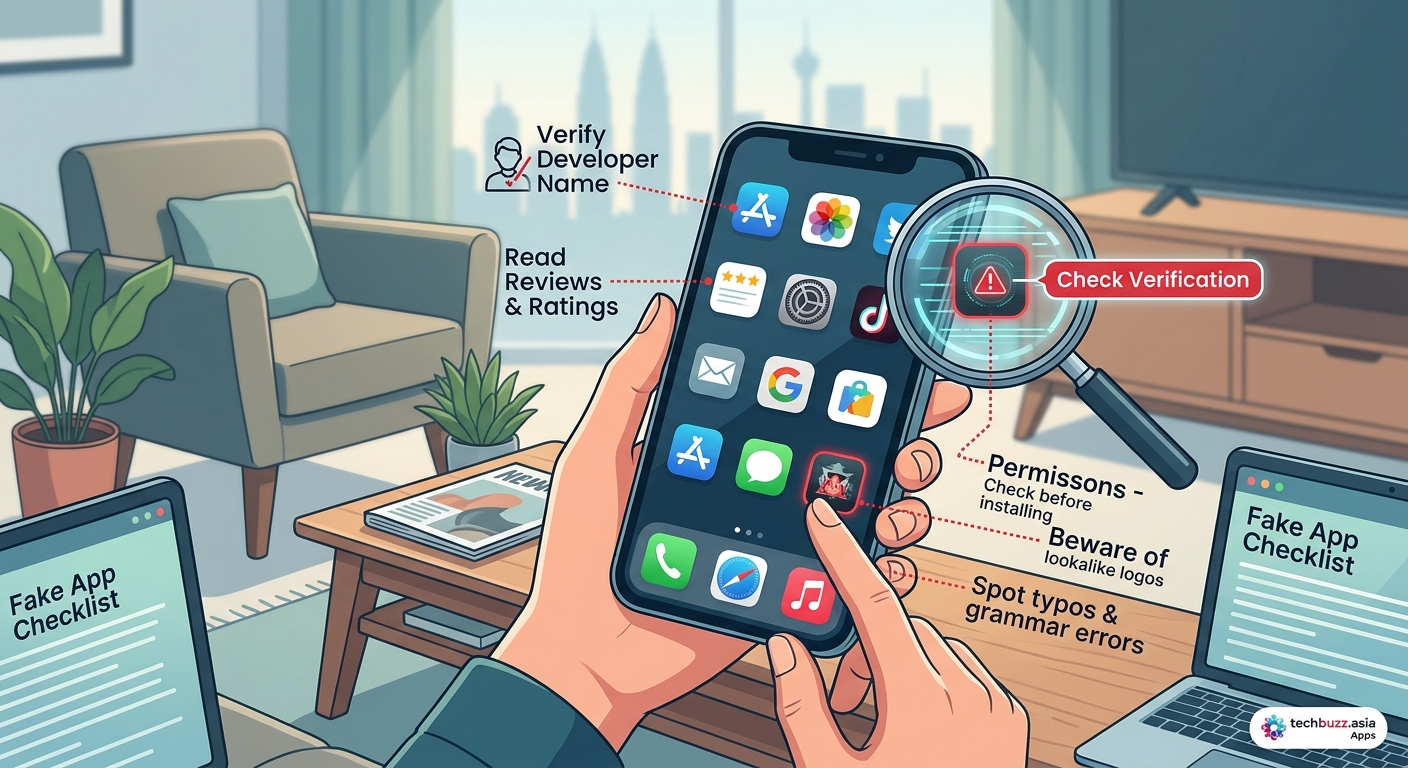
Five-star ratings mean nothing if they’re fake.
Scroll past the top reviews and look for patterns. Fake reviews often share similar characteristics. They’re posted on the same dates in clusters. They use generic language like “great app” or “works perfectly” without mentioning specific features. They contain grammatical errors that suggest automated translation.
Pay special attention to the three-star and two-star reviews. These often come from real users who experienced problems but didn’t want to leave a scathing one-star review. They’ll mention specific issues like excessive battery drain, unexpected charges, or suspicious permission requests.
Look for developer responses to negative reviews. Legitimate companies engage with criticism and offer solutions. Scammers either ignore negative feedback entirely or respond with generic copy-pasted messages.
Check the review timeline. An app claiming millions of downloads but with all reviews posted in the last two weeks is suspicious. Organic growth produces a steady stream of reviews over time.
Scrutinize Permission Requests
A flashlight app has no business accessing your contacts.
Before installing, check what permissions the app requests. Android shows this information on the app page. iOS reveals it after installation but before first use.
Here’s what legitimate apps typically need:
- Photo editors: camera, photo library, storage
- Navigation apps: location, microphone for voice commands
- Messaging apps: contacts, camera, microphone, notifications
- Games: usually minimal permissions unless they have social features
Red flags include:
- Wallpaper apps requesting contact access
- Calculator apps wanting location data
- Simple utilities asking for camera and microphone access
- Any app requesting SMS permissions unless it’s specifically a messaging app
Some permissions make sense in context. A shopping app might request your location to show nearby stores. A fitness tracker needs constant location access to map your runs. But a recipe app asking for your call logs? That’s suspicious.
Similar to how your favorite apps are suddenly asking for more permissions, scammers often update fake apps to request additional access after you’ve already installed them.
Verify Download Numbers Against App Age
Math doesn’t lie, but scammers do.
An app claiming 10 million downloads but published two weeks ago is mathematically improbable. Even viral sensations take time to reach those numbers.
Cross-reference the download count with the number of reviews. A rough ratio is one review per 1,000 downloads. An app with 5 million downloads should have at least 5,000 reviews. If it has 50, something’s wrong.
Check the “Last Updated” date. Legitimate developers regularly update their apps to fix bugs and add features. An app that hasn’t been updated in two years is likely abandoned or was never legitimate to begin with.
Look at version history if available. Scammers often publish apps at version 1.0 and never update them. Real developers iterate, sometimes releasing multiple updates per month.
The app store page should show when the app was first published. Compare that against its claimed download numbers. A productivity app with 1 million downloads after three days is suspicious. A game that went viral might achieve that, but it would have corresponding media coverage you can verify.
Research the Official Developer Website
Legitimate companies have web presences beyond the app store.
Before downloading, search for the developer’s official website. Most app descriptions include a link. Click it. If it leads to a generic landing page with no company information, contact details, or privacy policy, that’s a warning sign.
Real companies maintain professional websites with:
- Detailed product information
- Company history and team bios
- Contact information beyond a generic email
- Privacy policies and terms of service
- Social media links with active accounts
Scammers create bare-bones sites or skip websites entirely. They’ll list a Gmail address as their only contact method. Their privacy policies are copied from other sites or filled with generic legal language that doesn’t actually explain their data practices.
Search for the company name independently. Legitimate developers have press coverage, user forums, and social media discussions. Scammers exist in a vacuum.
Check if the website domain matches the developer name. If the app is from “SecureVPN Inc.” but the website is “cheapvpn2024.biz,” that’s a mismatch worth investigating.
Compare Against the Official App
Many fake apps impersonate popular software.
If you’re downloading a well-known app like TikTok, WhatsApp, or Instagram, go directly to the company’s official website and use their app store links. Don’t search the app store and pick the first result.
Scammers create apps with names like “WhatsApp Plus” or “Instagram Pro” that promise extra features. These are almost always malicious. Official apps don’t need modifiers.
Compare screenshots. Fake apps often use outdated interface designs or screenshots that don’t match the current version. They might show features that don’t exist or use promotional images stolen from the real app’s marketing materials.
Check the file size. A fake version of a popular app is often significantly smaller or larger than the legitimate version. Scammers either strip out features to reduce size or bloat the app with malicious code.
The same scrutiny you’d apply to spotting fake tech reviews before making your next purchase works for apps too. Trust your instincts when something feels off.
Watch for These Common Scam Tactics
Fake apps follow predictable patterns.
Urgency and Fear
Scam apps often use alarming language. “Your phone is infected!” or “Security threat detected!” These scare tactics push you to download immediately without thinking.
Real security apps don’t need to frighten you into installation. They present information calmly and let you make informed decisions.
Too Good to Be True Promises
Apps claiming to give you free premium subscriptions to Netflix, Spotify, or other services are scams. Period. There’s no legitimate way to get paid services for free through a third-party app.
The same applies to apps promising unlimited in-game currency, follower boosts, or other shortcuts. If it sounds too good to be true, it is.
Copycat Branding
Scammers steal logos, color schemes, and design elements from legitimate apps. They bank on you recognizing the visual branding without checking the details.
Always read the full app name and developer information. “Facebook” and “FaceB00k” look similar at a glance but are completely different entities.
Understanding the Risks
The consequences of installing fake apps extend beyond annoyance.
These applications can:
- Record your keystrokes to steal passwords
- Access your camera and microphone without notification
- Send premium SMS messages that charge your phone bill
- Install additional malware on your device
- Steal banking credentials and credit card numbers
- Access and leak your private photos and messages
- Use your device for cryptocurrency mining
- Subscribe you to paid services without consent
Some fake apps work perfectly for weeks before activating malicious features. This delay makes it harder to identify which app caused the problem.
Just as your smartphone battery degrades faster than it should with certain usage patterns, malicious apps can silently drain resources while stealing your data in the background.
What to Do If You’ve Installed a Fake App
Don’t panic, but act fast.
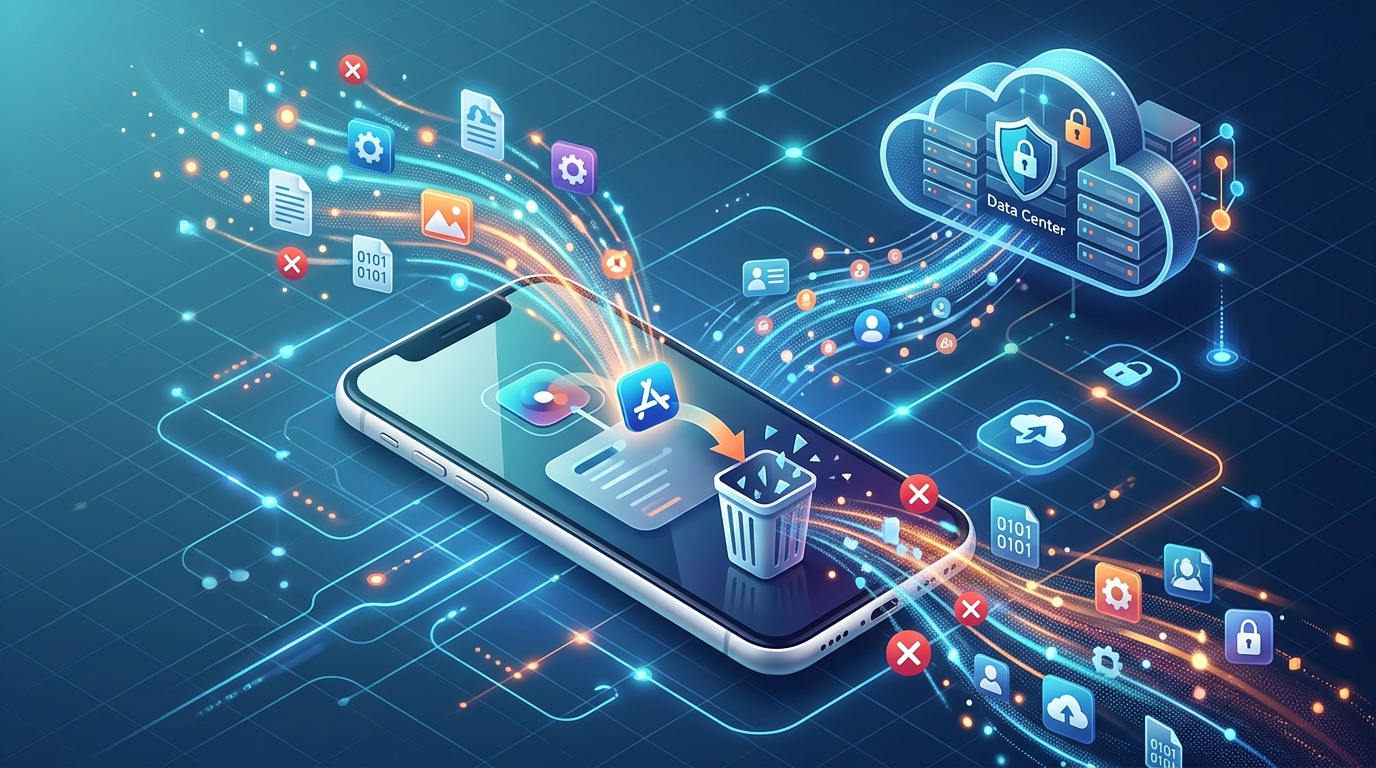
- Delete the app immediately.
- Change passwords for all accounts you accessed while the app was installed.
- Check your bank statements for unauthorized charges.
- Review your phone bill for premium SMS charges.
- Run a security scan using your device’s built-in protection or a reputable mobile security app.
- Monitor your credit report for signs of identity theft.
- Report the app to Google Play or the App Store so they can remove it.
If you provided payment information directly to the app, contact your bank or credit card company to report potential fraud. They can monitor your account and issue a new card if necessary.
Consider enabling two-factor authentication on all your important accounts. This adds a layer of protection even if someone has your password.
Platform-Specific Warning Signs
Different app stores have different vulnerabilities.
Android Red Flags
Google Play has more open policies than Apple’s App Store, which means more potential for malicious apps to slip through.
Watch for apps that request installation from unknown sources. Legitimate apps from Google Play don’t need this permission. If an app asks you to enable installations from unknown sources, it’s planning to install additional software without your knowledge.
Check if the app appears in multiple app stores. Scammers often publish the same fake app across multiple platforms to maximize reach.
iOS Red Flags
Apple’s stricter review process means fewer fake apps, but they still exist.
Be suspicious of apps that ask you to install a configuration profile. This gives the app deeper system access than normal. Only install profiles from sources you completely trust, like your employer’s IT department.
Apps requesting access to “Find My iPhone” or other core iOS features without a clear reason are suspicious.
Teaching Others to Stay Safe
Your knowledge protects more than just yourself.
Parents should review apps before children download them. Kids are particularly vulnerable to fake games promising free items or advantages. Sit down with your children and explain why checking developer information and permissions matters.
Older relatives often trust app stores completely, assuming everything listed is safe. Take time to show them how to verify apps before installation. Make it a routine part of helping them with their devices.
Share this information in family group chats or social media. When you see friends sharing links to suspicious apps, politely point out the warning signs.
Red Flags at a Glance
| Warning Sign | What It Means | Action to Take |
|---|---|---|
| Developer name slightly misspelled | Impersonation attempt | Search for official developer |
| All reviews posted same week | Fake review campaign | Check older reviews and patterns |
| Excessive permissions | Data harvesting | Compare to similar legitimate apps |
| No official website | Fly-by-night operation | Skip the app entirely |
| Promises free premium services | Definite scam | Report and avoid |
| Generic app icon | Low-effort fake | Look for professional branding |
| Broken English in description | Rushed scam job | Check developer’s other apps |
| Requests unknown sources | Malware installation | Uninstall immediately |
The Evolving Threat Landscape
Scammers adapt as quickly as security improves.
App stores continuously update their review processes and security measures. Google and Apple remove thousands of malicious apps every month. But new ones appear just as fast.
Artificial intelligence has made it easier for scammers to generate convincing fake reviews, professional-looking interfaces, and persuasive app descriptions. The apps themselves have become harder to distinguish from legitimate software.
This arms race means you can’t rely solely on app store protections. Your own vigilance remains the most effective defense.
Future threats will likely include apps that use social engineering to convince you they’re legitimate. They might reference current events, trending topics, or popular culture to seem relevant and trustworthy.
“The best defense against fake apps is a healthy skepticism. Take two minutes to verify before you install. Those two minutes could save you months of dealing with identity theft or financial fraud.” – Mobile Security Researcher
Making Smart Download Decisions
Not every app deserves space on your device.
Before downloading anything, ask yourself:
- Do I actually need this app, or would the mobile website work?
- Is this from a developer I recognize and trust?
- Have I verified this is the official version?
- Do the permissions make sense for what the app does?
- What happens to my data if I use this app?
Many services work perfectly fine through mobile browsers without requiring app installation. Banking websites, shopping sites, and social media platforms all offer mobile-optimized experiences that don’t require trusting a third-party app with your data.
When you do need an app, stick to well-known developers with established reputations. The app might not be the flashiest or promise the most features, but reliability beats novelty when your personal data is at stake.
Your Phone Deserves the Same Care as Your Home
You wouldn’t let strangers into your house without checking who they are first.
Your smartphone contains more personal information than most people keep in their homes. Banking details, private messages, photos, location history, and contact information all live on that device in your pocket.
Treating app downloads with the same caution you’d apply to physical security isn’t paranoia. It’s common sense. The two minutes you spend verifying an app’s legitimacy is a small investment compared to the hours, days, or weeks you’d spend recovering from a security breach.
Start checking these warning signs today. Make it a habit every single time you consider downloading something new. Your future self will thank you for the vigilance.

Post Comment