Is the M3 MacBook Air Worth the Upgrade Over M2?
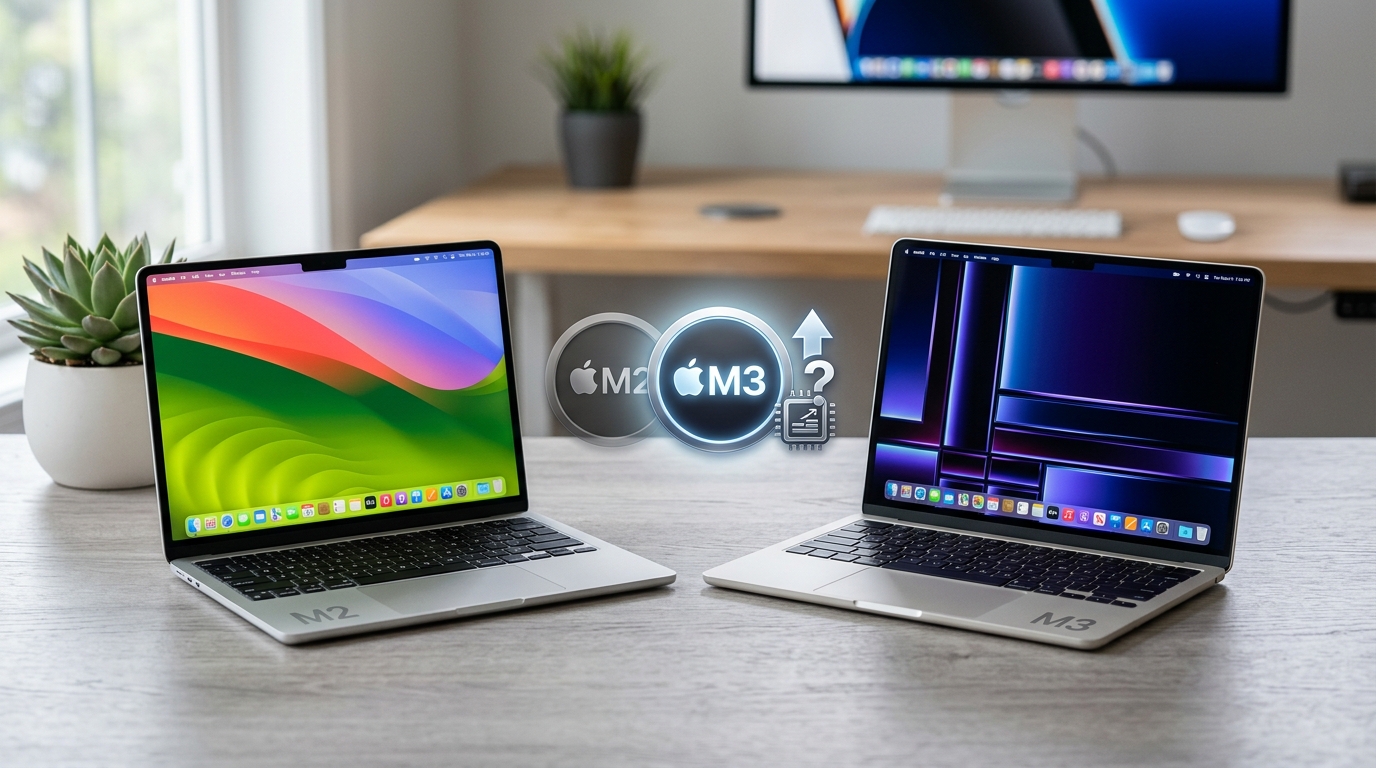
Apple released the M3 MacBook Air in early 2024, leaving many M2 owners wondering if they made a mistake buying too early. The truth is more nuanced than most tech reviewers admit.
Both laptops look identical from the outside. They share the same gorgeous design, the same ports, and the same display technology. The real differences live under the hood, and whether those differences matter depends entirely on how you actually use your laptop.
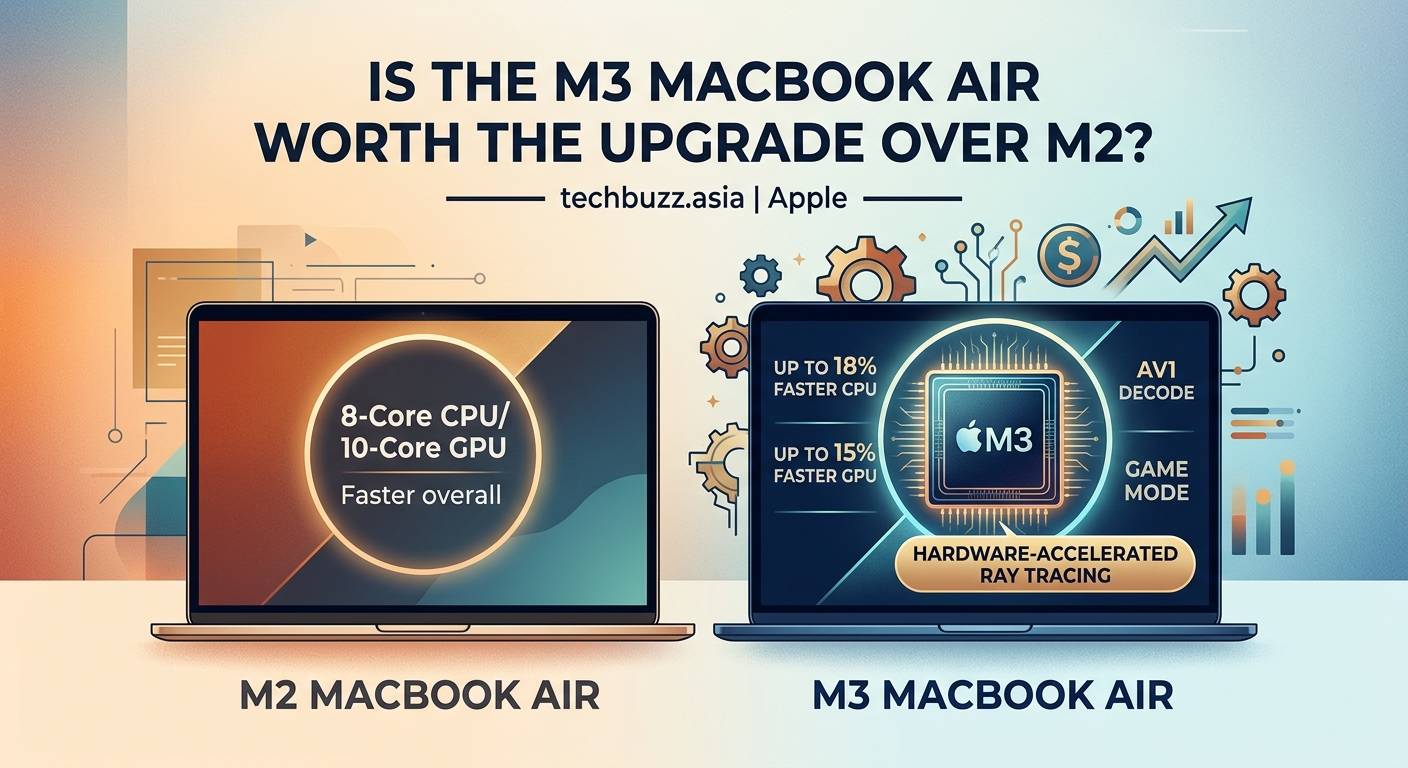
The M3 MacBook Air delivers 15-20% better performance than the M2 in graphics-intensive tasks and supports two external displays, but costs $200 more at launch. Current M2 owners gain minimal benefit from upgrading unless they need dual monitor support or run demanding creative software daily. First-time buyers should choose based on current pricing and specific workflow requirements rather than future-proofing concerns.
Performance differences that actually matter
The M3 chip uses a 3-nanometer manufacturing process compared to the M2’s 5-nanometer architecture. This sounds technical, but it translates to real-world benefits in specific scenarios.
Single-core performance improved by roughly 10-12% between generations. You’ll notice this when compiling code, processing photos in Lightroom, or running single-threaded tasks. For everyday browsing, email, and document work, the difference is imperceptible.
Graphics performance shows a bigger jump. The M3’s GPU delivers 15-20% better frame rates in benchmarks and creative applications. Video editors working with 4K footage will appreciate the smoother timeline scrubbing. Casual users won’t notice.
Battery life remains virtually identical. Both models claim 15-18 hours of typical use, and real-world testing confirms this. Apple optimized the M3’s efficiency gains to maintain the same battery size rather than extend runtime.
The M3 supports hardware-accelerated ray tracing and mesh shading. These features benefit 3D rendering and certain games, but macOS gaming remains limited. Unless you’re running specific professional 3D applications, these capabilities sit unused.
The dual display advantage
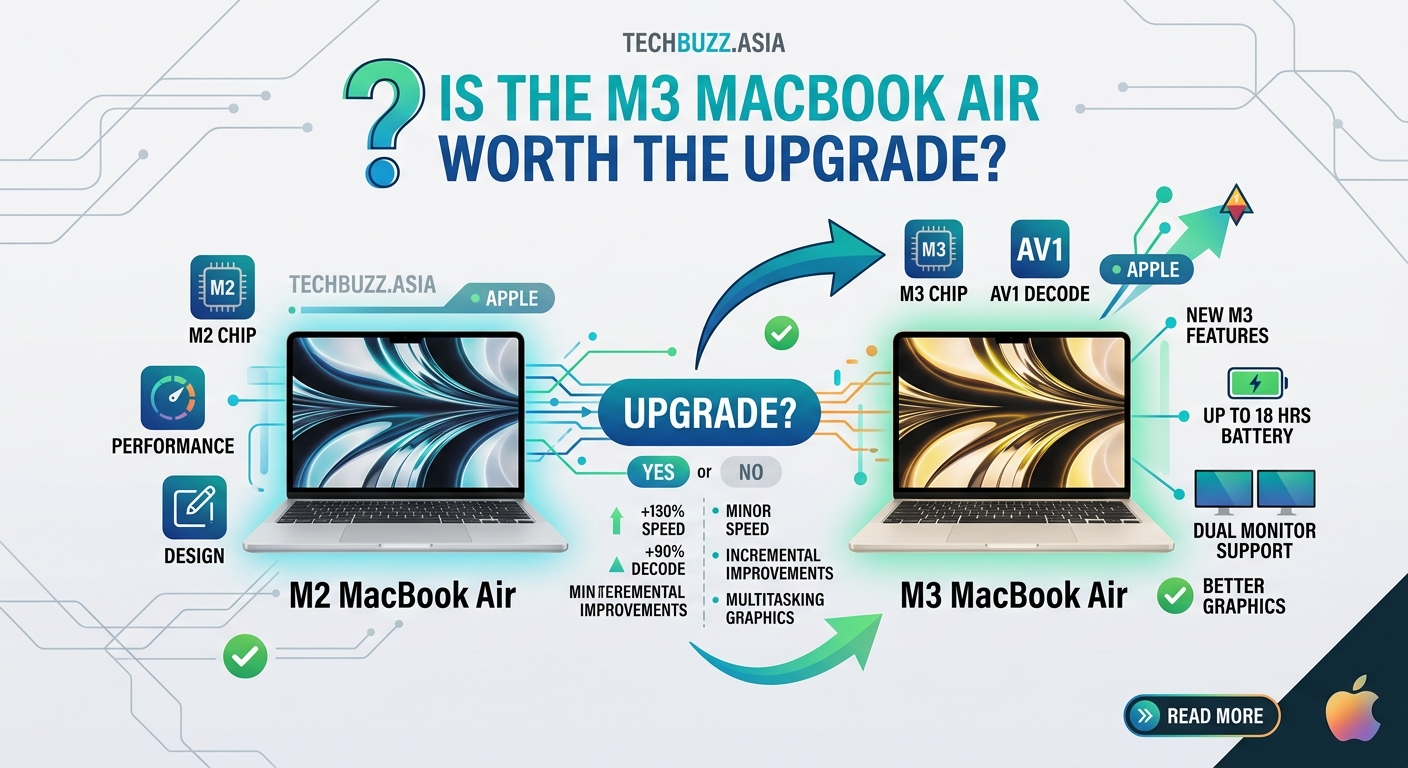
Here’s where the M3 pulls ahead significantly. The M2 MacBook Air supports only one external display when the lid is closed. The M3 supports two external monitors simultaneously.
This limitation frustrated many M2 buyers who discovered it after purchase. If your workflow involves multiple screens, the M3 solves a genuine pain point.
The workaround for M2 owners involves DisplayLink adapters, which add cost and complexity. They also consume CPU resources for video processing, partially negating the performance of your MacBook.
For students, writers, and single-monitor users, this advantage means nothing. For designers, developers, and analysts who rely on multiple displays, it changes everything.
Pricing and value calculation
At launch, the M3 MacBook Air started at $1,099 for the base 13-inch model. The M2 dropped to $899 when the M3 released.
That $200 gap represents the real decision point. You’re paying for moderate performance gains and dual display support. Calculate whether those benefits justify the premium for your specific use case.
Refurbished M2 models from Apple’s certified program often sell for $749-$799. These units include full warranty coverage and look brand new. The value proposition shifts dramatically at this price point.
Educational pricing knocks another $100 off both models. Students and teachers should always check Apple’s education store before purchasing at retail prices.
Trade-in values complicate the math for current M2 owners. Apple typically offers $400-$600 for recent M2 MacBook Airs in good condition. Upgrading costs $500-$700 after trade-in, which feels steep for incremental improvements.
Who should upgrade from M2 to M3
Current M2 owners should upgrade only if they meet specific criteria. Run through this checklist honestly:
- You regularly connect two external monitors and the current limitation disrupts your workflow daily
- You work with 3D rendering software that benefits from hardware ray tracing
- Your M2 shows performance bottlenecks in your actual work, not theoretical benchmarks
- You can sell your M2 privately for more than Apple’s trade-in value
If you checked fewer than two items, keep your M2. The performance delta doesn’t justify the upgrade cost for typical users.
Video editors working with 4K or 6K footage might see meaningful time savings. Rendering a 10-minute video could finish 2-3 minutes faster on the M3. Calculate whether that time savings justifies the upgrade cost based on your project volume.
Software developers compiling large codebases will appreciate faster build times. A project that takes 5 minutes on M2 might finish in 4.5 minutes on M3. Again, do the math on your specific workflow.
The best laptop is the one you already own and isn’t holding you back. Upgrade when your current machine can’t handle your work, not when a newer model launches with better specs.
Choosing between M2 and M3 as a first-time buyer
New buyers face a simpler decision. Ignore the upgrade question and focus on current value.
Check Apple’s pricing on both models. If the gap is $200 or more, the M2 represents better value for most users. If the gap shrinks to $100 or less during sales, lean toward the M3.
Consider your monitor setup carefully. Planning to use two external displays? The M3 is non-negotiable. Using the laptop screen or one external monitor? Save money with the M2.
Storage matters more than chip generation for many users. A 512GB M2 often makes more sense than a 256GB M3 at the same price. Running out of storage creates real problems. Slightly slower performance rarely does.
Memory follows the same logic. Both models start with 8GB of unified memory, which feels tight for heavy multitasking. Upgrading to 16GB costs $200 on either model. Prioritize RAM over chip generation if budget forces a choice.
| Feature | M2 MacBook Air | M3 MacBook Air |
|---|---|---|
| CPU performance | Baseline | 10-12% faster |
| GPU performance | Baseline | 15-20% faster |
| External displays | 1 (lid closed) | 2 simultaneous |
| Ray tracing | No | Yes |
| Battery life | 15-18 hours | 15-18 hours |
| Starting price | $899 | $1,099 |
| Best for | Budget-conscious buyers, single display users | Multi-monitor setups, 3D work |
Real-world performance scenarios
Let’s ground this comparison in actual tasks you might perform.
Exporting a 5-minute 4K video in Final Cut Pro takes approximately 3 minutes on the M2 and 2.5 minutes on the M3. If you export five videos per week, you save 2.5 minutes weekly. That’s 2 hours per year.
Compiling a medium-sized Xcode project takes 4.2 minutes on M2 and 3.8 minutes on M3. Developers compile dozens of times daily, so this adds up. You might save 30-45 minutes per workday.
Opening a 50-layer Photoshop file with smart objects takes 8 seconds on M2 and 7 seconds on M3. You’ll never notice this difference in practice.
Running a local AI model for testing shows more significant gaps. The M3’s neural engine improvements cut inference time by 20-25% in certain machine learning tasks. Data scientists and AI developers benefit here.
Gaming performance improved noticeably. Playing Resident Evil Village at medium settings yields 35-40 fps on M2 and 45-50 fps on M3. Still not ideal for serious gaming, but more playable.
Battery life during video calls remains excellent on both. Expect 8-9 hours of continuous Zoom meetings before needing a charger. Why your smartphone battery degrades faster than it should applies to laptops too, so proper charging habits matter more than chip efficiency.
Storage and memory considerations
Apple charges $200 to double storage from 256GB to 512GB on both models. This upgrade often matters more than choosing between M2 and M3.
The base 256GB fills up faster than you expect. macOS takes 15-20GB. Standard applications consume another 30-40GB. Your photo library, documents, and cache files eat the rest.
Cloud storage helps but creates dependency on internet connectivity. Working on a plane or in areas with poor WiFi becomes frustrating when your files live in iCloud.
Memory (RAM) affects multitasking smoothness. The base 8GB handles light work fine. Open 15 browser tabs, Slack, Spotify, and a few documents, and you’ll notice slowdowns.
Upgrading to 16GB costs $200 but transforms the experience for heavy users. Multiple applications stay responsive. Browser tabs don’t reload constantly. Video editing feels smoother.
You cannot upgrade storage or memory after purchase. Choose carefully based on your needs, not Apple’s base configuration.
Budget-conscious buyers should consider a refurbished M2 with upgraded specs over a base M3. A 512GB M2 with 16GB of RAM often costs less than a base 256GB/8GB M3 and provides better daily performance for most tasks.
Common mistakes when comparing these models
People often fixate on benchmark scores rather than their actual workflow. A 15% performance improvement sounds significant until you realize your current laptop already completes tasks fast enough.
Buying for future-proofing rarely works out. Technology evolves too rapidly. Purchase for your current needs with a small buffer for growth. The M2 will run macOS updates for 6-7 years minimum.
Ignoring the display limitation costs M2 buyers dearly if they later need dual monitors. What happens when tech giants stop supporting your device matters less than buying the wrong configuration today.
Skimping on storage or RAM to afford the newer chip creates daily frustration. Spec the internals appropriately before worrying about chip generation.
Waiting for the next generation creates an endless cycle. There’s always something better six months away. Buy when you need a laptop, not when the latest model launches.
Believing you need pro-level performance for basic tasks wastes money. The M2 handles typical office work, web browsing, and media consumption beautifully. Save the premium for actual performance requirements.
Software compatibility and future support
Both the M2 and M3 run identical software today. Every macOS application that works on M3 works on M2. This won’t change for many years.
Apple typically supports Macs for 7-8 years with macOS updates. The M2 launched in 2022, so expect support through 2029-2030 minimum. The M3 extends this to 2031-2032.
For most users, this timeline exceeds their laptop ownership cycle. You’ll likely replace your MacBook Air for other reasons before Apple stops supporting it.
Professional applications from Adobe, Microsoft, and others will maintain M2 compatibility for the foreseeable future. Developers optimize for the installed base, and millions of M2 Macs exist.
The M3’s ray tracing capabilities remain underutilized in macOS software. Few applications take advantage of this hardware. Gaming on Mac improved but still lags Windows significantly.
Virtual machine performance improved slightly on M3, but both chips handle Windows emulation through Parallels adequately for light use. Heavy Windows users should still consider native PC hardware.
Making your decision
Strip away the marketing and benchmark obsession. Focus on three factors: your budget, your display needs, and your actual performance requirements.
If you need two external monitors, buy the M3. No workarounds match native support. If you use one display or just the laptop screen, this advantage disappears.
If you run demanding creative software daily and time genuinely matters, the M3’s performance gains add up. Calculate the time savings over a year and decide if it justifies the cost.
If you perform typical productivity work, the M2 delivers excellent performance at a better price. Spend the savings on storage, memory, or accessories that improve your daily experience.
Current M2 owners should resist upgrade fever unless dual displays solve a real problem. Your laptop remains excellent and will stay that way for years.
Getting the best deal on either model
Apple’s pricing rarely budges, but authorized resellers often discount MacBook Airs. Check Best Buy, Amazon, and B&H Photo regularly.
Educational pricing saves $100 if you qualify. Students, teachers, and university staff should always use the education store.
Apple’s refurbished store offers certified pre-owned units at 15% discounts. These include full warranty and look brand new. Inventory changes daily, so check frequently.
Third-party sellers on eBay and Swappa list used units at steeper discounts. Verify seller ratings and return policies carefully. PayPal offers buyer protection for eligible purchases.
Trading in your current device directly to Apple provides convenience but rarely the best value. Selling privately through Facebook Marketplace or Craigslist typically yields $100-200 more.
Black Friday and back-to-school sales provide the best discounts from authorized retailers. Patience saves money if you can wait for these annual events.
Credit card rewards and cash-back portals add another 2-5% savings. Stack these with retailer discounts for maximum value.
The practical reality of ownership
After the initial excitement of unboxing fades, both MacBook Airs become tools for getting work done. The daily experience differs minimally between M2 and M3 for typical users.
Your satisfaction depends more on choosing the right storage and memory configuration than chip generation. A well-specced M2 outperforms a base M3 for multitasking and file management.
Build quality, keyboard feel, trackpad responsiveness, and display quality remain identical. These factors affect your daily experience more than benchmark scores.
Both models stay cool and quiet during normal use. Fan noise rarely occurs unless you’re exporting video or compiling code. The thin, light design makes them genuinely portable.
macOS provides the same excellent experience on both chips. The operating system feels responsive and polished. Application compatibility is identical. Software updates arrive simultaneously.
Resale value will favor the M3 slightly when you eventually upgrade, but both hold value well compared to Windows laptops. Apple’s reputation for longevity supports strong secondary market prices.
What the numbers really mean for you
Benchmark scores create the illusion of significant differences. Real-world usage tells a different story for most people.
If you spend 6 hours daily writing documents, browsing the web, and managing email, you’ll never notice the performance delta. Both machines handle these tasks effortlessly.
If you spend 6 hours daily editing video, the M3 saves meaningful time. Those minutes compound over weeks and months into hours of productivity.
Match the tool to the job. Don’t overspend on capability you won’t use. Don’t underspend and create bottlenecks in your actual workflow.
The M2 vs M3 MacBook Air comparison ultimately comes down to honest self-assessment. What do you actually do with your laptop? Which features matter for those tasks? What’s your budget?
Answer these questions truthfully, and the right choice becomes clear. The best laptop is the one that handles your work comfortably without breaking your budget. For many people, that’s still the M2.


Post Comment