Why Your Favorite Apps Are Suddenly Asking for More Permissions

You open your favorite weather app and suddenly it wants access to your contacts. Your photo editor now needs your location. Even your calculator seems to want permission to view your files.
Something has changed.
Apps are requesting more permissions due to new operating system requirements, enhanced features, privacy regulations, and advertising needs. Most requests are legitimate, but understanding why apps asking for permissions has become more frequent helps you make informed decisions about what to approve or deny. You control your data by reviewing each request carefully before granting access.
Operating systems got stricter about privacy
Android and iOS changed how apps handle data over the past few years.
Both platforms now require apps to ask for permission before accessing sensitive information. This wasn’t always the case. Apps used to grab data without telling you.
The new rules force developers to request permission for things they previously accessed automatically. Your banking app might have always used your location to detect fraud. Now it has to ask first.
Apple introduced App Tracking Transparency in iOS 14.5. Every app must now request permission to track you across other apps and websites. That’s why you see those tracking permission pop-ups constantly.
Android 11 and later versions introduced similar changes. Apps can no longer access your location in the background without explicit approval. They need to explain why they want it.
These platform changes explain much of the permission surge. It’s not that apps suddenly became nosier. They’re just asking for things they used to take silently.
New features require new access
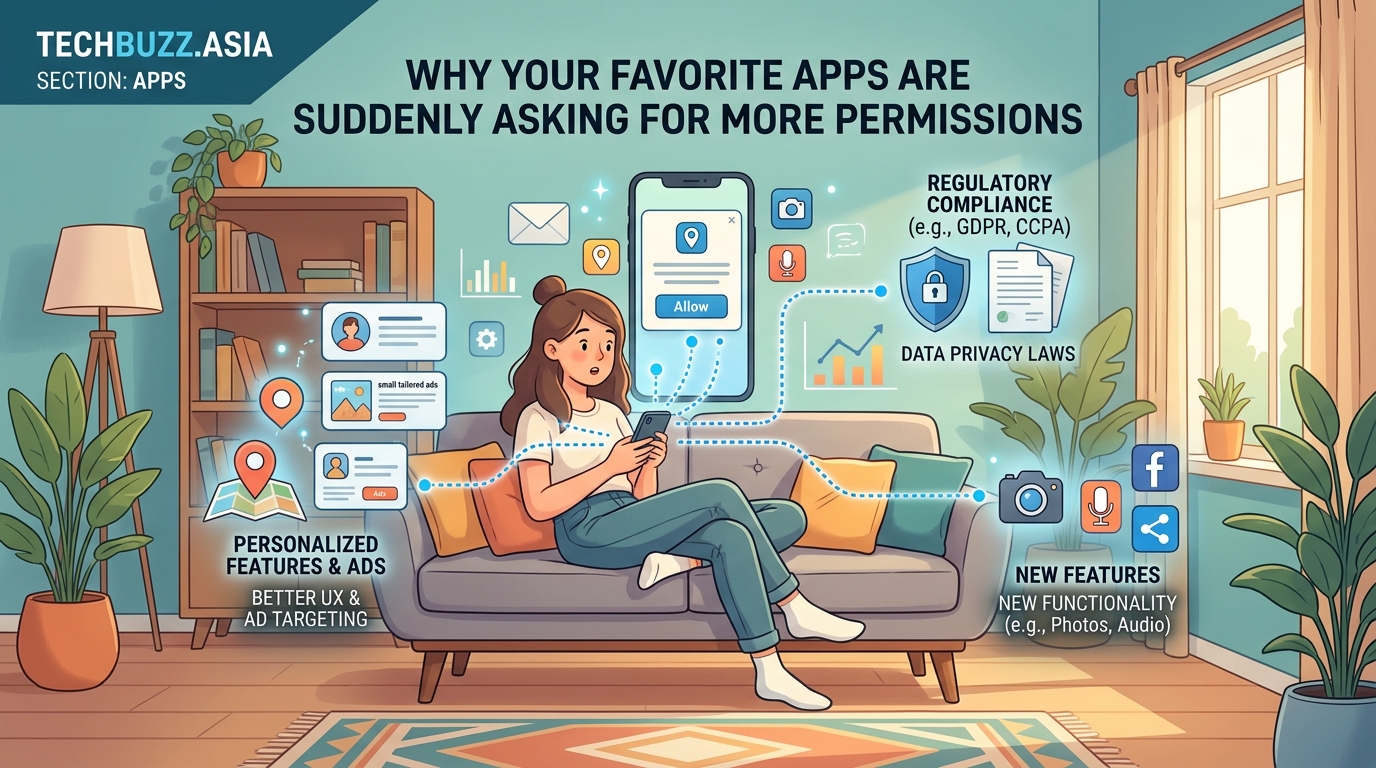
Apps add capabilities over time. Those capabilities often need system access.
A messaging app that adds video calls needs camera and microphone permissions. A fitness tracker that starts offering route mapping needs location access. A note-taking app that lets you scan documents needs camera permission.
Developers build features users request. Those features require specific permissions to work. The permission requests follow the feature updates.
Sometimes the connection isn’t obvious. A shopping app might request notification permission to alert you about delivery updates. A news app might want location access to show local stories. A recipe app might need storage permission to save your favorite meals offline.
The timing matters too. Apps often wait to request permissions until you actually use a feature. You might have used a photo app for months without seeing a location request. Then you try the “nearby photographers” feature and suddenly it needs to know where you are.
This approach is actually better for privacy. Apps request permissions only when needed rather than demanding everything upfront.
Advertising networks demand more data
Mobile advertising has become incredibly sophisticated.
Ad networks want to show you relevant ads. To do that, they need information about you. Location data helps them show ads for nearby stores. Contact access helps them understand your social connections. Photo access helps them analyze your interests.
Many free apps rely entirely on advertising revenue. Their survival depends on effective ad targeting. Better targeting means higher ad prices and more income for the developer.
The advertising industry has consolidated. A handful of large ad networks now power most mobile ads. These networks have specific data requirements. Apps using these networks must request certain permissions to remain compatible.
You’ll notice this pattern with free apps more than paid ones. Free apps need advertising income. Paid apps already have your money and face less pressure to maximize ad revenue.
Some apps offer a choice. Pay a subscription fee and skip the ads, or use the free version and accept the permission requests. The business model directly affects the permission requirements.
Privacy laws created unexpected consequences
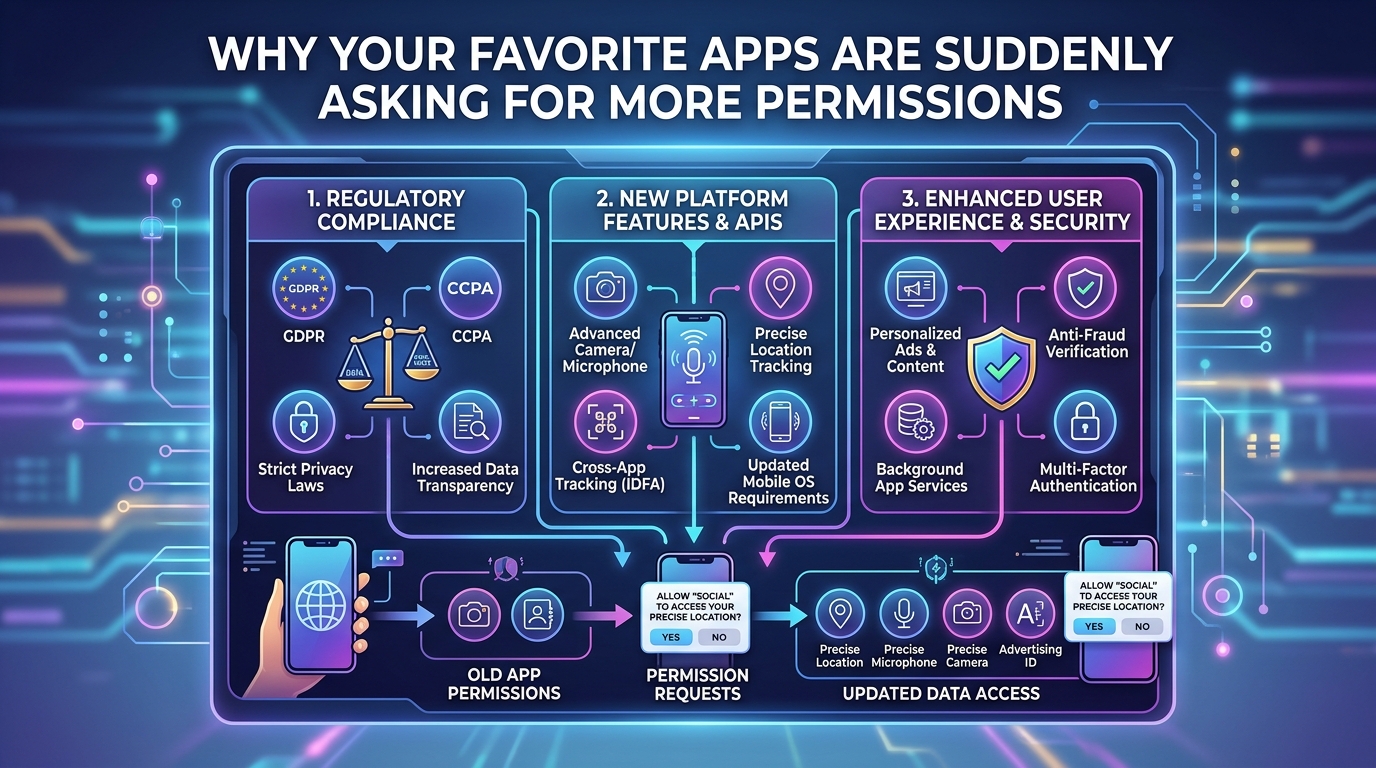
Regulations like GDPR in Europe and CCPA in California aimed to protect user privacy. They succeeded in many ways. But they also created new permission requests.
Apps now need explicit consent for data collection. They must explain what they collect and why. They need permission to store your information. They need separate permission to share it with partners.
These legal requirements translate into permission pop-ups. An app might request storage permission just to save your preferences locally. It needs that permission to comply with data protection laws.
The regulations also require apps to offer data export features. Users can request all their data in a readable format. Implementing this feature often requires additional permissions to access and package that data.
Some permissions exist purely for compliance. An app might request calendar access not because it needs your schedule, but because regulations require it to offer calendar export functionality if it stores any time-based data.
The irony is thick. Privacy laws intended to protect users sometimes result in more permission requests, not fewer. The requests themselves serve privacy goals, but they create notification fatigue.
How to review permission requests properly
Not all permission requests deserve approval. Some are reasonable. Others are overreach. You need a system to evaluate them.
- Read the permission description carefully before tapping allow
- Ask yourself if the requested permission makes sense for what you’re trying to do
- Check if the app offers an explanation for why it needs that specific access
- Look for alternative apps if the permissions seem excessive or unexplained
- Grant temporary permissions when available instead of permanent access
- Review and revoke permissions periodically through your phone settings
Your phone’s settings app shows all permissions for every installed app. Visit this section monthly. You’ll often find apps with permissions they no longer need or never should have had.
Both Android and iOS now offer one-time permissions. The app gets access for this session only. It must ask again next time. Use this option when an app needs temporary access for a specific task.
Some apps work fine with denied permissions. They might ask for contacts to help you find friends, but you can skip that feature and use everything else. Deny the permission and see what happens. You can always grant it later if needed.
Common permission types explained
Understanding what each permission actually allows helps you make better decisions.
| Permission Type | What It Accesses | Common Legitimate Uses | Red Flags |
|---|---|---|---|
| Camera | Takes photos and videos | Video calls, QR scanning, document capture | Calculator apps, simple games |
| Microphone | Records audio | Voice messages, calls, voice commands | Wallpaper apps, flashlight apps |
| Location | GPS coordinates and movement | Maps, weather, nearby search | Basic utilities, simple tools |
| Contacts | Names, numbers, emails | Messaging, social features, contact backup | Single-player games, photo editors |
| Storage | Files, photos, downloads | Saving documents, accessing media | Apps with no file-related features |
| Phone | Call logs, phone number | Two-factor authentication, call blocking | Apps unrelated to communication |
Notice patterns in the red flags column. Simple utility apps rarely need extensive permissions. A flashlight app has no legitimate reason to access your contacts. A wallpaper app doesn’t need your microphone.
Complex apps naturally require more permissions. A social media app reasonably needs camera, microphone, contacts, and storage. A standalone calculator does not.
The context matters enormously. Photo editing apps need storage access to save your work. That’s reasonable. But why would a photo editor need your call logs? It wouldn’t.
What happens when you deny permissions
Many people worry that denying permissions will break apps. Sometimes it does. Often it doesn’t.
Apps should gracefully handle denied permissions. Good developers build apps that work with limited access. They offer reduced functionality rather than refusing to run at all.
A weather app denied location access should let you manually enter your city. A messaging app denied camera access should still send text messages. A fitness tracker denied background location might not track runs automatically but should still let you start manual tracking.
Some apps behave badly when denied permissions. They might crash, show error messages repeatedly, or refuse to launch. This behavior often indicates poor development quality or manipulative design.
Test permission denials. Deny a questionable permission and use the app. If it works fine, you didn’t need to grant access. If it breaks completely, decide whether that feature is worth the privacy trade-off.
Android and iOS both let you grant permissions temporarily. The app gets access for one use, then loses it automatically. This option works perfectly for occasional features you rarely use.
The best privacy practice is simple: only grant permissions you understand, to apps you trust, for features you actually use. Everything else should be denied by default. You can always change your mind later.
The role of app updates in permission creep
Apps update constantly. Those updates sometimes add new permission requirements.
You might have reviewed and approved an app’s permissions when you first installed it. That was six months ago. The app has updated twelve times since then. Each update potentially added new permission requests.
Platform rules limit this somewhat. Apps can’t silently gain new permissions through updates. They must ask again if an update needs access they didn’t previously have. But users often approve these requests without reading them carefully.
Check your app update settings. Both Android and iOS can be set to update apps automatically. This convenience means you might not notice when an app requests new permissions after an update.
Consider disabling automatic updates for sensitive apps. Banking apps, health trackers, and messaging apps deserve manual review. You’ll see exactly what changed and what new permissions they want.
Read update notes before approving app updates. Developers list new features and changes. Those notes often reveal why new permissions are needed. “Added video calling” explains a microphone request. “No new features” combined with new permission requests raises questions.
Some apps use updates to comply with new platform requirements. An app updating to support Android 14 might need to restructure how it requests permissions. The functionality hasn’t changed, but the permission system has.
When to be suspicious of permission requests
Certain patterns indicate potential problems.
Apps that request every possible permission upfront are suspicious. Legitimate apps ask for permissions as you use features that need them. Mass permission requests at installation suggest the developer wants maximum data access regardless of actual needs.
Permissions that don’t match app functionality deserve scrutiny. A simple game requesting contact access is questionable. A meditation app wanting your location constantly is odd. A recipe app needing phone call permissions makes no sense.
Apps from unknown developers with vague descriptions and broad permission requests often harvest data for resale. Check the developer name, read reviews, and research the company before installing apps that request sensitive permissions.
Free apps with no obvious business model are concerning. Apps cost money to develop and maintain. If an app is free, has no ads, and requests lots of permissions, your data might be the product being sold.
Newly published apps with few downloads requesting extensive permissions could be malicious. Established apps with millions of users and regular updates are generally safer bets. Time and user base provide some verification.
Pay attention to permission requests that seem urgent or use pressure tactics. “Grant access now or your account will be deleted” is manipulative. Legitimate apps explain why they need permissions and let you decide without threats.
Balancing convenience and privacy
Every permission you grant is a trade-off.
More permissions mean more functionality and convenience. Apps work better when they have the access they need. Your maps app provides better directions with location access. Your camera app takes better photos with storage permission to save them.
But more permissions also mean more data collection and potential privacy loss. Companies can build detailed profiles from permission data. Location history reveals where you live, work, shop, and spend time. Contact access shows your social network. Calendar access displays your schedule and habits.
You get to choose where that balance sits for your life.
Some people prioritize convenience and grant most permissions. They trust major developers and value seamless functionality. Others prioritize privacy and deny everything possible. They’re willing to sacrifice features for data protection.
Most people fall somewhere in the middle. They grant permissions to trusted apps for features they actually use. They deny questionable requests from unfamiliar developers. They periodically review and revoke permissions that no longer seem necessary.
Your threat model matters. Someone concerned about corporate surveillance makes different choices than someone worried about stalkers. A journalist protecting sources has different needs than a teenager sharing memes.
The right approach is the one that matches your actual concerns and usage patterns. There’s no universal answer.
Alternative apps with fewer permission requirements
If an app’s permission requests bother you, alternatives often exist.
Many popular apps have privacy-focused competitors. These alternatives offer similar functionality with fewer permissions and less data collection. They might lack some features or polish, but they respect your privacy more.
Open source apps typically request fewer permissions than commercial alternatives. Their code is publicly visible, making hidden data collection difficult. The developers often prioritize user privacy over monetization.
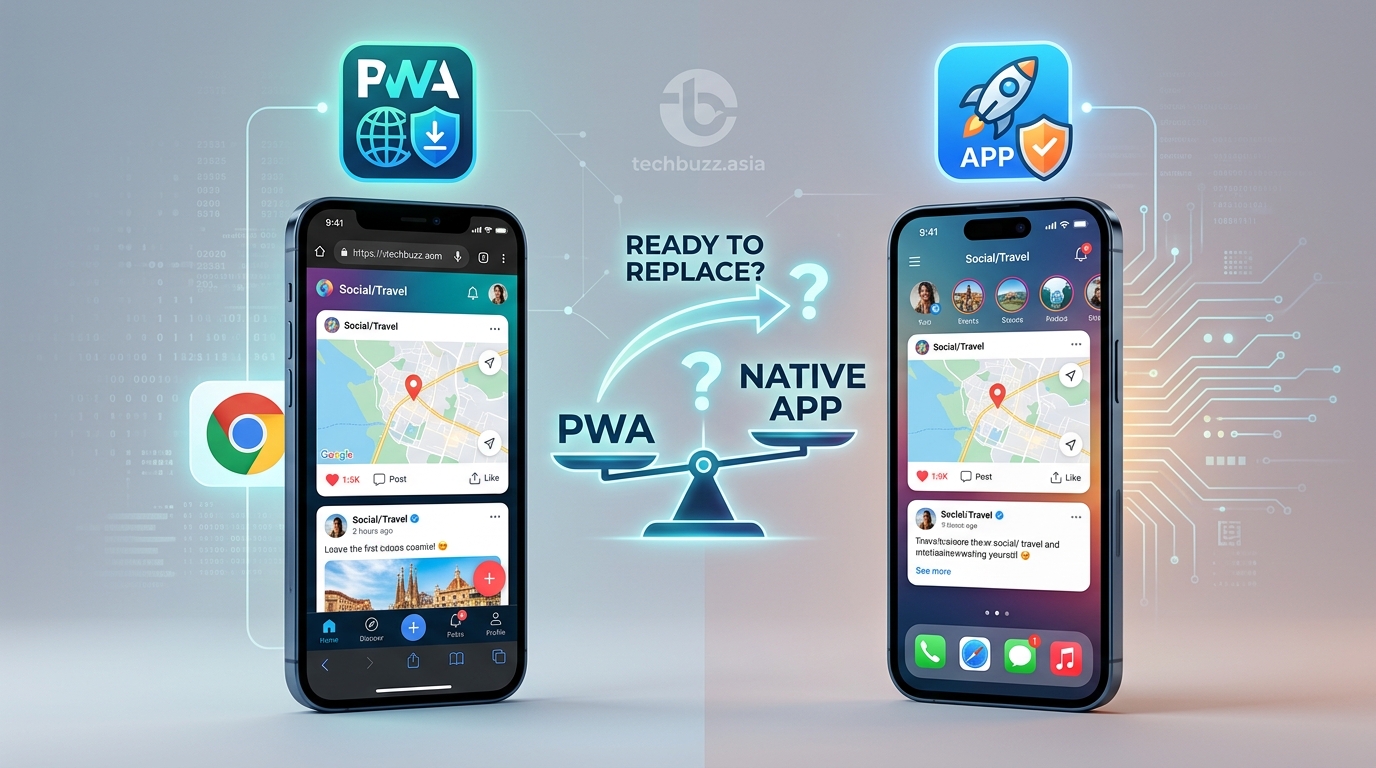
Web apps accessed through your browser need fewer permissions than native apps. A web-based weather service doesn’t need location permission. You can just type your city. A web-based photo editor doesn’t need storage access. You upload and download files manually.
Progressive Web Apps (PWAs) sit between websites and native apps. They offer app-like experiences through your browser with reduced permission requirements. Many services now offer PWA versions alongside their native apps.
Paid apps often request fewer permissions than free alternatives. When you pay for an app, the developer doesn’t need advertising revenue. That removes the primary motivation for extensive data collection. Just as understanding what happens when tech giants stop supporting your device helps you plan ahead, knowing your options for privacy-respecting apps helps you make better choices.
Research before installing. Read reviews that specifically mention privacy and permissions. Check privacy-focused websites that review and recommend apps based on their data practices.
Platform tools for managing permissions
Both major mobile platforms now include robust permission management tools.
Android’s permission manager shows all apps grouped by permission type. You can see every app with camera access in one list. This view makes it easy to spot apps that shouldn’t have certain permissions.
iOS offers similar functionality through Settings > Privacy & Security. Each permission type has its own section listing all apps with that access. You can revoke permissions individually or see which apps have never requested certain permissions.
Both platforms now support permission history. You can see when apps accessed specific permissions. This feature reveals if apps are using permissions when you’re not actively using them. An app accessing your microphone at 3 AM deserves investigation.
Permission auto-reset features remove permissions from apps you haven’t used in months. Android introduced this in Android 11. iOS added it in iOS 15. The feature assumes that apps you’ve abandoned don’t need ongoing access to your data.
App privacy reports provide detailed information about permission usage. iOS shows which apps have accessed location, camera, microphone, and contacts recently. Android offers similar insights through its Privacy Dashboard.
Use these tools monthly. Set a reminder to review your permissions. You’ll be surprised how many apps have access they don’t need or that you don’t remember granting.
The future of app permissions
Permission systems continue to evolve.
Future Android and iOS versions will likely offer even more granular control. Instead of granting full location access, you might specify accuracy levels. An app could get “city-level” location instead of precise GPS coordinates.
Time-limited permissions are expanding. Apps might get access for an hour, a day, or a week instead of permanently. The permission automatically expires unless you actively renew it.
Purpose-specific permissions could emerge. Instead of granting broad “storage” access, you might grant “save photos only” or “access documents only.” The app gets exactly what it needs and nothing more.
AI-powered permission recommendations might analyze app behavior and suggest which permissions to revoke. Your phone could notice that an app never uses a permission you granted and offer to remove it.
Stricter enforcement is coming. Both Apple and Google are removing apps that request permissions they don’t legitimately need. The app review process increasingly scrutinizes permission requests and demands justification.
Privacy nutrition labels now appear on app store pages. They show what data apps collect and how they use it. These labels help you evaluate apps before installation based on their privacy practices.
The trend clearly moves toward more user control and transparency. Platforms recognize that permission fatigue and privacy concerns affect user trust. Better tools and clearer information help users make informed decisions.
Teaching others about permission management
Many smartphone users don’t understand permissions at all.
They tap “Allow” reflexively without reading what they’re granting. They don’t know permissions can be reviewed or revoked. They assume apps need everything they request or they won’t work.
You can help friends and family develop better permission habits.
Start with simple explanations. Compare phone permissions to house keys. You wouldn’t give your house key to every person who asks. You should be equally careful with app permissions that access your personal information.
Show them the permission settings on their phone. Many people don’t know these settings exist. Walk them through reviewing their installed apps and the permissions each one has. The visual experience is more impactful than abstract advice.
Demonstrate the consequences of denied permissions. Show them how apps often work fine with certain permissions denied. This reduces fear that denying permissions will break their phone or delete their data.
Explain the business models. Help them understand why free apps want so much data. Once people grasp that their information has value, they become more protective of it.
Share your own permission decisions. Explain which apps you trust with which permissions and why. Real examples are more convincing than general principles.
Taking control of your app permissions today
You don’t need to accept every permission request that appears.
Start by reviewing your current apps. Open your phone’s permission settings right now. Look at which apps have camera access. Do they all need it? Check location permissions. Are apps accessing your location that have no location-related features?
Revoke permissions that don’t make sense. The worst that happens is an app asks for the permission again when it actually needs it. You can always grant it back.
For new apps, read permission requests carefully before approving them. Take five seconds to consider whether the request makes sense. That small pause prevents reflexive approval of questionable permissions.
Remember that you’re in control. Apps work for you, not the other way around. If an app demands permissions you’re uncomfortable granting, find an alternative. Thousands of apps exist for every purpose. You have choices.
Your smartphone contains years of personal information, communications, photos, and data about your life. Protecting that information through careful permission management isn’t paranoid. It’s sensible. The few minutes spent reviewing permissions protects hours of privacy and security.



Post Comment