7 App Subscription Traps and How to Avoid Getting Charged
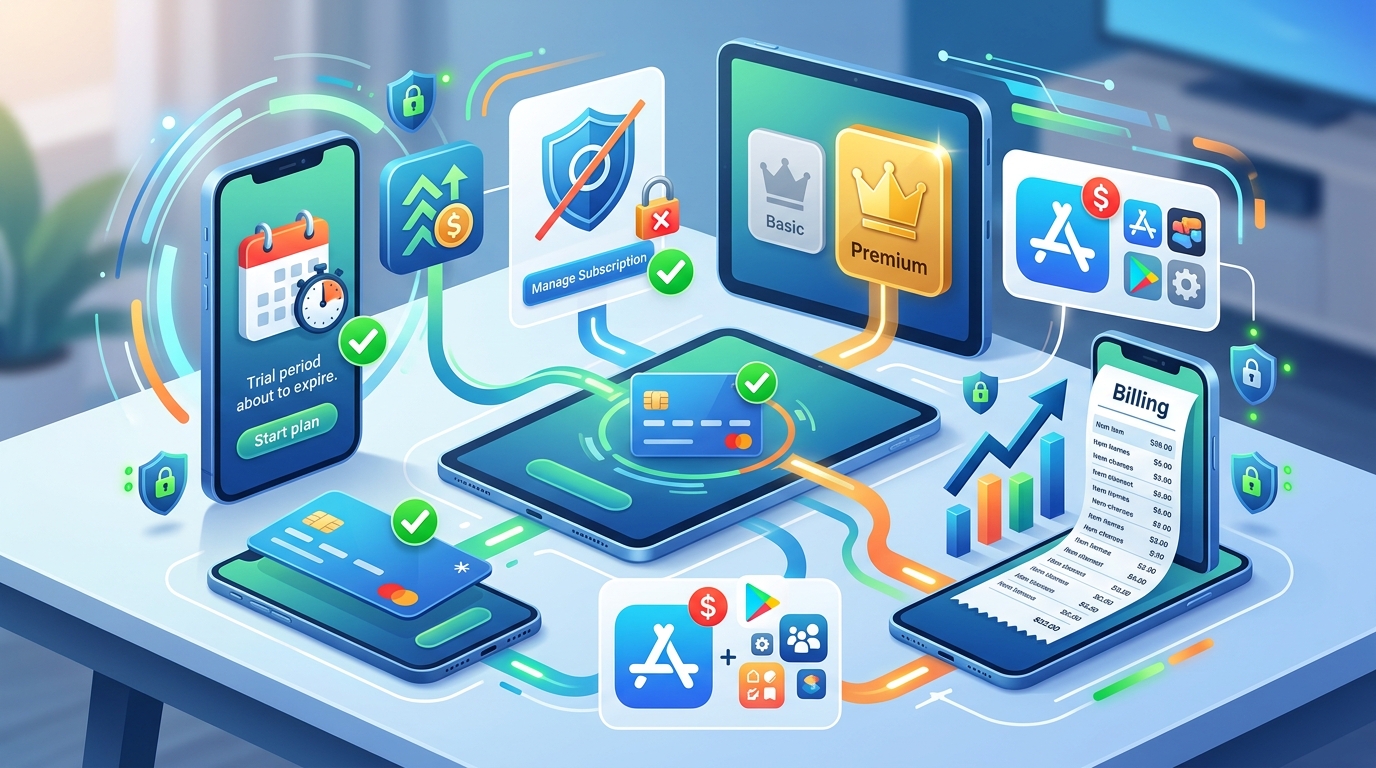
You download a meditation app for a seven-day trial. Three months later, you notice $59.99 missing from your account. The trial converted to a paid subscription without you realizing it.
This happens to millions of people every year. App developers design their billing systems to make canceling hard and auto-renewal easy. They count on you forgetting about that trial you signed up for during a late-night browsing session.
Subscription traps exploit free trials, hidden renewal dates, and confusing cancellation processes to charge you automatically. Protect yourself by setting calendar reminders before trials end, using virtual cards for trials, checking your subscriptions monthly, and knowing exactly where to cancel each service. Most people waste hundreds annually on forgotten subscriptions they never use.
Understanding how subscription traps actually work
App developers use psychological tricks to convert free users into paying customers. The process starts innocently enough. You see an ad for a productivity app that promises to change your life. The first week is free.
Here’s where the trap begins. The app requires payment information upfront, even for the free trial. Most people enter their credit card details without thinking twice. After all, it’s just a trial.
The app sends a single email on day one confirming your trial. Then silence. No reminder emails. No notifications. Just a quiet countdown to the moment your card gets charged.
Many services deliberately make the cancellation process complicated. You might need to navigate through five different menus just to find the cancel button. Some apps require you to email customer support. Others force you to call during business hours.
The billing happens automatically. You get charged the full annual fee instead of a monthly amount. By the time you notice, you’re already locked in.
Seven common subscription traps you need to recognize
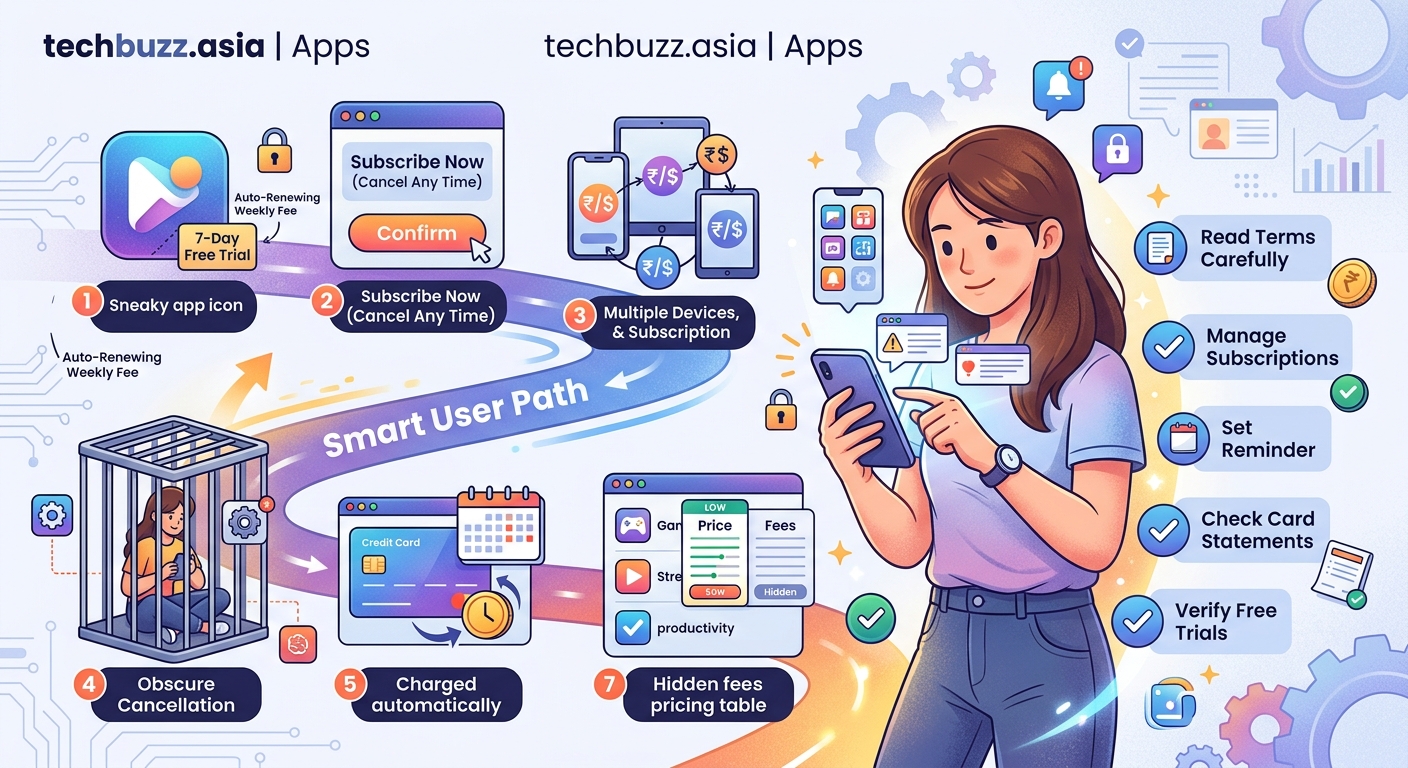
Different apps use different tactics. Knowing these patterns helps you spot trouble before it costs you money.
- The trial that requires a credit card – Legitimate free trials should never need payment information. If an app asks for your card details, they plan to charge you.
- The annual surprise – You think you’re signing up for a $4.99 monthly subscription. The fine print says $59.99 billed annually.
- The impossible cancellation – The subscribe button is huge and obvious. The cancel option is buried in settings, labeled “manage membership,” or requires contacting support.
- The zombie subscription – You cancel, but the app keeps charging you anyway. This happens more often than you’d think.
- The price increase notification – Apps send an email saying “we’re updating our terms” without clearly stating your monthly fee just doubled.
- The family plan trap – You sign up for a personal account. The app automatically upgrades you to a family plan at triple the price.
- The platform switcher – You subscribe on iOS but try to cancel on Android. The app claims you need to cancel where you originally subscribed.
Understanding these patterns makes you harder to trick. Apps rely on confusion and forgetfulness. Awareness breaks that cycle.
Step-by-step process to protect yourself before signing up
Taking precautions before you start a trial prevents problems later. Follow these steps every single time.
- Screenshot the terms and pricing before you agree to anything. Save these images in a dedicated folder on your phone.
- Set three calendar reminders. The first at 24 hours before trial end. The second at 12 hours before. The third at 2 hours before.
- Use a virtual card number instead of your real credit card. Services like Privacy.com let you create single-use card numbers with spending limits.
- Write down exactly where to cancel. Before you even start the trial, find the cancellation page and bookmark it.
- Check if your email provider can set delayed reminders. Gmail lets you snooze emails until specific dates.
- Create a simple spreadsheet tracking every subscription. Include the service name, trial end date, monthly cost, and cancellation link.
These steps take five minutes per trial. That’s a small price compared to losing $60 on a service you don’t use.
Many people skip these precautions because they trust themselves to remember. Your memory isn’t the problem. The apps are designed to make you forget.
How to audit your existing subscriptions right now
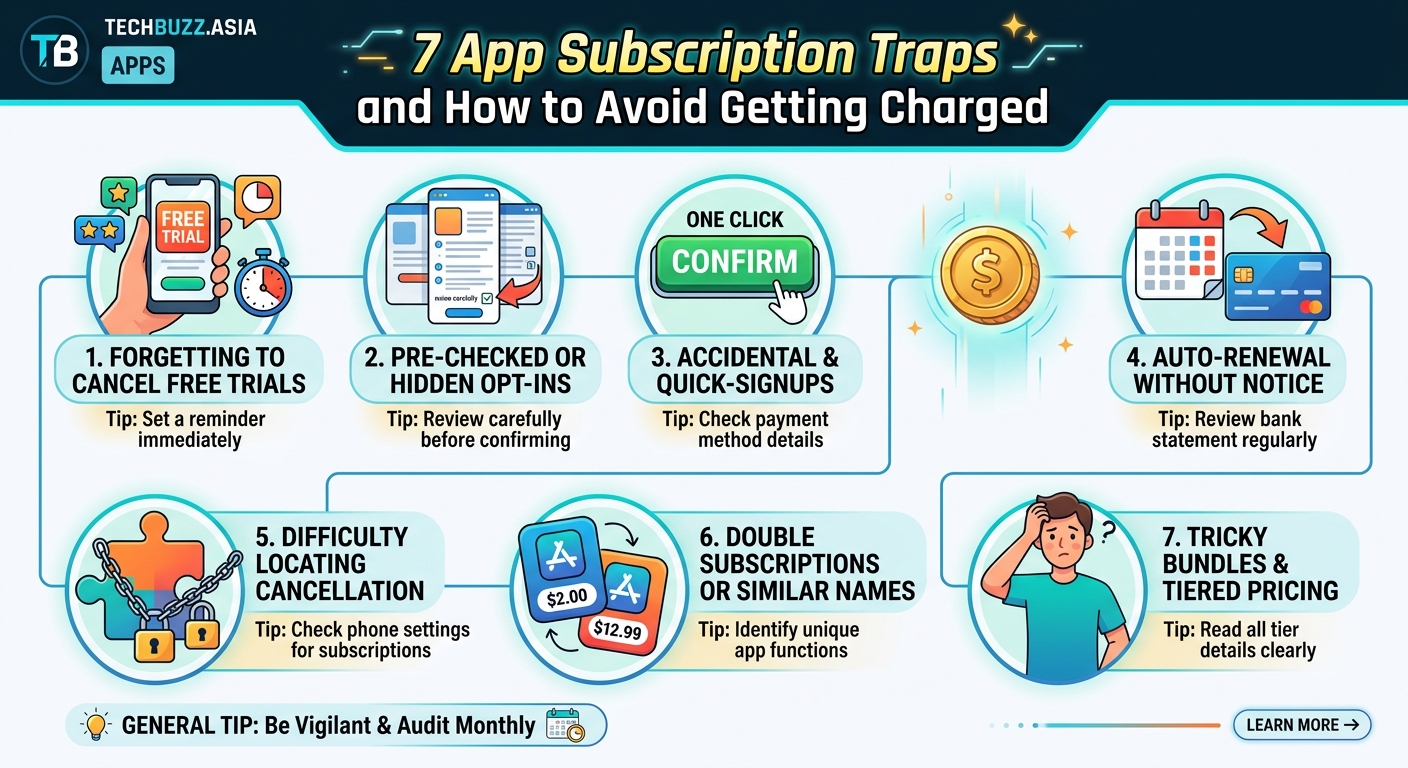
You probably have more active subscriptions than you realize. Banks report the average person maintains 12 recurring payments but can only name 6 when asked.
Start by checking your bank statements from the past three months. Look for any recurring charges. Write down every single one.
Your phone’s subscription manager shows what’s active through the app store. On iPhone, go to Settings, tap your name, then Subscriptions. On Android, open Google Play, tap your profile icon, then Payments & subscriptions.
These platform lists only show subscriptions purchased through the app store. They miss anything you signed up for directly through a website.
Check your email inbox for receipts. Search for terms like “subscription,” “recurring,” “monthly charge,” and “annual renewal.” You’ll find subscriptions you completely forgot about.
Credit card companies sometimes offer subscription tracking tools. Log into your account and look for features that categorize recurring payments.
Make a master list combining all these sources. You’ll probably find surprises. That streaming service you tried during a vacation. The language learning app you used twice. The cloud storage you upgraded but never needed.
Similar to how your smartphone battery degrades without proper maintenance, subscriptions silently drain your finances without regular attention.
The right way to cancel subscriptions without getting charged again
Canceling seems simple, but apps make it deliberately confusing. Different platforms have different rules.
For iOS subscriptions, open Settings, tap your name at the top, select Subscriptions, choose the subscription, and tap Cancel Subscription. The cancellation takes effect at the end of your current billing period.
Android users need to open Google Play Store, tap the menu icon, select Subscriptions, choose the subscription to cancel, and tap Cancel subscription.
Web-based subscriptions are trickier. Each service puts the cancel button in a different place. Common locations include Account Settings, Billing, Membership, or Profile.
Some services hide the cancel option behind customer support. You might need to chat with a bot or call a phone number. Document everything. Take screenshots showing you requested cancellation.
Never assume canceling stops all charges immediately. Read the confirmation email carefully. Some services let you use the service until the period you already paid for ends. Others cut off access immediately but don’t refund anything.
Watch your bank statement for at least two billing cycles after canceling. Zombie charges happen frequently. Apps sometimes “accidentally” keep billing you.
If you get charged after canceling, dispute it immediately. Contact the app’s support first. If they refuse to refund you, file a dispute with your credit card company.
Tools and apps that help you manage subscriptions
You don’t need to track everything manually. Several tools automate the process.
Truebill (now Rocket Money) connects to your bank account and identifies recurring charges. The app shows you everything in one dashboard and can cancel subscriptions for you.
Trim works similarly. It analyzes your spending, finds subscriptions, and negotiates lower bills on services like cable and internet.
Bobby is a simple tracker that doesn’t connect to your bank. You manually add subscriptions, and it sends reminders before renewal dates.
Apple Card users get automatic categorization of recurring payments. The Wallet app groups subscriptions together and shows monthly totals.
Your bank might offer similar features. Many financial institutions now highlight recurring payments in their mobile apps.
Browser extensions like Honey and Karma track subscriptions purchased online. They send alerts before free trials end.
Just remember that giving any app access to your bank account creates security risks. Read privacy policies carefully. Use apps from established companies with strong security reputations.
The best tool remains a simple spreadsheet you update monthly. Low tech, but completely secure and under your control.
What to do when apps refuse to let you cancel
Some companies make cancellation nearly impossible. They use dark patterns that violate consumer protection laws.
If you can’t find a cancel button anywhere, send an email to customer support clearly stating “I am canceling my subscription effective immediately.” Keep a copy of this email.
When apps require you to call during business hours, that’s often illegal depending on your location. In California, companies must offer an online cancellation method if you signed up online.
Document everything. Screenshot the app showing no cancel option. Save email conversations. Record phone calls if your state allows single-party consent.
If the company still refuses, contact your credit card company and request they block future charges from that merchant. Explain you canceled but the company won’t stop billing you.
File a complaint with the Federal Trade Commission at ReportFraud.ftc.gov. The FTC tracks patterns of deceptive practices and takes action against repeat offenders.
State attorneys general also handle consumer complaints. Many have online forms specifically for subscription billing issues.
Leave honest reviews warning others about the cancellation problems. Companies care about their app store ratings. Public complaints sometimes motivate faster resolutions than private support tickets.
Consider disputing the charge as unauthorized if you have clear proof you canceled. Credit card companies usually side with consumers in these situations.
Platform-specific subscription management strategies
Each major platform handles subscriptions differently. Knowing these quirks prevents confusion.
| Platform | Where to Cancel | Refund Window | Special Notes |
|---|---|---|---|
| iOS App Store | Settings > Your Name > Subscriptions | Varies by developer | Canceling doesn’t stop access until period ends |
| Google Play | Play Store > Profile > Payments | Varies by developer | Some apps require in-app cancellation |
| Amazon | Account > Memberships | 48 hours for some services | Prime subscriptions have separate management |
| PayPal | Settings > Payments > Manage automatic payments | Immediate | Stops future payments but doesn’t request refunds |
| Roku | Account on Roku website | Varies by channel | Can’t cancel directly on device |
Apple makes you cancel through iOS settings, not within the app itself. This confuses people who try to cancel by deleting the app. Deleting doesn’t cancel anything. You keep getting charged.
Google Play allows some apps to handle their own cancellations. You might need to cancel inside the app rather than through the Play Store.
Amazon splits subscriptions between Prime memberships, Subscribe & Save, and third-party channels. Each has a different cancellation process.
PayPal subscriptions are particularly tricky. You can stop PayPal from sending money to the merchant, but that doesn’t officially cancel your subscription with the company. You might face collection attempts.
Roku subscriptions must be canceled through the Roku website, not on your TV. This catches many people off guard.
Understanding these platform differences saves time and frustration when you need to cancel.
Creating a sustainable subscription management routine
Prevention beats cure. A simple monthly routine keeps subscription costs under control.
Set a recurring calendar event for the first day of each month. Label it “Subscription Audit.” Block 15 minutes.
During this time, review your bank statements from the previous month. Highlight every recurring charge.
Ask yourself three questions about each subscription:
- Did I use this service in the past 30 days?
- Does this service provide enough value to justify the cost?
- Would I sign up for this again today if I didn’t already have it?
If you answer no to any question, cancel immediately. Don’t tell yourself you’ll use it more next month. You won’t.
Update your subscription spreadsheet with any changes. Add new subscriptions. Remove canceled ones. Note any price increases.
Check for free alternatives. Many paid apps have free competitors that work just as well. The best free video editing apps often match premium software features.
Consider annual billing for services you definitely use daily. Annual plans usually cost less than 12 monthly payments. But only do this for essentials you can’t live without.
Review your needs seasonally. That meditation app might be perfect in January but unnecessary by June. Cancel and resubscribe when you need it again.
Teach family members about subscription management. Kids and teens often sign up for trials without understanding the billing implications. Make it a household conversation.
“The subscription economy relies on consumer forgetfulness. Your best defense is systematic attention. Fifteen minutes monthly saves hundreds annually.” – Consumer Financial Protection Bureau
Protecting yourself from future subscription traps
Companies keep inventing new ways to separate you from your money. Staying informed helps you spot new tactics.
Be suspicious of any “free” offer requiring payment information. Truly free services don’t need your credit card.
Read the fine print before clicking agree. Look specifically for phrases like “automatically renews,” “converts to paid,” or “billed annually.”
Never save payment information in apps unless absolutely necessary. The extra friction of entering your card each time makes you think twice about purchases.
Use email filters to catch subscription notifications. Create a rule that flags any email containing words like “renewal,” “subscription,” or “payment confirmation.”
Consider using a dedicated email address just for app signups. This keeps subscription emails separate from personal mail and makes them easier to track.
Enable purchase notifications on your credit cards. Most banks can text you immediately when a charge posts. This helps you catch unauthorized renewals within hours instead of weeks.
Join communities that share information about subscription traps. Reddit’s r/subscriptions and various consumer advocacy forums discuss new deceptive practices.
Remember that companies change their policies constantly. An app with easy cancellation today might make it harder tomorrow. Stay vigilant.
Some apps now offer “pause” options instead of full cancellation. This lets you stop payments temporarily without losing your account. Use this feature if you’re unsure about canceling permanently.
Watch for the psychology trick where apps offer you a discount right when you try to cancel. Only accept if you genuinely want to keep using the service at the lower price.
Taking control of your digital spending
Subscription traps work because they exploit normal human behavior. We forget things. We get busy. We assume we’ll remember to cancel later.
The apps and services aren’t going to change. Their business models depend on automatic renewals and complicated cancellations. Some companies earn more from forgotten subscriptions than active users.
Your defense is systematic management. Calendar reminders. Virtual cards. Monthly audits. Documentation. These simple habits protect your money.
Start today. Right now, open your banking app and check for recurring charges. You’ll probably find at least one subscription you forgot about. Cancel it. That’s money back in your pocket.
Set up your monthly subscription audit before you close this article. Pick a specific date and time. Make it recurring. Treat it like any other important appointment.
The fifteen minutes you spend each month managing subscriptions can easily save you $500 or more per year. That’s a better return than most investments.
Stop letting apps take your money without your active consent. You worked hard for that money. Make sure every dollar you spend on subscriptions delivers real value to your life.



Post Comment