Can a Portable Projector Replace Your TV in 2026?
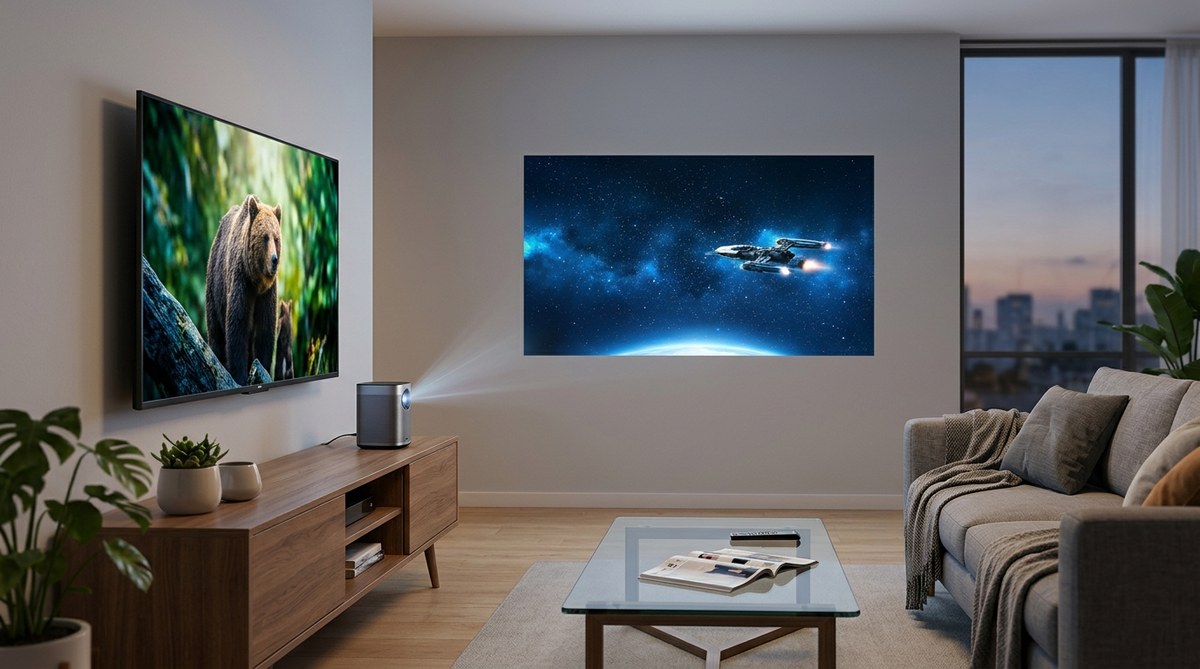
You’ve seen the 120‑inch movie nights at a friend’s apartment. You’ve heard the hype about laser‑LED hybrids that pack 4,000 lumens into a box the size of a hardcover book. And you’re probably wondering: in 2026, can a portable projector really take the place of your living‑room TV? The short answer is yes — but only if you pick the right hardware, manage your light conditions, and accept a few compromises. Portable projectors have crossed a threshold this year. They now deliver crisp 4K resolution, built‑in smart TV platforms, and auto‑keystone correction that makes setup a one‑minute job. For renters who can’t mount a 65‑inch panel on the wall, or for anyone who wants a cinema‑scale image without the bulk, the case for switching has never been stronger.
A 2026 portable projector can replace your TV if you prioritize sheer image size and flexibility over daytime brightness. The best models now hit 2,500 to 3,000 ANSI lumens, support 4K HDR, and include auto‑focus and smart streaming apps. You’ll still want a TV for brightly‑lit rooms or competitive gaming, but for evenings, movies, and casual content, a projector delivers an immersive experience no screen can match.
The 2026 Portable Projector Revolution
Last year’s portable projectors were bright enough for a dark room but struggled with any ambient light. In 2026, the specs have jumped. Laser‑phosphor and tri‑laser engines now produce over 3,000 lumens in portable form factors. That means you can watch a Sunday afternoon football game with the blinds half‑open — something that was unthinkable two years ago.
And the size? The latest DLP chips from Texas Instruments let manufacturers shrink the optics without sacrificing clarity. A typical TV‑replacement projector in 2026 weighs under four pounds and fits in a backpack. You can take it to a friend’s place for a movie night, then set it up in your bedroom on a tripod stand. That kind of versatility is impossible with a traditional television.
What to Look for in a TV-Replacement Projector
Not every portable projector is designed to replace your daily driver. Here’s a checklist of specs that matter when you plan to use the device for hours every day.
- Brightness (ANSI Lumens): Look for at least 2,500 lumens. Under 2,000 and you’ll be fighting your living room lights.
- Resolution: True 4K (UHD) with pixel‑shifting is the sweet spot. 1080p models are cheaper, but on a 120‑inch screen the lack of detail becomes obvious.
- Contrast and HDR: Seek a dynamic contrast ratio above 2,000:1 and support for HDR10+ or Dolby Vision.
- Built‑in Smart Platform: Android TV, Fire TV, or Roku built‑in saves you from plugging in an external stick.
- Auto Setup: Auto‑keystone, auto‑focus, and obstacle avoidance. You want a projector that corrects itself when you tilt it on a coffee table.
- Audio: Some models now include 2.1‑channel speakers with decent bass. Most still benefit from a soundbar or Bluetooth speaker.
- Portability: Battery life of 2+ hours and a compact case make the “portable” part useful.
A Quick Comparison: Portable Projector vs. Traditional TV
| Feature | Portable Projector (2026) | Traditional TV (65-inch) |
|---|---|---|
| Maximum image size | 100-150 inches | Fixed 65 inches |
| Brightness (typical) | 2,500-3,000 ANSI lumens | 400-1,000 nits (much higher peak) |
| Space required | None (just a wall/ceiling mount) | Significant floor or stand space |
| Setup time | 1-2 minutes (auto setup) | 30 minutes+ (mounting) |
| Best for | Dark/ dim rooms, movies, gaming | Bright rooms, sports, daytime use |
| Cost for good quality | $800-$1,500 | $600-$1,200 for 65-inch 4K |
| Portability | Backpack-friendly | Permanent fixture |
As the table shows, the projector wins on size and flexibility. The TV wins on brightness and convenience in well‑lit spaces.
Setting Up Your Projector for Daily Use
If you’re planning to use a portable projector every day, you need a system. Follow these steps to turn your living room into a practical home theater that doesn’t feel like a lecture hall.
- Choose your surface. A white wall works fine, but a dedicated ambient‑light‑rejecting (ALR) screen can double the perceived contrast. Buy a retractable floor‑rise screen if you want to keep the room looking normal during the day.
- Position the projector. Place it on a low table or a sturdy tripod. Most 2026 projectors have a 40‑degree vertical keystone range, so you can tilt it up without warping the image.
- Connect your sources. Plug in an HDMI cable from your streaming box or game console. Or just use the built‑in Wi‑Fi 6 to cast from your phone. (If your Wi‑Fi is sluggish, check out our guide on 7 Hidden Features in Your Router That Could Double Your Wi‑Fi Speed to avoid buffering during your show.)
- Adjust audio. Even the best built‑in speakers sound thin compared to a TV’s front‑firing drivers. Pair the projector with a Bluetooth soundbar or a set of portable speakers for fuller sound.
- Calibrate settings. Turn off any “eco” picture mode that dims the bulb. Set the color temperature to “warm” or “neutral” for the most accurate image.
“The biggest mistake people make is assuming a projector needs to be treated like a TV. You can’t just leave it on all day. Turn it off when you’re not watching, and use the built‑in sleep timer. Bulb life on a laser model is 20,000+ hours, so you’re fine as long as you don’t run it 12 hours a day.” — Jason Lin, product manager at a leading projector brand.
The Pros and Cons of Going All‑In on a Projector
Let’s be honest: no gadget is perfect. Here’s the balanced view.
Pros:
- You get a massive picture. A 120‑inch screen feels like a real theater.
- Portability means you can take it to the backyard, a camping trip, or a new apartment without hassle.
- Less eye strain. Reflected light is easier on your eyes than direct backlight from a TV.
- Space‑saving. No bulky furniture needed.
Cons:
- Ambient light kills the image. Even the brightest portable projector can’t match a mid‑range TV in a bright room.
- Black levels are still inferior to an OLED TV. In dark scenes, you’ll notice cloudiness.
- Input lag is higher. For competitive gaming (Call of Duty, Valorant), you’ll want a TV with a 120Hz panel. Casual RPGs and adventure games work fine on a projector.
- Setup involves more steps each time if you move it. A dedicated spot is better for daily use.
When to Keep Your TV (and When to Switch)
Your decision should come down to a single question: How often do you watch content in a bright room?
If you’re a renter in a downtown apartment who mostly watches after sunset, a portable projector is an ideal TV replacement. You gain a huge screen without drilling holes in the wall. If you work from home and have the TV on during the day for news or background noise, keep your TV. Or you could do both: use a small 32‑inch TV for daytime and roll out the projector for movie nights.
For budget‑conscious buyers, consider that a good 2026 portable projector costs around $1,000. A decent 75‑inch 4K TV costs about the same. But the projector gives you a bigger image and the ability to take it with you when you move. If you anticipate relocating in the next two years, the projector is the smarter investment.
Before you buy, watch out for fake reviews that hype up cheap projectors. Our article on How to Spot Fake Tech Reviews Before Making Your Next Purchase can help you separate the scams from the real deals. Also, be aware that older projectors degrade faster; the 2026 models have improved cooling and LED longevity. For more on that topic, see Why Your Android Battery Drains So Fast and How to Fix It Today — the same thermal principles apply to projector bulbs.
Making the Final Call
A portable projector in 2026 is no longer a toy or a niche gadget. It’s a legitimate primary display for anyone who values screen size and flexibility over raw brightness. The technology has matured: auto‑setup, 4K laser engines, and smart TV integration mean you can unbox it, aim it at a wall, and be watching The Bear in two minutes. For renters, van‑lifers, and minimalists, this is the year to finally cut the TV cord.
But don’t throw out your old set just yet. Use the projector for the content that matters most — movies, shows, and gaming in low light. Keep the TV for the daytime news, sports, and kitchen background noise. That hybrid setup gives you the best of both worlds.
What’s next? If you’re considering a portable projector, start by measuring your room, checking the throw ratio, and ordering an ALR screen. Set it up this weekend, and you’ll never want to go back to a 55‑inch display. The only downside? Your friends will keep asking to borrow it for their own movie nights.

Post Comment