8 Everyday Gadgets That Secretly Drain Your WiFi Bandwidth
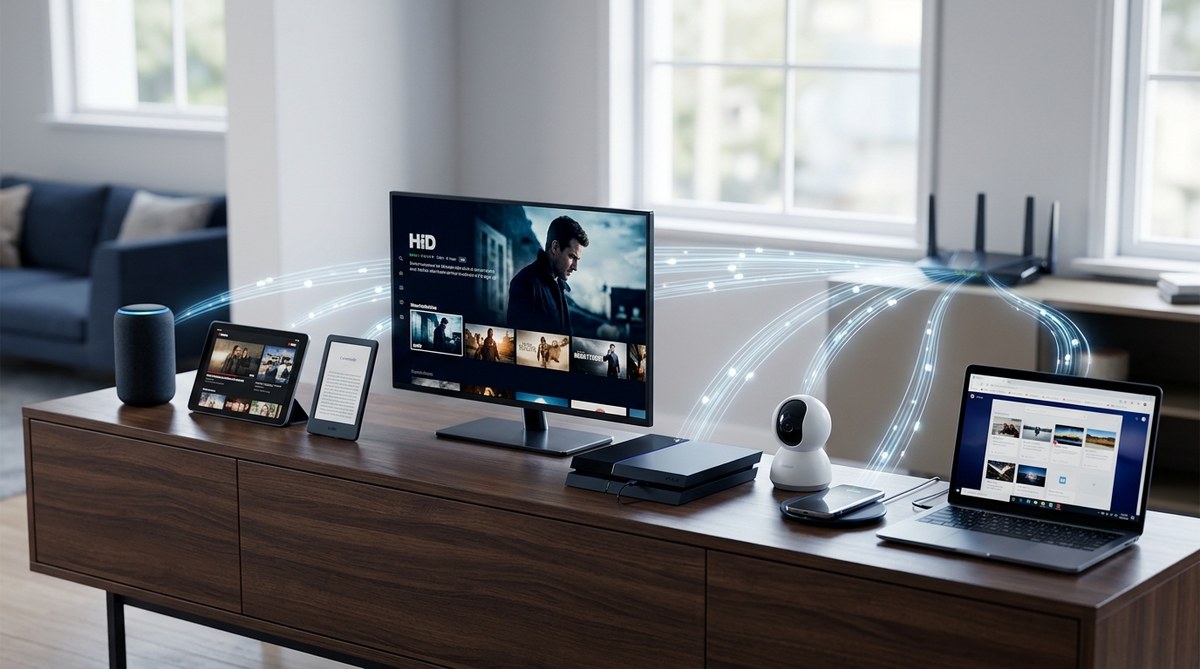
Feeling frustrated with slow internet speeds at home? You might be surprised to learn that certain everyday gadgets are quietly gobbling up your WiFi bandwidth. These devices, often overlooked, can cause buffering, lag, and dropouts during your favorite streaming, gaming, or work-from-home sessions. Recognizing and managing these household culprits can make a significant difference in your WiFi performance. Let’s uncover which common gadgets may be draining your WiFi and how to control their impact.
Many household devices, from microwaves to fish tanks, can interfere with WiFi signals and slow your internet. By identifying these gadgets and adjusting their placement or settings, you can boost your WiFi speed and enjoy smoother online experiences.
Which household gadgets could be secretly slowing down your WiFi?
Several common devices in your home emit signals or generate interference that hampers your WiFi performance. These gadgets may seem innocent but can cause significant disruptions. Here are the main culprits:
1. Microwave ovens
Microwave ovens operate on similar frequency bands as WiFi networks, especially the 2.4 GHz band. When in use, they can create interference that disrupts your internet connection. If your WiFi slows down whenever you heat food or beverages, your microwave might be the culprit.
2. Wireless baby monitors
Many baby monitors transmit data over WiFi or radio frequencies that can interfere with your network. Older models, in particular, tend to operate on crowded channels, leading to bandwidth competition.
3. Fish tanks and water features
Large fish tanks with pumps and filters often contain electrical components that emit electromagnetic interference. If your fish tank’s equipment is placed near your router, it can reduce signal strength and cause slowdowns.
4. Bluetooth devices
While Bluetooth operates on a different frequency than WiFi, crowded environments with many Bluetooth gadgets can create congestion. This interference can lead to reduced WiFi speeds, especially in densely populated households.
5. Large furniture and thick walls
Heavy furniture, especially metallic or dense materials, along with thick walls, can weaken WiFi signals. These physical obstructions force your router to work harder to maintain strong connections.
6. Smart TVs and streaming devices
Smart TVs and streaming gadgets like Chromecast or Roku often use WiFi to stream high-definition content. They can hog bandwidth, especially if multiple devices are streaming simultaneously, slowing down your overall network.
7. Cordless phones
Older cordless phones operate on the same 2.4 GHz frequency as many WiFi networks. When in use, they can cause interference, leading to laggy internet or dropped connections.
8. Appliances and HVAC systems
Smart refrigerators, washing machines, and HVAC controllers connected to WiFi can consume bandwidth. Although they may not seem like major offenders, multiple connected appliances can collectively slow down your network.
How to identify and minimize interference from household gadgets
Pinpointing which devices are affecting your WiFi isn’t always straightforward. Here are practical steps to identify and reduce interference:
- Scan your WiFi environment: Use apps like NetSpot or WiFi Analyzer to see which channels are crowded and identify potential interference from nearby devices.
- Change your router’s channel: Switching to less congested channels, especially on the 2.4 GHz band, can reduce interference from gadgets like microwaves and cordless phones.
- Reposition your router: Place your router in a central, elevated spot away from thick walls, metal furniture, or water features. Keep it clear of devices that emit electromagnetic signals.
- Update device firmware: Ensure your smart gadgets and router firmware are current. Manufacturers often release updates that improve compatibility and reduce interference.
- Limit bandwidth-hogging devices: Schedule high-bandwidth activities like streaming or large downloads during off-peak hours. Consider connecting some devices via Ethernet for stability.
- Use 5 GHz frequency band: If your router supports dual-band WiFi, switch your devices to the 5 GHz network. It’s less crowded and less prone to interference from household gadgets.
Practical strategies to optimize your WiFi and avoid gadget interference
To keep your WiFi running smoothly, consider these techniques:
| Technique | Mistake to Avoid | Effectiveness |
|---|---|---|
| Place router centrally | Positioning near thick walls or metal objects | Improves signal coverage and reduces interference |
| Use dual-band WiFi | Relying only on 2.4 GHz band | Less congestion, faster speeds |
| Schedule high-bandwidth activities | Running multiple streams simultaneously | Prevents bandwidth drain, maintains speed |
| Use wired connections | Relying solely on WiFi | Eliminates wireless interference issues |
| Limit number of connected devices | Overloading your network | Keeps bandwidth available for essential tasks |
“Interference isn’t always obvious. Regularly checking your WiFi environment helps you pinpoint issues early and keep your internet fast.” — Tech expert Jane Doe
How household habits can further drain your WiFi bandwidth
Beyond gadgets, habits around the house also play a role. For example, auto-syncing cloud services can run in the background, consuming bandwidth without your knowledge. Streaming in ultra-high definition or downloading large files during peak hours can quickly clog your network.
- Keep an eye on device activity via your router’s admin panel.
- Disable auto-updates for devices during busy hours.
- Disconnect unused smart gadgets or Bluetooth devices when not in use.
- Opt for wired connections for stationary devices like desktop PCs or smart TVs.
Common mistakes that worsen WiFi interference
| Mistake | Consequence | Better Approach |
|---|---|---|
| Placing router near microwave | Signal disruption during microwave use | Position router away from kitchen appliances |
| Ignoring firmware updates | Increased interference and bugs | Regularly update device firmware |
| Using only 2.4 GHz band | Overcrowded channels, slower speeds | Switch to dual-band or 5 GHz networks |
| Overloading the network with devices | Slow connection for all users | Disconnect unused gadgets or upgrade your plan |
Your home’s WiFi can be faster with a little TLC
Addressing gadgets draining WiFi bandwidth involves more than just changing settings. It requires understanding how your household devices interact with your network. By repositioning your router, selecting the right frequency bands, and managing device activity, you can reduce interference and enjoy faster, more reliable internet.
Keep your household gadgets in check for a better WiFi experience
Taking control of household gadgets and understanding their impact on your WiFi is a practical step toward smoother online life. Regularly reviewing your device placement, updating firmware, and limiting unnecessary connections can prevent slowdowns before they start. Remember, a well-optimized WiFi network makes everything from work calls to streaming movies more enjoyable. Apply these tips, and enjoy a faster, more stable internet experience every day.


Post Comment