What Happens to Your Data When You Delete an App?

You just uninstalled that fitness app you stopped using months ago. The icon vanished from your home screen. Problem solved, right?
Not exactly. Deleting an app from your phone is just the first step. What happens to all the personal information you shared with it? Your location history, photos, contacts, health data, and login credentials don’t automatically disappear when you tap that uninstall button.
Removing an app from your device only deletes the software itself, not the data stored on company servers. Your personal information remains accessible to developers unless you manually request deletion through account settings or privacy portals. Both iOS and Android keep cached files and app preferences even after uninstallation, requiring additional steps to completely remove your digital footprint.
Where Your Data Actually Lives
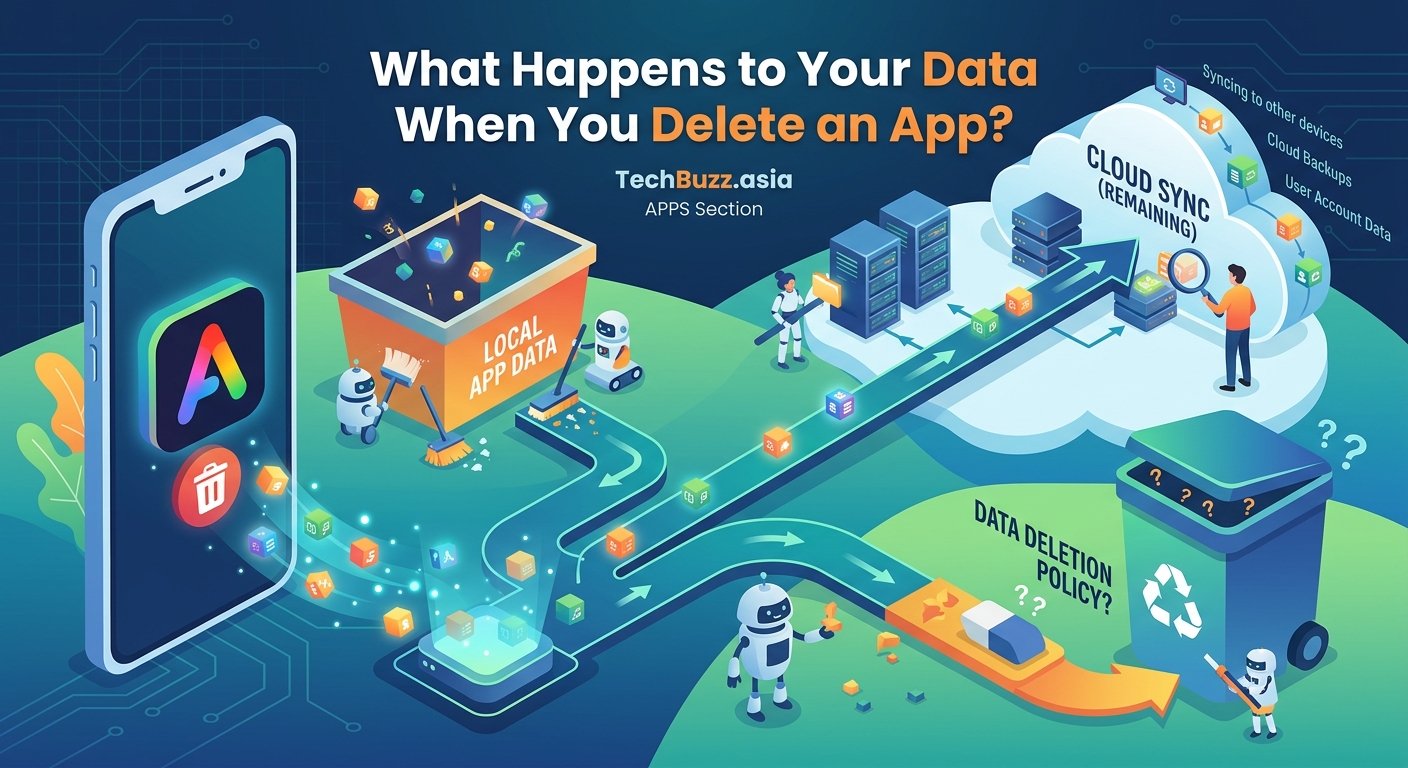
Apps store information in two distinct places. Understanding this split explains why deletion isn’t straightforward.
Local storage sits directly on your device. This includes app files, cached images, downloaded content, and temporary data. When you remove an app, your phone deletes most of these files automatically.
Server storage lives on the company’s computers, often called “the cloud.” Every account you create, every photo you upload, and every preference you set gets copied to their servers. This data persists indefinitely unless you take action.
Think of it like renting an apartment. Moving out removes your furniture, but the landlord still has your rental application, payment history, and security deposit records. Similarly, uninstalling removes the app’s presence on your phone but leaves your account data intact on company servers.
What iOS Removes Automatically
Apple’s operating system handles app deletion with a focus on freeing storage space. Here’s what disappears when you hold down an app icon and select “Delete App”:
- The application itself and all its code
- Most cached files and temporary data
- Downloaded content like offline maps or saved articles
- App-specific settings stored locally
iOS keeps certain elements even after deletion. System logs may retain crash reports for up to 30 days. If you enabled iCloud backup for that app, your data syncs across devices and remains accessible through your Apple ID.
The App Store remembers every app you’ve ever downloaded. Your purchase history stays linked to your account permanently, which is why previously installed apps show a cloud download icon instead of a price.
Android’s Deletion Process Works Differently
Android gives you more control over what gets removed. When you uninstall an app through Settings or the Play Store, you’ll see two options.
The standard uninstall removes the app but preserves some data. How to free up storage space on your Android phone without deleting photos explains how Android caches information to speed up reinstallation.
Selecting “Clear data” before uninstalling removes:
- Login credentials stored locally
- App preferences and settings
- Cached media files
- Temporary databases
Android 11 and newer versions introduced auto-reset permissions. Apps you haven’t opened in months lose their access to your camera, microphone, and location even if they remain installed. This feature protects privacy without requiring manual intervention.
The Server Data Problem Nobody Talks About
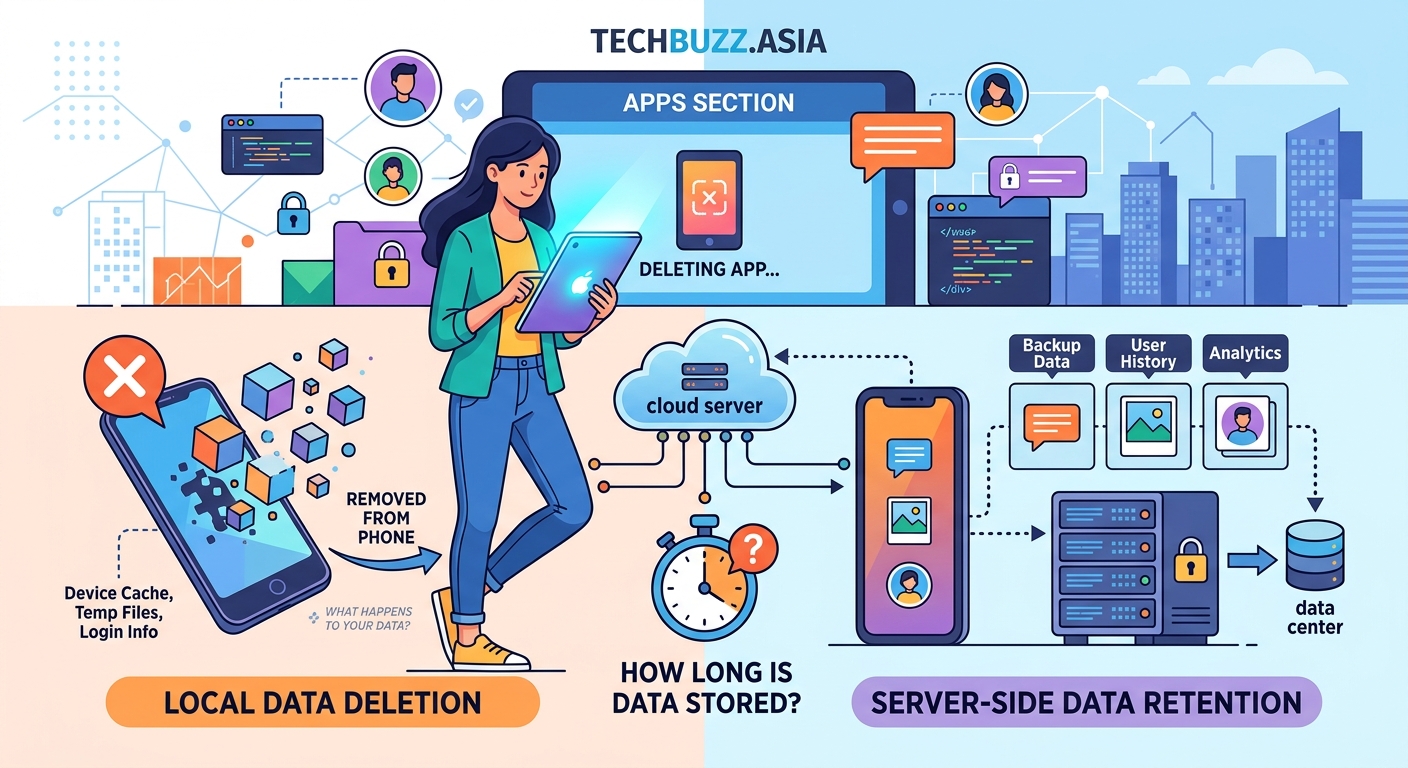
Here’s the uncomfortable truth: companies have zero technical obligation to delete your data when you remove their app.
Your account continues existing on their servers. They can still:
- Send you marketing emails
- Analyze your usage patterns
- Share anonymized data with partners
- Retain your information for legal compliance
Some apps make deletion intentionally difficult. Social media platforms often “deactivate” accounts instead of deleting them, keeping your data accessible if you return. Gaming apps preserve your progress and purchases indefinitely. Dating apps may keep your profile visible for weeks after you stop using them.
Financial apps and healthcare services face regulatory requirements to retain records for 7 to 10 years. Even if you request deletion, certain information must stay archived.
How to Actually Delete Your Data
Follow these steps to remove information from company servers, not just your device.
- Open the app before uninstalling and navigate to account settings
- Look for options labeled “Delete Account,” “Close Account,” or “Data Privacy”
- Complete any verification steps like entering your password or confirming via email
- Wait for the confirmation message (this can take 30 to 90 days for some services)
- Check your email for deletion receipts or cancellation notices
- Only then uninstall the app from your device
Many apps hide deletion options or require contacting support. How to spot fake apps before they steal your data covers red flags that indicate poor privacy practices.
Privacy regulations like GDPR and CCPA give you the legal right to request complete data deletion. Companies must comply within 30 to 45 days or face significant fines. Use this leverage when apps make deletion unnecessarily complicated.
What Stays Behind on Your Phone
Even after proper deletion, your device keeps remnants. These files won’t compromise security but do occupy storage space.
iOS stores app preferences in system folders that survive deletion. Settings like notification preferences and widget configurations remain until you manually clear them through Settings > General > iPhone Storage.
Android maintains residual folders in internal storage. Navigate to Files > Internal Storage and look for directories named after deleted apps. These often contain:
- Log files documenting app activity
- Exported documents or screenshots
- Media files you downloaded
- Backup databases
Clearing these manually reclaims several hundred megabytes on average. The process varies by manufacturer, but 7 hidden Android features that will change how you use your phone includes step-by-step instructions for popular brands.
Third-Party Data Sharing Complicates Everything
Apps rarely operate in isolation. They share your information with advertising networks, analytics providers, and business partners. Deleting the original app doesn’t affect these downstream copies.
When you installed that weather app, it probably sent your location to:
- Ad networks that build behavioral profiles
- Data brokers who sell consumer information
- Analytics companies tracking app usage
- Cloud services hosting the app’s infrastructure
Each entity maintains separate databases. Your deletion request only reaches the app developer, not their partners. This fragmentation makes complete data removal practically impossible.
Some apps disclose data sharing in privacy policies. Most users never read these documents, which average 4,000 to 6,000 words of legal language. The important details hide in sections about “third-party services” and “business transfers.”
Platform-Specific Privacy Tools You Should Use
Both iOS and Android offer built-in features to limit data collection before you even consider deleting apps.
iOS Privacy Controls
Settings > Privacy & Security provides granular control over permissions. Review which apps access your:
- Location (especially “Always” vs “While Using”)
- Photos (full library vs selected photos only)
- Contacts and calendars
- Microphone and camera
- Health and fitness data
The App Privacy Report shows how often apps use granted permissions. You might discover that weather app checked your location 847 times last week despite only opening it twice.
Android Permission Management
Settings > Privacy > Permission Manager breaks down access by category. You can revoke permissions without uninstalling apps, effectively limiting what data they collect going forward.
Android 12 introduced privacy indicators (small colored dots) that appear when apps use your camera or microphone. This real-time monitoring helps identify suspicious behavior.
Common Mistakes That Leave Data Exposed
| Mistake | Why It Fails | Better Approach |
|---|---|---|
| Just deleting the app | Server data remains intact | Delete account first, then uninstall |
| Assuming “logout” deletes data | Logout only disconnects your device | Use account deletion options |
| Ignoring linked services | Third-party logins preserve data | Revoke app access through Google/Apple/Facebook settings |
| Skipping email confirmation | Deletion requests may not process | Click confirmation links within 24 hours |
| Forgetting about backups | Cloud backups restore deleted apps | Disable app backup before deletion |
The biggest mistake? Assuming app developers prioritize your privacy over their business interests. They don’t. Data represents value, and companies resist deleting assets.
When Apps Refuse to Delete Your Data
Some services make deletion nearly impossible. Here’s what to do when you hit roadblocks.
The app lacks deletion options: Search the company website for a privacy portal or data request form. California residents can invoke CCPA rights regardless of where the company operates.
Support ignores your requests: Document every attempt with screenshots and timestamps. File complaints with your state attorney general or the FTC if the company operates in the United States.
The company went out of business: Abandoned apps present unique challenges. Their servers might stay online indefinitely with no one managing user data. What happens when tech giants stop supporting your device addresses similar scenarios.
The app requires payment to delete data: This practice violates most privacy regulations. Report it immediately and refuse to pay.
Special Cases That Need Extra Attention
Certain app categories demand additional scrutiny when deleting data.
Health and fitness apps collect sensitive medical information. Many sync with Apple Health or Google Fit, creating additional data copies. Delete from both the app and the platform’s health database.
Banking and financial apps must retain transaction records for regulatory compliance. Focus on removing personal identifiers like photos of your ID or Social Security number rather than transaction history.
Social media apps often preserve your content even after account deletion to maintain thread continuity for other users. Your comments, posts, and messages may remain visible with your name replaced by “Deleted User.”
Kids’ apps fall under stricter regulations like COPPA in the United States. Parents have enhanced rights to request immediate data deletion for children under 13.
Building Better Privacy Habits Going Forward
Prevention beats remediation. These practices minimize data exposure before you need to delete anything.
- Read app permission requests carefully before tapping “Allow”
- Deny access to contacts, photos, and location unless absolutely necessary
- Use “Sign in with Apple” or Google’s privacy-focused login options
- Check privacy policies for data retention timelines
- Set calendar reminders to audit installed apps quarterly
- Consider alternatives that prioritize privacy by design
Apps requesting excessive permissions relative to their function deserve immediate suspicion. A flashlight app doesn’t need your contact list. A calculator doesn’t need location access.
Why your favorite apps are suddenly asking for more permissions explains the business incentives driving invasive data collection.
Your Data Rights Under Current Privacy Laws
Multiple regulations protect your ability to control personal information. Knowing these rights helps when apps resist deletion.
GDPR (European Union): Grants the “right to be forgotten,” requiring companies to delete data upon request within 30 days. Applies to EU residents regardless of where the company operates.
CCPA (California): Gives California residents the right to know what data companies collect and request deletion. Many companies extend these rights nationwide to simplify compliance.
PIPEDA (Canada): Requires reasonable data retention periods and grants deletion rights similar to GDPR.
LGPD (Brazil): Brazil’s privacy law mirrors GDPR protections for Brazilian citizens.
Even without specific legislation, most countries recognize basic privacy rights through consumer protection laws. Companies operating internationally often apply the strictest standard globally rather than maintaining separate systems.
The Reality of “Anonymous” Data
Apps frequently claim they only keep “anonymized” or “aggregated” data after deletion. This distinction matters less than companies suggest.
Research consistently shows that anonymized datasets can be re-identified. Combining just three data points (birth date, gender, and ZIP code) uniquely identifies 87% of Americans. Location data proves even easier to de-anonymize since movement patterns are highly individual.
When apps say they “anonymize” your data, they typically mean:
- Removing your name and email address
- Replacing your user ID with a random number
- Aggregating your information with other users
They don’t mean your data becomes truly untraceable. Sophisticated analysis can still link anonymized records back to individuals, especially when combined with data from other sources.
Taking Control of Your Digital Footprint
Deleting apps represents one piece of a larger privacy strategy. Your data spreads across dozens of services, each with different retention policies and deletion procedures.
Start with a privacy audit. List every app on your phone and honestly assess which ones you’ve used in the past month. Anything sitting idle for 30+ days probably deserves deletion.
For apps you keep, review and restrict permissions annually. Technology changes, and apps that once needed certain access may no longer require it. Developers also update apps to request new permissions without clearly explaining why.
Consider using privacy-focused alternatives for common tasks. Open-source apps, paid services without ad-supported business models, and tools that process data locally rather than on remote servers all reduce your exposure.
The relationship between convenience and privacy requires constant balancing. Every app you install, every permission you grant, and every account you create expands your digital footprint. Deletion gives you a reset button, but only if you use it correctly.
Your data has value. Companies build billion-dollar businesses by collecting, analyzing, and monetizing user information. Treating deletion as seriously as installation helps ensure you control who profits from your personal details.
Start today by reviewing your installed apps. Pick three you haven’t opened in months and properly delete both the accounts and the applications. Your future self will appreciate the reduced privacy risk and reclaimed storage space.




Post Comment