Gaming on Linux Just Got Serious: What Changed and Should You Switch?
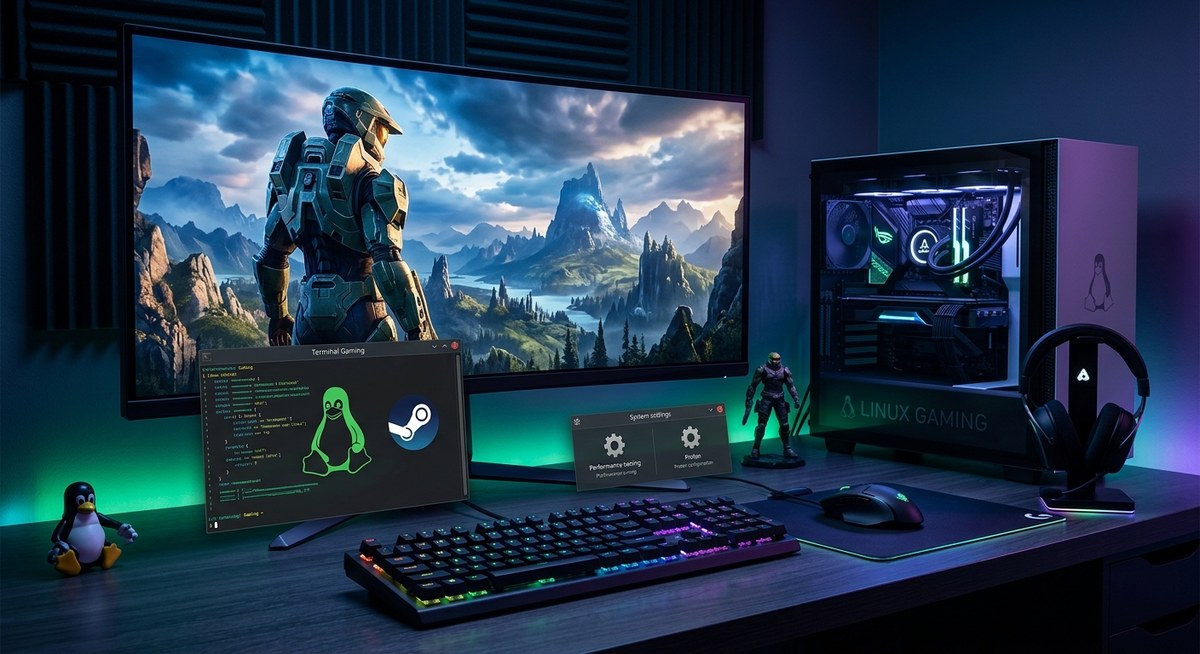
Gaming on Linux has moved from being a niche hobby to a genuine contender for gamers seeking alternatives to Windows. Recent advancements have dramatically improved game compatibility, performance, and ease of setup. Whether you are a seasoned Linux enthusiast or a curious gamer considering a switch, understanding what has changed can help you make an informed decision. The landscape is shifting fast, and Linux gaming is becoming more accessible and reliable than ever before.
Linux gaming has seen significant progress with better compatibility layers, native titles, and improved hardware support. While not yet perfect for all games, it offers a viable, cost-effective alternative for tech-savvy gamers willing to optimize their setup and adapt to some quirks.
How gaming on Linux has transformed recently
The idea of gaming on Linux used to be limited to a handful of compatible titles and often involved complex setups. Today, it’s a different story. Thanks to initiatives like Proton, improvements in graphics driver support, and the rise of native Linux ports, playing modern games on Linux is more straightforward and reliable.
Major game developers and platforms like Steam have made efforts to support Linux, making it easier to access a vast library of titles. Proton, Valve’s compatibility layer, allows many Windows games to run seamlessly on Linux. This technology has matured over the past few years, bridging the gap significantly.
Key improvements that make Linux gaming viable
1. Better compatibility layers and native ports
Proton has been a game-changer. It works behind the scenes to run Windows-based games on Linux without requiring complex configurations. Many titles that once refused to run now work out of the box or with minimal tweaks.
Native ports are also on the rise. Games designed specifically for Linux run more efficiently and with fewer compatibility issues. Developers are increasingly recognizing Linux’s potential, especially with gaming hardware becoming more Linux-friendly.
2. Hardware support and driver stability
Graphics card support has improved considerably. AMD’s open-source drivers are now robust and reliable, often outperforming proprietary options. Nvidia has also enhanced Linux driver stability, making high-end gaming smoother.
Peripheral support has expanded too. Modern controllers, VR devices, and gaming accessories are compatible with Linux, reducing the hassle of setup.
3. Reduced setup complexity and improved user experience
Installing Linux gaming environments is now simpler. Distributions like Pop!_OS and Ubuntu Gaming Remix come preconfigured with gaming tools. Steam’s Linux client is mature, and tools like Lutris and Heroic Games Launcher make managing non-Steam titles easier.
4. Growing native game library
While not as extensive as Windows, the native Linux game library is growing. Titles like “Dota 2,” “CS:GO,” and “Minecraft” run natively. Indie developers increasingly release Linux versions, recognizing its importance.
Practical steps to optimize gaming on Linux
If you’re considering switching or want to get the most out of your Linux gaming experience, follow these steps:
- Choose the right distribution. Opt for gaming-focused distros like Pop!_OS or SteamOS. They come with optimized kernels and drivers.
- Update your graphics drivers. Use the latest stable drivers from AMD, Nvidia, or Intel. Regular updates fix bugs and improve performance.
- Install gaming tools. Set up Steam with Proton enabled, and consider Lutris for managing non-Steam games.
- Configure performance settings. Tweak your system’s CPU governor, disable unnecessary background services, and enable Vulkan support for better graphics performance.
- Test and troubleshoot. Use community forums and compatibility databases like ProtonDB to find optimal configurations for specific titles.
Common pitfalls and mistakes to avoid
| Technique or mistake | Explanation |
|---|---|
| Relying solely on Proton | While Proton is powerful, some games still have issues. Native ports or Wine might be better for certain titles. |
| Ignoring driver updates | Outdated drivers can cause crashes or poor performance. Keep them current. |
| Using incompatible hardware | Some peripherals or graphics cards may have limited support, leading to issues. Research hardware compatibility before buying. |
| Overclocking without testing | Overclocking can boost performance but also cause instability, especially on Linux. Test thoroughly. |
| Skipping community resources | Forums, Reddit, and databases like ProtonDB are invaluable for troubleshooting and optimization tips. |
Expert advice
“The gap between Linux and Windows gaming has narrowed significantly. With patience and some setup effort, you can enjoy a large library of titles with decent performance.” — Linux gaming developer
Should you switch to Linux for gaming?
Deciding whether to switch depends on your priorities. If cost, customization, and open-source principles appeal to you, Linux offers compelling benefits. However, it still lags behind Windows in compatibility for certain AAA titles and peripheral support.
Pros of gaming on Linux
- Lower system costs and licensing fees
- Greater control over your system
- Compatibility with open-source software
- Improved privacy and security
Cons to consider
- Not all games work perfectly out of the box
- Some hardware may have limited support
- Less straightforward troubleshooting for newcomers
- Fewer official native titles compared to Windows
When is switching worth it?
If you primarily play indie or open-source games, or if you enjoy tinkering and optimizing, Linux can be a rewarding platform. For AAA titles or specific peripherals, Windows might still be more reliable.
Tips for getting started with Linux gaming
- Begin with a user-friendly distribution like Ubuntu or Pop!_OS.
- Install Steam and enable Proton.
- Use ProtonDB to check game compatibility before purchasing.
- Join Linux gaming communities for support.
- Experiment with different configurations to find what works best.
Comparing Linux and Windows gaming experiences
| Aspect | Linux | Windows |
|---|---|---|
| Compatibility | Improving but still limited for some AAA titles | Extensive, with native support for most games |
| Performance | Often comparable or better with proper setup | Usually optimized out of the box |
| Ease of setup | More involved, requires tinkering | Plug and play for most titles |
| Hardware support | Better with open-source drivers, varies with hardware | Generally reliable, wide support |
| Cost | Free | Paid OS |
Making the switch or optimizing your setup
Switching to Linux for gaming is easier than ever, especially with modern distributions and tools. Start by testing your favorite titles on a live Linux environment or dual boot. If you decide to switch fully, invest time in configuring your system for maximum performance.
Remember, the community is your best resource. Forums, Reddit, and dedicated Linux gaming sites can help troubleshoot issues and share optimization tips. Patience and experimentation are key.
Getting the most from your gaming Linux setup
Switching to Linux can be a rewarding experience if you’re willing to put in some effort. It’s not about replacing Windows overnight but about gradually adapting your system for better control, security, and cost savings. With recent changes, gaming on Linux is no longer a secondary option but a viable choice for many. Take the time to explore your hardware, experiment with configurations, and join communities to make the most of what Linux gaming has to offer. Your next gaming adventure might just be on a Linux desktop.

Post Comment