How to Future-Proof Your Home Network for the Era of Smart Everything
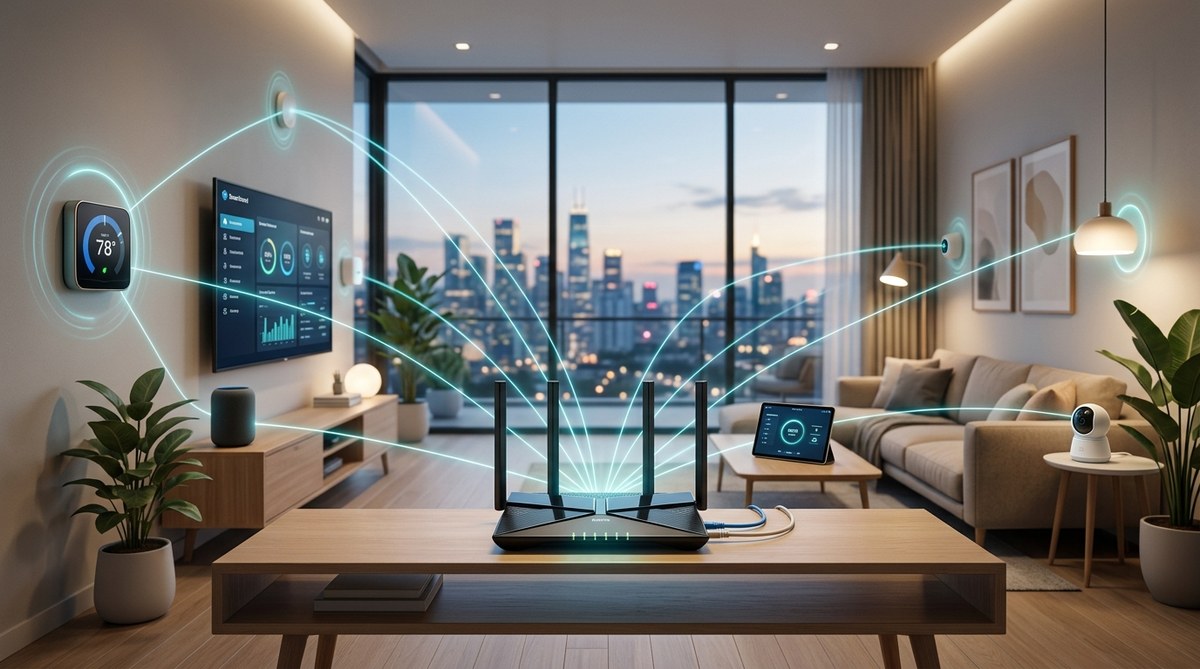
The average American home now has more than 20 connected devices. That number keeps climbing. Your grandmother’s smart lamp, your kid’s gaming PC, the doorbell camera, the thermostat, the robot vacuum, the streaming dongles in every room. They all fight for bandwidth. If your network was designed five years ago, it is already showing cracks. You can fix that today. This guide shows you exactly how to harden your setup so that every device gets the speed and stability it needs, even as you add more gadgets over the next several years.
Future-proofing your home network means investing in Wi-Fi 7 hardware, a wired backbone for stationary devices, mesh nodes for full coverage, and a solid security layer. Start by running a wired connection to your main gaming rig or streaming PC, then add a Wi-Fi 7 tri-band mesh system. Enable WPA3 encryption and keep router firmware updated. Buy cable that supports 10 Gbps to be safe. This approach keeps your home network fast and reliable for the next five to seven years.
Why Your Current Network Is Already Falling Behind
Most home routers sold before 2024 support Wi-Fi 6 at best. Wi-Fi 6 is good, but it was designed when the average household had half as many devices. Today, with smart speakers, security cameras, and even smart appliances, your router has to juggle dozens of simultaneous connections. Older protocols struggle to allocate bandwidth fairly. You get buffering during a 4K stream, lag spikes in online games, and smart home devices that drop offline unpredictably.
In 2025 and 2026, the industry has moved to Wi-Fi 7 (officially called 802.11be). Wi-Fi 7 brings a whopping 46 Gbps theoretical speed, but the real win is its ability to handle many devices on multiple bands at once without slowing down. If you buy a router from 2021, you are missing that efficiency. Future-proofing means adopting hardware that can handle the load today and tomorrow.
The Hardware Foundation: Router, Mesh, and Wiring
Your network is only as strong as its weakest link. For most people, that weak link is the router. A single router in a central living room may give decent signal to the kitchen and the master bedroom, but the home office in the back room gets half the speed. The solution is a mesh system.
A mesh system uses two or more nodes that talk to each other wirelessly or via Ethernet backhaul. It creates a single, unified network. Walk from the garage to the upstairs loft, and your phone stays connected without dropping. Look for a system that supports Wi-Fi 7 and tri-band (or quad-band if you have many clients). Brands like Eero, Orbi, and Deco have released 2026 models that include extra security features.
But mesh relies on a strong backhaul. If you can, run Ethernet cables between your modem and the main node and between that node and one satellite. A wired backhaul doubles throughput and reduces latency for everyone.
Here are the core hardware components you need to prioritise:
- Router or Mesh system: Must be Wi-Fi 7 (802.11be) with at least three bands.
- Modem (if you use cable or DSL): Must support DOCSIS 3.1 or 4.0 for future speed tiers.
- Switch: A gigabit switch is fine for now, but a multi-gig switch (2.5 Gbps or 10 Gbps) gives room for faster internet plans.
- Ethernet cables: Cat 6A or Cat 8 for any permanent runs. Avoid Cat 5e for new installations.
A Step-by-Step Plan to Future-Proof Today
Follow these six steps to transform your home network this weekend. You do not need to replace everything at once, but the sooner you start, the more stable your smart home will be.
-
Run one wired Ethernet drop to your most demanding device. That is usually a gaming PC, a streaming console, or a work computer. Hard wiring that device frees up Wi-Fi for everything else and eliminates latency issues for games or video calls.
-
Replace your old router with a Wi-Fi 7 mesh system. Place nodes in high-traffic areas: living room, home office, and any room where you stream 4K video. Configure them with the same SSID and password as before so you do not have to re-pair every device.
-
Enable WPA3 security on your Wi-Fi network. WPA3 is stronger than the older WPA2, and it prevents certain types of attacks. Most mesh systems now have it as a default, but double check in the app settings.
-
Update all firmware. This includes the router, each mesh node, your modem, and even your smart home hubs. Outdated firmware is a common cause of disconnects and security holes.
-
Set up a separate IoT network. If your router supports guest networks or VLANs, create one exclusive for all smart home devices (thermostats, lights, plugs, cameras, speakers). Keep your main network for your phones, laptops, and gaming devices. This isolation prevents a compromised smart bulb from spying on your desktop traffic.
-
Test your internet plan speed. If your ISP plan is only 100 Mbps, even the best Wi-Fi 7 hardware will not help. Consider upgrading to at least 500 Mbps, or 1 Gbps if you have multiple heavy users. Check if your ISP offers symmetrical speeds, which are becoming more common in 2026.
Common Mistakes That Sabotage a Future-Proof Network
Even with top hardware, people make errors that kill performance. Here is a table of frequent slip ups and the right fix:
| Mistake | What It Does | The Fix |
|---|---|---|
| Placing the router in a corner or cabinet | Signal is blocked by walls and metal | Move the router to a central, elevated location, away from floors and large appliances |
| Using the ISP’s default all-in-one modem/router combo | Limited features, poor firmware updates, often outdated | Buy your own modem and router (or mesh) for full control and better hardware |
| Ignoring channel interference in apartment buildings | Neighbors’ Wi-Fi overlaps and causes retransmissions | Use a Wi-Fi analyzer app to pick a less congested channel, or rely on mesh’s automatic channel selection |
| Not securing smart home devices | Many IoT gadgets have weak security and can be hijacked | Put them on a separate network (VLAN or guest network) and disable unnecessary remote access |
| Buying cheap Ethernet cables | Signal degradation over longer runs, slower speeds than advertised | Use Cat 6A or Cat 8 cables for any new runs; avoid flat cables for in-wall installation |
Security Is Not Optional When Everything Is Connected
A future-proof network is also a secure network. As of 2026, the number of attacks on smart home devices has tripled compared to 2023. Bad actors scan for poorly secured routers and cameras. They can use your devices to launch DDoS attacks or access your personal files.
You need three layers of security:
- Router firewall. Make sure SPI (stateful packet inspection) is enabled.
- WPA3 encryption on all wireless networks.
- Regular firmware updates. Set your router to update automatically if possible. Many modern systems do.
For extra peace of mind, consider a hardware firewall like Firewalla or a router with integrated threat detection. These systems learn normal traffic patterns and block suspicious activity before it touches your devices.
“The most overlooked upgrade for a smart home is the router. People spend hundreds on a smart thermostat but stick with a free ISP router. That decision causes most of the connectivity headaches they blame on the thermostat.” — Jared Newman, tech columnist.
Wired vs. Wireless: Where to Draw the Line
Wireless is convenient. Wired is reliable. The right balance changes as your home fills with devices. Here is a simple rule: anything that stays in one place and needs consistent high bandwidth should be wired. That includes:
- Game consoles (PlayStation, Xbox)
- Desktop PCs and workstations
- Smart TV or streaming box (if near the router)
- A Wi-Fi access point or mesh node
Wireless is fine for mobile devices like phones and tablets, plus most smart home gadgets that send small amounts of data (lightbulbs, sensors, plugs). If you have a lot of security cameras, consider a dedicated NVR with PoE (Power over Ethernet) to keep video off your Wi-Fi.
How to Choose the Right Gear in 2026
The market is full of claims. Here are the specs that actually matter for future proofing:
- Wi-Fi Generation: Insist on Wi-Fi 7 (802.11be). Avoid any router that only supports Wi-Fi 6 or 6E if you plan to keep it more than two years.
- Bands: Tri-band (one 2.4 GHz, two 5 GHz, or one 6 GHz) helps separate traffic. Quad-band is overkill for most homes but useful for large houses with many clients.
- Ports: The WAN port should support at least 2.5 Gbps. Many fiber ISPs now offer 2 Gbps plans. A 1 Gbps WAN port will become a bottleneck.
- Processor: Look for a quad-core or better. Routers with weak CPUs choke under load, especially when you enable QoS or VPN.
- Matter & Thread support: If you use smart home hubs, a router with built-in Thread border router can simplify your Zigbee and Matter devices. Not essential but helpful.
7 Hidden Features in Your Router That Could Double Your Wi-Fi Speed explains how to tune settings after you have the right hardware.
The Cost of Waiting
Every year you delay upgrading, you add more devices to a network that can barely handle what you already have. The result is frustrating drops during video calls, constant reboots, and slower internet than you pay for.
A full mesh system with Wi-Fi 7 costs around $400 to $700 as of early 2026. That sounds steep, but compare it to the hassle of repeated tech support calls or buying a cheap router every two years that does not keep up. Spread over five years, it is a few dollars a month. Your gaming experience, your work from home productivity, and your smart home reliability all benefit.
If you cannot do a full upgrade right now, start with the wired backbone. Run Ethernet to your main PC or console today. That single change will dramatically improve your network’s performance for the most important device. Then save up for the mesh system.
Testing and Tweaking Your New Network
Once you have set everything up, run a speed test from at least two different rooms. Use Ookla’s Speedtest or a local tool. Look for consistency. If your download speed in the bedroom is less than 70% of what you get near the router, consider moving a mesh node closer.
Also ping a game server or a website you regularly use. Anything below 30 ms is excellent for gaming. Above 100 ms means there is a problem. If your ping is high, check if you are using a VPN or if any device is saturating your upload bandwidth (like a cloud backup service).
Set up a recurring monthly task: log into your router’s app and check for firmware updates. That habit alone prevents more problems than any expensive add on.
Long-Term Maintenance
Your network will change over time. In 2027, you might add a new security camera system. In 2028, a smart garage door. Each new device should be added to your IoT VLAN. Keep an eye on the number of connected clients. If you exceed 40 devices, your mesh may need an extra node. Many systems allow you to add nodes later.
Also, review your internet plan every 12 to 24 months. ISPs often upgrade speeds for the same price. If you are paying for 500 Mbps but your area now offers 1 Gbps for the same cost, switch. Your future proof hardware will handle it.
The Real Reason Your Smart Home Devices Keep Disconnecting is often caused by a weak router. If you have already upgraded but still see drops, check for interference from microwave ovens or baby monitors on the same frequency.
Your Home Network Is the Backbone of Your Digital Life
Treat it like one. A small investment in a future proof home network pays off in every streaming session, every online game, and every smart assistant that responds instantly. You will stop troubleshooting your Wi-Fi and start enjoying it. That is the goal. Plan your upgrade, run the cables, and choose hardware that will still feel modern in 2030. Your future self, with even more smart devices, will thank you.


Post Comment