You’re Probably Charging Your Android Phone Wrong: The Truth About Battery Health in 2026
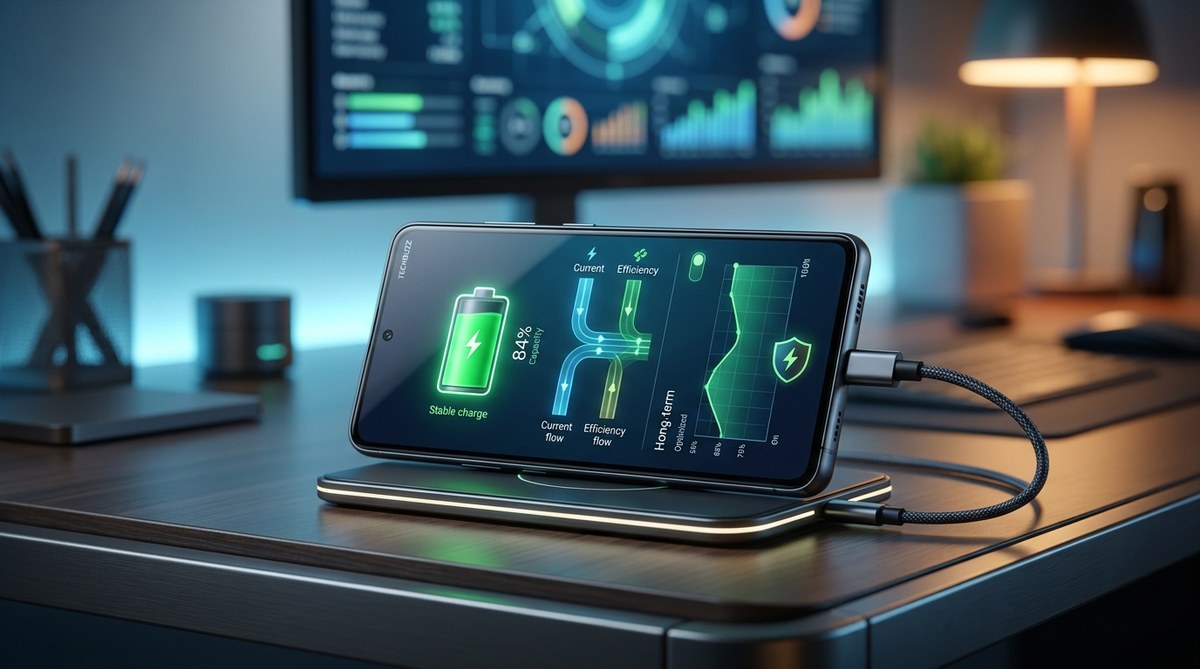
Your phone used to last a full day without breaking a sweat. Now you’re hunting for a charger by 3 PM. That battery degradation isn’t just inevitable aging. Chances are, you’re making it worse without realizing it. The good news? Modern Android phones in 2026 handle battery health differently than the phones from five years ago. The old rules don’t apply anymore. Let’s fix your charging habits today.
Modern lithium-ion batteries in Android phones last longest when kept between 20% and 80% charge. Extreme heat is your battery’s real enemy, not overnight charging. Enable adaptive charging in your settings, avoid wireless charging for daily use, and stop worrying about letting the battery drain to zero. These simple changes can double your battery’s usable lifespan.
What Actually Wears Down Your Battery
Lithium-ion batteries degrade through two main mechanisms: cycle count and heat exposure. Every time you charge from 0% to 100%, that counts as one full cycle. After roughly 500 to 800 full cycles, your battery starts holding noticeably less charge.
But here is the part most people get wrong. Heat is far more destructive than charging frequency. Leaving your phone in a hot car on a summer afternoon in Phoenix does more damage in two hours than a full year of normal charging. The same goes for using your phone while it’s wirelessly charging on a soft surface like a bed or couch. The battery traps heat and ages faster.
Your phone’s battery management system has gotten smarter in recent years. Android 15 includes adaptive charging profiles that learn your daily routine. But software can only do so much if your habits fight against it.
The 20% to 80% Rule Is Real
Battery experts agree on this one. Keeping your charge level between 20% and 80% dramatically reduces strain on the cells. Think of it like a rubber band. Stretching it all the way to the limit every time weakens it faster. Keeping it in the middle range preserves elasticity.
Here is a simple breakdown of how different charging ranges affect battery lifespan:
| Charging Habit | Strain on Battery | Typical Lifespan Impact |
|---|---|---|
| 0% to 100% every time | High | Shortest lifespan |
| 20% to 80% regularly | Low | Longest lifespan |
| 30% to 70% daily | Very low | Maximum lifespan |
| 80% to 100% top-offs | Moderate | Slightly reduced |
| Letting it hit 0% often | Very high | Accelerated degradation |
Most Samsung and Google Pixel phones now include a battery protection setting that stops charging at 80% or 85%. Turn that on and forget about it. Your phone will handle the rest.
Why Overnight Charging Isn’t the Enemy Anymore
You have heard the warning. Never leave your phone plugged in overnight. That advice came from older battery technology that would overcharge and overheat. Modern Android phones stop drawing power once they hit 100%. The charger trickles in just enough to maintain that level.
The real risk with overnight charging is heat. If your phone is under a pillow, inside a bag, or on a thick blanket while charging all night, the trapped heat will degrade the battery. But if it is sitting on a nightstand in the open air, overnight charging is perfectly safe in 2026.
“The single biggest factor in battery degradation is temperature, not charging duration. Keep your phone below 95 degrees Fahrenheit during charging and you will see minimal capacity loss over two years.” – Battery University research summary
The Hidden Settings That Protect Your Battery
Your Android phone has features most people never touch. These settings directly affect battery health.
Battery Protection Mode
Go to Settings > Battery and device care > Battery protection. This limits the maximum charge to a set percentage. Set it to 80% for daily use. Only disable it when you know you need the full battery for a long day away from power.
Adaptive Charging
Found in the same menu, this feature learns your wake-up time and charging schedule. It holds the battery at 80% overnight and finishes charging to your set limit right before you unplug. This reduces the time the battery spends at high voltage.
Disable Fast Charging When Possible
Fast charging generates more heat. When you charge overnight or at your desk, use a standard 5W or 10W charger. Save the 25W and 45W fast chargers for when you need a top-up in 20 minutes.
The Worst Charging Mistakes You’re Probably Making
Let’s clear up some common habits that are quietly killing your battery.
- Using cheap wireless chargers that lack cooling fans or temperature sensors
- Playing graphics-heavy games while the phone is plugged in and charging
- Letting the battery drain to 0% and sit dead for weeks
- Using fast chargers from brands you have never heard of
- Keeping Bluetooth, Wi-Fi, and GPS on during charging (they generate heat)
- Running battery calibration apps that force full discharge cycles (unnecessary on modern phones)
If you recognize any of these, you are not alone. Most people do at least two of these regularly.
A Simple Charging Routine That Works
Here is a practical routine you can start today. No apps needed. No weird rituals.
- Plug in your phone when it hits 20% to 30%. Do not wait for the low battery warning.
- Unplug it when it reaches 80% to 85%. If you need 100% for a long day, that is fine occasionally.
- Charge on a hard, flat surface where heat can dissipate.
- Use a slow charger (5W to 10W) for overnight or desk charging.
- Keep fast charging (25W and above) for emergencies only.
- Once a month, let the battery drain to around 10% and then charge to 100%. This helps the battery management system recalibrate its readings.
That is it. Six steps that take zero extra time.
What About Wireless Charging in 2026?
Wireless charging pads have improved significantly. Many now include active cooling fans and alignment guides to reduce heat. But they still generate more heat than a wired connection. For daily use, a cable is kinder to your battery. Wireless is fine for convenience, but don’t make it your primary charging method if you want maximum battery lifespan.
If you travel frequently, check out our guide on the best portable power banks for fast charging your laptop and phone simultaneously to keep your devices topped up without damaging the battery.
Why Your Battery Drains Faster in Cold Weather
Cold temperatures temporarily reduce battery capacity. That 80% charge might behave like 60% when you are outside in 30 degree weather. This is normal and reversible. The battery is not damaged. Once it warms up, the capacity returns.
What actually damages batteries is charging them when they are too cold. If your phone has been sitting outside in freezing temperatures for an hour, let it warm up before plugging it in. Android now warns you about this with a temperature notification, but many people ignore it.
The Truth About Battery Replacement
Even with perfect habits, all batteries degrade eventually. After two to three years, you will notice reduced runtime. At that point, paying for a battery replacement (usually $60 to $120) is far cheaper than buying a new phone. Many 2026 Android phones have user-replaceable batteries or affordable service options.
If you are considering an upgrade, our piece on why tech companies are suddenly obsessed with repairability explains how this trend is making battery swaps easier.
Putting It All Into Practice
Start with one change. Turn on battery protection mode and set it to 80%. That single setting does more for your battery health than any other tip in this article. Once that is done, adjust your charging habits gradually. Use a slow charger at night. Keep your phone cool. Stop obsessing over the exact percentage.
Your Android phone’s battery is a consumable part, like the tires on a car. You cannot make it last forever. But with these tips, you can easily get two to three years of solid performance before noticing any real drop-off. And that means more time between upgrades and more money in your pocket.
For a deeper look at what causes battery wear in the first place, read our article on why your smartphone battery degrades faster than it should.



Post Comment