The Best Apple Arcade Games You Can Play with a Controller in 2026
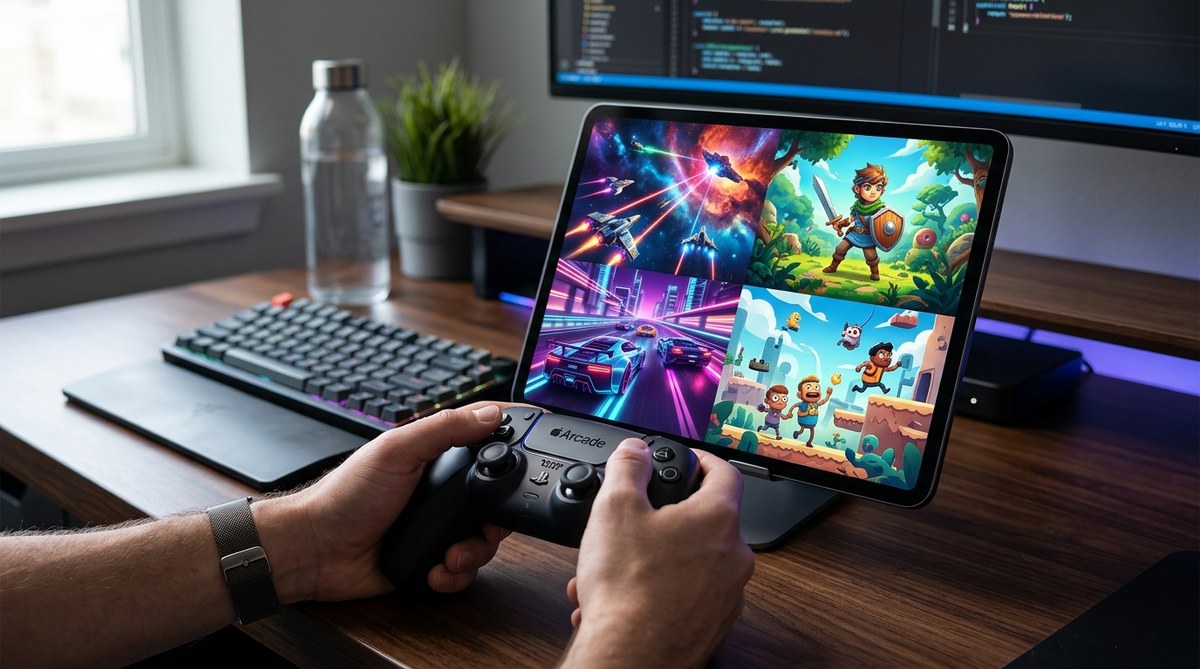
Apple Arcade has quietly become one of the best values in gaming. For a single monthly fee, you get unlimited access to a library of premium titles with no ads and no microtransactions. But if you are like me, you don’t want to play these games using touch controls alone. You want a real controller in your hands. The question is which games actually support one well? And how do you get the best experience in 2026?
Apple Arcade in 2026 offers a growing library of controller-compatible games that rival console experiences. From racing sims to action RPGs, the best titles now feature native support for Xbox, PlayStation, and third-party controllers. This guide ranks the top picks, explains how to pair your controller, and helps you avoid games with poor support.
Why Controller Support Matters on Apple Arcade
Touch controls work fine for puzzle games and casual titles. But for racing, platforming, or action games, nothing beats physical buttons and analog sticks. The tactile feedback helps you react faster. Your muscle memory kicks in. Suddenly, a game you struggled with on a touchscreen becomes fluid and responsive.
Apple has improved controller support significantly over the last few years. In 2026, most modern iPhones, iPads, and Macs connect to Bluetooth controllers without any fuss. The system recognizes Xbox Wireless Controllers, PlayStation DualSense, and many third-party options right out of the box.
But not every game in the Apple Arcade library takes advantage of this. Some titles still feel like they were designed for taps and swipes. Others offer full controller integration with on-screen prompts that match button icons. This guide focuses on the latter.
The Top Apple Arcade Games for Controller Users in 2026
After testing dozens of titles across iPhone, iPad, and Mac, here are the games that deliver the best controller experience this year.
1. Asphalt 9: Legends
Asphalt 9 remains the gold standard for arcade racing on Apple Arcade. The game supports controllers natively, and the difference is night and day. With a controller, you get precise analog steering and trigger-based acceleration. The touch controls feel floaty in comparison. The game also supports haptic feedback on the DualSense controller, making every boost and crash feel more intense.
2. Dead Cells
This action-platformer is brutally difficult, and you need precise input to survive. Touch controls work, but they introduce a slight delay that can cost you a run. A controller eliminates that lag. The button mapping feels natural, with dodge, attack, and jump mapped to familiar face buttons. Dead Cells also supports remapping, so you can customize the layout to your preference.
3. Sonic Racing
Sega’s kart racer is a family favorite, and it plays beautifully with a controller. The analog stick gives you fine control over drifting and item usage. The game supports up to four players with controllers on the same iPad or Mac, making it a great party game. Local multiplayer with touch controls is messy. With controllers, it feels like a console experience.
4. Tetris Effect
This might surprise you. Tetris Effect is a puzzle game, but it benefits from controller support in a unique way. The game uses the D-pad and face buttons for piece rotation and placement. The tactile feedback makes the game feel more deliberate. You can also use the analog stick to look ahead at the upcoming pieces. It is a small improvement, but it makes long sessions more comfortable.
5. Hot Wheels Unleashed
Racing tiny cars around giant tracks is pure fun, and the controller support here is excellent. The triggers control acceleration and braking with analog precision. The game also supports rumble, which adds to the chaos. Touch controls work, but they lack the nuance needed for tight corners and boost management. If you want to beat your friends’ times, use a controller.
6. TMNT: Shredder’s Revenge
This beat-em-up is designed for couch co-op, and it supports up to six players with controllers. The combat relies on timing and combo chains. Touch controls make it harder to chain attacks together. With a controller, you can pull off special moves without looking at the screen. The game also supports button remapping, which is helpful for left-handed players.
How to Set Up Your Controller for Apple Arcade
Setting up a controller is straightforward, but there are a few tricks to ensure the best experience.
- Pair via Bluetooth. Go to your device’s Bluetooth settings. Put your controller in pairing mode. For Xbox controllers, hold the pairing button until the light flashes. For PlayStation controllers, hold the Share and PS buttons simultaneously.
- Open Apple Arcade. Launch the app and navigate to your game. The system should recognize the controller automatically. You will see button prompts change from touch icons to controller symbols.
- Check for updates. Some games require a specific firmware version on your controller. Use the Xbox Accessories app or the PlayStation Accessories app to update your controller’s firmware.
- Adjust in-game settings. Many games let you invert the Y-axis, adjust sensitivity, or remap buttons. Spend a few minutes in the settings menu to customize the controls to your liking.
- Test with a simple game. Start with a less demanding title like Tetris Effect before jumping into a fast-paced racer. This helps you get comfortable with the controller layout.
“A controller transforms Apple Arcade games from casual distractions into serious gaming experiences. The difference in precision and comfort is massive, especially for action and racing titles.” – TechBuzz Asia Gaming Editor
Controllers That Work Best With Apple Arcade
Not all controllers are created equal when it comes to Apple compatibility. Here is a table that breaks down the best options.
| Controller | Connection Type | Compatibility | Best For |
|---|---|---|---|
| Xbox Wireless Controller (Series X/S) | Bluetooth | iPhone, iPad, Mac | Racing and action games |
| PlayStation DualSense | Bluetooth | iPhone, iPad, Mac | Platformers and RPGs |
| 8BitDo Pro 2 | Bluetooth | iPhone, iPad, Mac | Retro-style games |
| GameSir T4 | Bluetooth | iPhone, iPad, Mac | Budget-friendly option |
| Switch Pro Controller | Bluetooth | Mac only | General use |
The Xbox Wireless Controller is the safest choice. It works with almost every game that supports controllers. The DualSense offers better haptic feedback, but some games do not support it fully. The 8BitDo Pro 2 is great for games with a retro aesthetic, like TMNT.
Common Mistakes When Using a Controller
Even with good support, you can run into issues. Here are the most common problems and how to avoid them.
- Using an outdated controller. Older controllers may not support the latest Bluetooth protocols. If your controller keeps disconnecting, check the firmware.
- Forgetting to charge. Nothing ruins a session like a dead controller. Keep a USB-C cable nearby, or invest in a charging dock.
- Ignoring input lag. Some Bluetooth connections introduce lag. If you notice a delay, try moving closer to your device, or use a wired connection if your controller supports it.
- Assuming all games support controllers. Some Apple Arcade games still lack controller support. Always check the game’s description or forums before downloading.
- Skipping the settings menu. Default button mappings may not suit your play style. Take a few minutes to customize them.
Games to Avoid for Controller Play
Not every game on Apple Arcade is worth playing with a controller. Some titles were clearly designed for touch input and feel awkward with physical controls.
- Tile-matching puzzle games. Games like Mahjong or Solitaire offer no advantage with a controller. The touch interface is faster and more natural.
- Text-heavy adventures. Visual novels and point-and-click adventures often have poor controller mapping. You end up tapping the screen anyway.
- Old ports with no updates. Some older games in the library have not been updated for modern controller support. They may recognize the controller but map buttons incorrectly.
If you are unsure, check the game’s community forums or the Apple Arcade subreddit. Other players will warn you about broken controller support.
How Apple Arcade Compares to Other Services in 2026
Apple Arcade is not the only subscription service that supports controllers. Services like Xbox Game Pass and PlayStation Plus offer similar features. But Apple Arcade has a unique advantage: it works across your iPhone, iPad, and Mac seamlessly.
Cloud gaming in 2026 has improved dramatically, but it still relies on a stable internet connection. Apple Arcade games run locally on your device. There is no streaming lag. This makes it a better choice for fast-paced games where every millisecond counts.
The downside is the library size. Apple Arcade has fewer titles than its competitors. But the quality is high, and the controller support is consistently good for the games that matter.
The Future of Controller Support on Apple Devices
Apple has been investing in gaming for years. The M-series chips in Macs and the powerful processors in iPhones and iPads make them capable gaming machines. In 2026, we are seeing more developers prioritize controller support from day one.
Rumors suggest that Apple is working on its own first-party controller. If true, it would signal a serious commitment to gaming. Until then, the third-party options work well enough.
If you are curious about how Apple’s hardware compares to other gaming platforms, our guide on iPad Pro vs MacBook Air might help you decide which device fits your gaming style.
Your Controller, Your Way
Apple Arcade in 2026 is a legitimate platform for controller gaming. The library is curated, the support is solid, and the experience rivals what you get on a console. Whether you are racing in Asphalt 9, slashing through Dead Cells, or drifting in Sonic Racing, a controller makes every game better.
Start with the games listed here. Pair your Xbox or PlayStation controller. Adjust the settings to your liking. You will wonder why you waited so long to make the switch. And if you run into any issues, the Apple Arcade community is active and helpful.
Grab your controller, pick a game, and enjoy the difference.


Post Comment