How On-Device AI Is Making Apps Faster and More Private
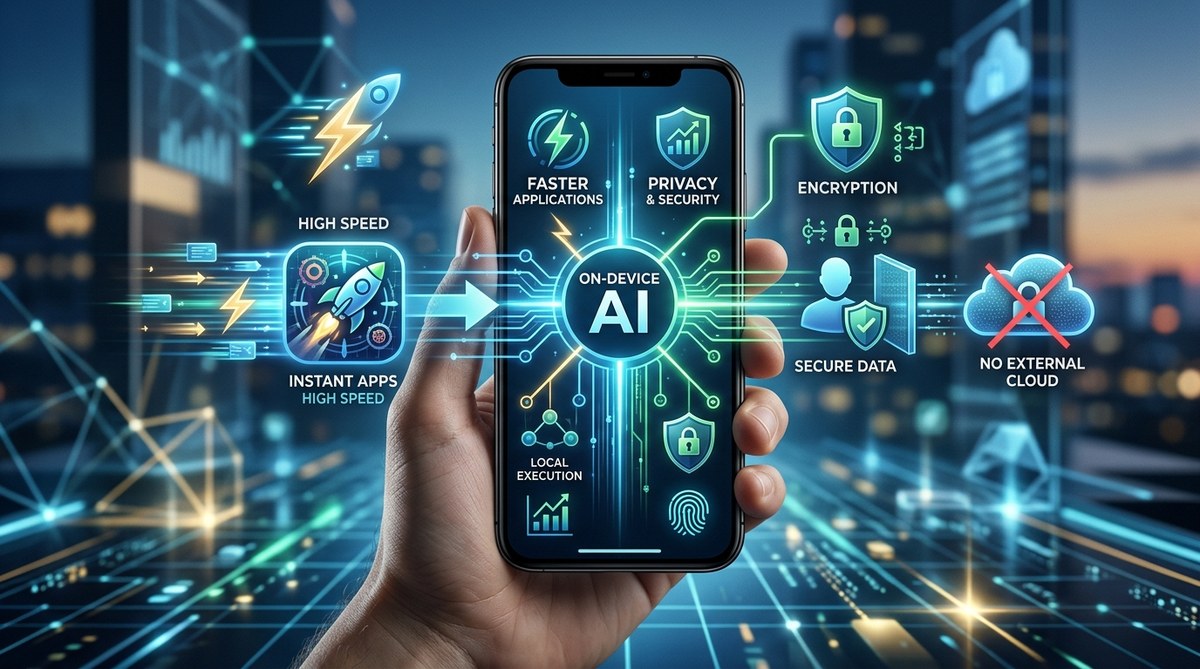
Your phone already knows what you want before you tap. It finishes your sentences, sharpens your photos, and suggests the next word when you type. But here is the part that matters most: all of that intelligence happens right inside your pocket. No cloud. No server. No one else seeing your data.
On-device AI is not just a buzzword. It is the quiet revolution that makes your favorite apps respond in milliseconds and keep your privacy intact. For developers, it means building smarter, faster experiences without the cost of massive server farms.
On-device AI processes your data locally, so apps respond instantly and your personal information never leaves your phone. You get faster photo editing, real-time language translation that works offline, and smarter keyboard predictions without sending keystrokes to the cloud. Developers save on server costs and deliver features that respect your privacy. This shift is making mobile experiences both speedier and safer.
What On-Device AI Actually Means
On-device AI refers to artificial intelligence that runs directly on your smartphone, tablet, or laptop instead of sending data to a remote server. The AI model lives in your device’s processor. When you use a feature like portrait mode on a camera, the scene recognition and depth mapping happen on that same chip. Nothing gets uploaded.
This is a big change from the way most apps worked just a few years ago. In 2020, voice assistants, photo filters, and text predictions all needed an internet connection to work well. They sent your voice recording or image to a cloud server, processed it there, and sent back results. That round trip took time and exposed your data.
Now, with specialized chips like Apple’s Neural Engine, Google’s Tensor chip, and Qualcomm’s AI Engine, your phone can run complex models on the spot. The result is an app that feels instant and keeps your data locked down.
Why Speed and Privacy Go Hand in Hand
The two biggest wins from on-device AI are speed and privacy. They are connected. When AI runs locally, there is no network delay. Your camera can apply a real-time filter as you point it. Your keyboard can predict your next word before you finish typing. These tasks happen in tens of milliseconds, not hundreds.
Privacy is the side effect that many users care about most. When processing happens on your device, your personal information never leaves your phone. That means no audio clip of your conversation ends up on a company server. No photo of your family gets uploaded for analysis. No one sees your typing patterns.
For developers, this reduces liability and builds trust. Users are more willing to enable smart features when they know the data stays put.
How On-Device AI Works in Practice
Here is a step-by-step look at how a typical on-device AI feature operates inside an app.
-
The app loads a pre-trained machine learning model. This model is small and optimized for mobile hardware. It might be a neural network for recognizing objects or a language model for predicting text. The model is bundled with the app or downloaded during setup.
-
Your input triggers the model. You take a photo, say a voice command, or start typing. The app feeds that raw data directly into the model on your device.
-
The chip processes the data instantly. The Neural Engine or AI accelerator runs the model calculations. Because the model is designed for the specific hardware, it uses very little battery. The result could be a label, a filtered image, or a text suggestion.
-
The app acts on the result. It might apply the photo filter, display the voice transcription, or insert the predicted word. All of this happens without any network call.
-
Nothing is stored or sent. Once the output is produced, the raw input data is discarded unless you explicitly save it. No logs are sent to a server. Your privacy is preserved.
This process repeats hundreds of times every day in the apps you already use.
Real-World Examples You Already Benefit From
- Live photo filters in apps like Instagram and Snapchat. They map your face in real time without uploading frames.
- Siri and Google Assistant can now process many simple requests offline, like setting timers or opening apps.
- Gboard and Apple’s QuickType learn your typing style on your device and suggest words without sending your keystrokes anywhere.
- Google Photos uses on-device AI to organize your gallery by faces and places, all locally on your phone.
- Health and fitness apps analyze motion data from your sensors on the device to count steps or detect workouts, not on a cloud server.
- Smart keyboards like Grammarly’s mobile keyboard run grammar checks locally to protect your writing privacy.
Each of these features once required a cloud connection. Now they are faster and safer.
Cloud AI vs On-Device AI: A Side by Side Comparison
| Feature | Cloud AI | On-Device AI |
|---|---|---|
| Processing speed | Depends on network latency; typically 200-500ms | Instant, under 50ms |
| Data privacy | Your data travels to a server; company may have access | Data stays on your device |
| Internet requirement | Must be online | Works offline |
| Battery impact | Network usage drains battery more | Optimized for low power on dedicated chips |
| Model updates | Server side updates automatically | App updates needed; but models can be updated via app store |
| Cost to developer | Server hosting and bandwidth costs | Higher upfront hardware integration cost, but no ongoing server costs |
As this table shows, on-device AI wins in speed, privacy, and offline capability. Cloud AI still has advantages for huge models that need massive data, but modern compression techniques are shrinking those models so they fit on your phone.
What Developers Say About Building for On-Device AI
“The hardest part is model optimization. You have to shrink the model to fit a phone’s memory without losing too much accuracy. But once you get it right, users love it. They don’t have to think about whether they have Wi-Fi. The app just works. And they never ask ‘is this private?’ because they can feel it is.”
— Senior Engineer at a major photo editing app (name withheld)
This quote captures the developer perspective. The trade off is real work on compression and quantization, but the reward is a better user experience and stronger trust.
How On-Device AI Helps Developers Scale
Developers benefit from on-device AI in ways that go beyond user experience. When AI runs locally, there is no need to provision servers for every new feature. You do not pay for compute time or bandwidth. This is especially important for startups that cannot afford massive cloud bills.
Model deployment becomes simpler too. You can ship a new model with an app update, and every user instantly gets the feature without backend changes. If the model needs retraining, you push an update. No downtime.
On top of that, compliance with privacy regulations like GDPR and CCPA becomes easier. If data never leaves the user’s device, you do not need to secure it in transit or on your servers. This reduces legal risk.
For a deeper look at how app architectures are evolving, check out our guide on why your next favorite app might be built for foldable screens. The same on-device approach is enabling adaptive layouts that work across different form factors.
Privacy: The Biggest Reason to Care
You might not think about privacy every time you type a message. But the truth is that many apps have been collecting your keystrokes, voice clips, and facial data for years, all in the name of improving their AI.
On-device AI changes that. Apple and Google have both made major pushes to move AI processing locally. Apple’s “on-device intelligence” is a key marketing point for iOS and macOS. Google’s Private Compute Core keeps sensitive data inside a secure sandbox.
For privacy-conscious users, this is a huge win. You get the convenience of AI without the surveillance. Your photos, conversations, and health data stay where they belong.
If you are concerned about what apps might still be sending data, read our piece on how to spot fake apps before they steal your data. On-device AI is not a silver bullet, but it is a major step forward.
Battery Life and Performance: What You Actually Notice
One common worry is that running AI on your phone will drain the battery. But modern chips are built for efficiency. The Neural Engine in an iPhone or the Tensor in a Pixel uses very little power compared to streaming video or gaming.
In fact, on-device AI can save battery. Consider voice dictation. If the processing happens locally, your phone does not need to keep a Wi-Fi or cellular radio active to send audio to the cloud. Those radios are major battery hogs. By eliminating network use, on-device AI can extend your battery life.
For more tips on preserving battery, see our guide on why your smartphone battery degrades faster than it should. You will learn how heat and charge cycles affect longevity, and how on-device AI actually helps by reducing network activity.
What the Future Looks Like
By the end of 2026, on-device AI will be standard. Every new flagship phone from Apple, Samsung, and Google will have a dedicated AI chip. Midrange phones will follow soon after. Developers are already building apps that assume on-device AI is available.
We will see more personal assistants that work fully offline. Imagine asking your phone to recall a note from three months ago, or to summarize a long article, all without internet. That is coming.
We will also see hybrid approaches. Some tasks will run on device, while more complex ones (like training new models) happen in the cloud. But the trend is clear: the fastest, most private features will never leave your phone.
Your Apps Are Already Faster and Safer
On-device AI is not a future promise. It is already in your pocket, making every tap feel immediate and every photo edit instant. It protects your privacy by default. For developers, it opens the door to smarter apps without the overhead of cloud infrastructure.
The next time your phone suggests a reply before you think of it, or when a photo filter maps your face without a second of lag, you will know why. The intelligence lives on your device. And that is exactly where it should stay.


Post Comment