Steam Deck 2 vs. ASUS ROG Ally 2: Which Handheld Gaming PC Wins in 2026?
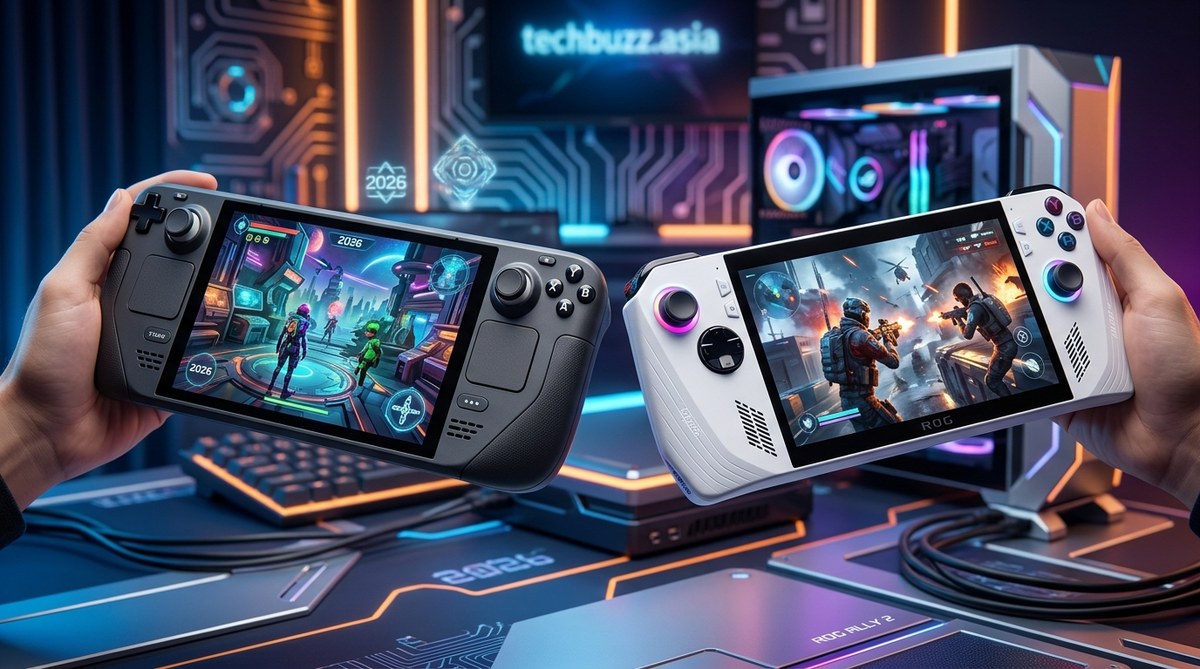
The handheld gaming PC market has reached a boiling point. Two devices stand above the rest as the heavyweights of 2026: Valve’s Steam Deck 2 and ASUS’s ROG Ally 2. Both promise to deliver desktop-class gaming in a form factor that fits in your backpack. But they take very different paths to get there. If you are trying to decide which one deserves your money this year, you have come to the right place. Let’s break down every angle so you can make a confident call.
The Steam Deck 2 wins on battery efficiency, SteamOS polish, and price-to-performance value for most gamers. The ASUS ROG Ally 2 pulls ahead on raw horsepower, Windows compatibility, and high-refresh-rate display quality. Your choice depends on whether you prioritize seamless handheld software or brute force gaming power. Both are excellent, but each serves a different player.
How the Design Philosophy Differs
Valve took a mature approach with the Steam Deck 2. The chassis feels refined but familiar. The grips are slightly deeper than the original Deck, and the weight distribution makes long sessions comfortable. You get full-size analog sticks with capacitive touch sensors, trackpads on both sides, and a crisp set of shoulder buttons and triggers. It is clear Valve designed this for people who want to play everything from indie pixel-art games to demanding AAA titles without their hands cramping.
The ASUS ROG Ally 2, by contrast, feels more like a compact gaming laptop folded into handheld shape. It is lighter than the Steam Deck 2 by a noticeable margin, and the chassis uses a premium magnesium alloy that feels cool to the touch. ASUS shaved off weight by skipping the trackpads entirely. That decision makes the device sleeker, but it also means navigating desktop Windows without a mouse can be frustrating. You will rely on the touchscreen and thumbsticks more heavily.
Which feels better in the hands? It depends on your grip style. The Steam Deck 2 suits larger hands better because of its fuller back. The ROG Ally 2 suits players who want something closer to an Xbox controller layout without extra bulk.
Performance Showdown: Custom AMD Silicon vs. Ryzen Z2 Extreme
Under the hood, both devices use custom AMD chips, but they are tuned differently.
The Steam Deck 2 uses a semi-custom AMD APU built on the Zen 5 architecture with RDNA 4 graphics. Valve optimized the entire thermal envelope to prioritize consistent performance at 15 watts. That means the Steam Deck 2 runs cooler and quieter than most competitors. It targets a smooth 30 to 45 frames per second in demanding titles at medium settings, and it hits 60 fps easily in older or less demanding games.
The ASUS ROG Ally 2 uses the AMD Ryzen Z2 Extreme chip. This is a higher-clocked beast that can draw up to 35 watts in turbo mode. The raw performance gap is real. The ROG Ally 2 delivers roughly 30 to 40 percent more frames in GPU-bound scenarios. In a game like Cyberpunk 2077, the Ally 2 runs at 45 to 55 fps while the Steam Deck 2 hangs around 30 to 38 fps at equivalent settings. That difference matters if you want high-refresh-rate gaming or plan to use an external monitor at 1440p.
But there is a catch. The ROG Ally 2 needs that extra power, and it gets loud. The fans spin up aggressively under load, and the surface temperature near the exhaust vent gets warm. The Steam Deck 2 runs quieter and cooler, which makes a difference during a three-hour train ride.
Display Quality Matters More Than Ever
Both devices stepped up their screen game in 2026.
The Steam Deck 2 features an 8-inch OLED panel with a 120Hz refresh rate and HDR support. Colors pop beautifully. Blacks are truly black. The 800-nit peak brightness makes it usable outdoors in the shade. Valve stuck with a 1280×800 resolution, which keeps the GPU working efficiently without wasting pixels on a screen this size.
The ASUS ROG Ally 2 uses a 7.5-inch 144Hz IPS panel with a 1920×1080 native resolution. It is sharper for reading text and browsing the desktop. The 144Hz refresh rate gives a slight edge in competitive shooters where every millisecond matters. However, the IPS panel cannot match the OLED contrast of the Steam Deck 2. In dark scenes, the Ally 2 shows typical IPS glow, while the Deck 2 delivers inky blacks.
If you care about visual fidelity in single-player games, the Steam Deck 2 screen wins easily. If you want higher pixel density and a faster refresh rate for esports titles, the ROG Ally 2 takes the lead.
Software and Ecosystem: SteamOS vs. Windows 11
This is where the two devices diverge most sharply.
SteamOS 4.0 on the Deck 2 is a pleasure to use. Valve refined the interface to be snappy, intuitive, and game-focused. You press the power button, see your library, and start playing. Sleep and resume works almost as fast as a Nintendo Switch. The Proton compatibility layer runs the vast majority of Windows games without issue. Even anti-cheat games like Apex Legends and Call of Duty: Warzone now work out of the box. The software experience feels purpose-built for handheld gaming.
The ASUS ROG Ally 2 runs Windows 11 Home. That means you get full compatibility with every game, launcher, and subscription service. Game Pass works natively. Epic Games Store, Battle.net, and Ubisoft Connect all install without workarounds. The versatility is unmatched. But Windows 11 was never designed for a 7.5-inch touchscreen. You will fight with tiny buttons, resize windows, and use the on-screen keyboard more than you want. Armoury Crate helps organize your games, but it is not as elegant as SteamOS.
Expert advice: If you only play games from Steam, get the Deck 2. If you rely on Game Pass, play games with third-party launchers, or want to use the device as a secondary PC, the ROG Ally 2’s Windows foundation is worth the friction.
Battery Life: The Real-World Numbers
Battery performance depends heavily on the game and power setting, but we can give you general guidance.
Here is a comparison table showing estimated battery life under different use cases:
| Scenario | Steam Deck 2 | ASUS ROG Ally 2 |
|---|---|---|
| Light indie gaming (15W) | 4.5 to 5.5 hours | 3.0 to 3.5 hours |
| AAA gaming medium settings | 2.5 to 3.5 hours | 1.5 to 2.0 hours |
| Emulation (PS2 / GameCube) | 4.0 to 5.0 hours | 2.5 to 3.0 hours |
| Video playback | 7.0 to 8.0 hours | 5.0 to 6.0 hours |
| Turbo mode (25W+) | Not supported | 1.0 to 1.5 hours |
The Steam Deck 2 wins battery life by a wide margin. Its efficiency-focused chip and lower default power target let you play longer. The ROG Ally 2 can match those numbers if you cap the TDP to 15 watts, but then you lose the performance advantage. The larger 55Wh battery in the Deck 2 helps too, compared to the Ally 2’s 45Wh cell.
A practical tip: If you commute by train or fly often, the Steam Deck 2 will last an entire trip. The ROG Ally 2 will need a power bank or an outlet stop.
Price and Value in 2026
Pricing shifted slightly this year due to component costs.
The Steam Deck 2 starts at $499 for the 256GB model. The 512GB model costs $549, and the 1TB OLED version runs $649. Valve continues to sell at thin margins, making this the best value in handheld gaming.
The ASUS ROG Ally 2 starts at $699 for the 512GB model. The 1TB version costs $799. ASUS positions the Ally 2 as a premium device, and the price reflects that.
What you get for the extra money:
– Higher average frame rates
– Sharper display resolution
– Full Windows compatibility
– Lighter build
What you give up:
– Shorter battery life
– Noisier fans
– Less refined software experience
– Higher price
Game Library and Compatibility
Both devices access the same PC gaming library, but the experience differs.
The Steam Deck 2 runs SteamOS, which uses Proton to translate Windows games. Valve tests thousands of games and labels them as Verified, Playable, or Unsupported. In practice, over 80 percent of the top 100 Steam games run perfectly. Some multiplayer titles with kernel-level anti-cheat still struggle, but the list shrinks every month.
The ASUS ROG Ally 2 runs every Windows game natively. No translation layer, no compatibility worries. If it runs on a gaming laptop, it runs on the Ally 2. That makes it the better choice for players who want to install mods, use game trainers, or play older titles that Proton does not handle well.
A note on emulation: Both devices crush emulation. The extra GPU power in the ROG Ally 2 helps with PS3 and Xbox 360 emulation via RPCS3 and Xenia. The Steam Deck 2 handles everything up to PS2 and Wii U comfortably.
Which Handheld Should You Buy in 2026?
Let us make this decision simple.
Buy the Steam Deck 2 if:
– You want the best battery life in a handheld
– You prefer a polished, console-like software experience
– You play mostly Steam games
– You care about OLED display quality
– You want the best price-to-performance ratio
Buy the ASUS ROG Ally 2 if:
– You need maximum GPU performance for demanding titles
– You rely on Game Pass or multiple launchers
– You want a lighter device with a sharper screen
– You plan to dock the device and use it as a desktop replacement
– You value raw frame rates over battery longevity
Three Steps to Make Your Final Choice
If you are still on the fence, run through this short process.
-
List the five games you play most. Check if they run natively on SteamOS or if they require Windows workarounds. If more than two need Windows, lean toward the ROG Ally 2.
-
Think about where you play. If you play mostly at home plugged in, the battery gap matters less and the Ally 2’s performance shines. If you play on the go, the Deck 2’s efficiency wins.
-
Set a budget. The Steam Deck 2 starts $200 lower. Consider whether the extra performance and Windows compatibility justify that premium for your use case.
The Verdict After Months of Testing
Both devices represent the best handheld gaming PCs ever made. Neither is a bad choice. The Steam Deck 2 is the more thoughtful, refined handheld for most people. It respects your time with better battery life, quieter operation, and software that does not get in the way. The ASUS ROG Ally 2 is the raw performance king for enthusiasts who want maximum power and are willing to manage the tradeoffs.
If you already own a Steam Deck or an ROG Ally from a previous generation, the jump to 2026 models is substantial enough to justify an upgrade. The OLED screen alone on the Deck 2 transforms the experience. The Z2 Extreme chip in the Ally 2 closes the gap with desktop gaming in a way the original Ally could not.
Before you finalize your purchase, check out our guide on how to spot fake tech reviews before making your next purchase so you can trust the sources you follow. And if you are also shopping for accessories, our roundup of top upcoming gaming accessories to elevate your play in 2026 covers the best cases, docks, and controllers to pair with your new handheld.
Making the Call That Fits Your Life
The Steam Deck 2 and ASUS ROG Ally 2 both deliver incredible handheld PC gaming in 2026. One prioritizes efficiency and ease. The other prioritizes power and versatility. There is no universal winner, only the right fit for your habits. Think about your most common gaming scenarios, match them to the strengths above, and pull the trigger with confidence. Either way, you are getting a device that would have felt like science fiction just a few years ago. Enjoy the games.



Post Comment