How to Actually Recycle Your Old Electronics Without Breaking Data Privacy Laws
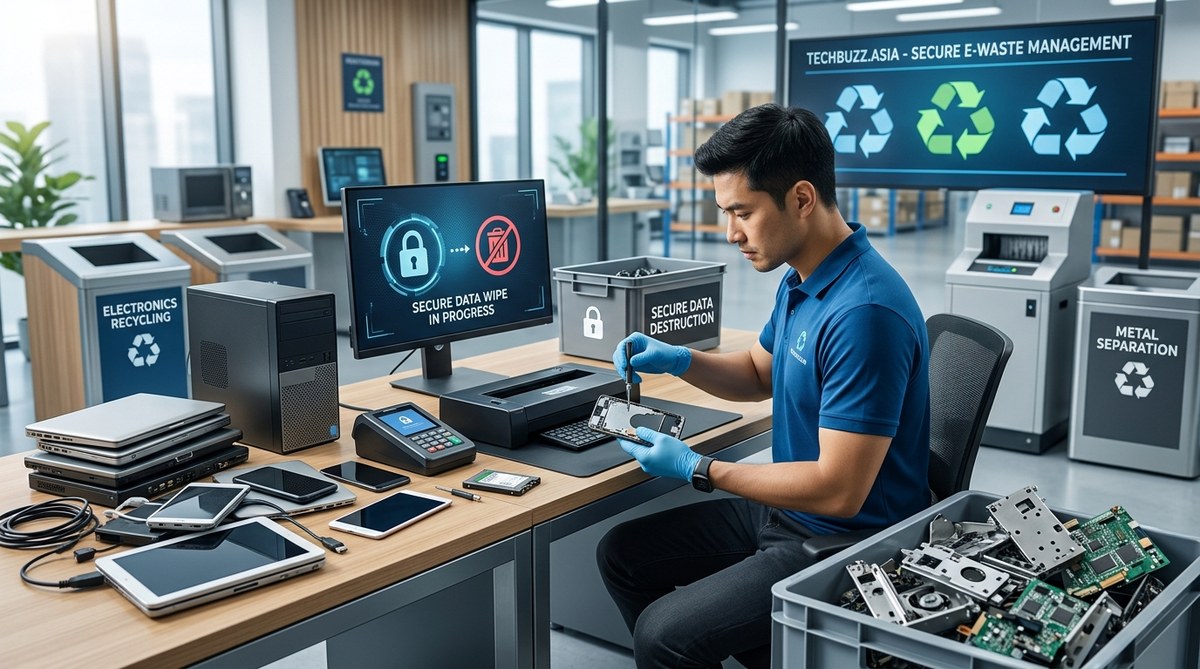
You have a drawer full of old phones, a laptop that hasn’t been turned on in two years, and a tablet with a cracked screen. You want to get rid of them responsibly, but something stops you every time. What if someone recovers your photos, your bank details, or your saved passwords? That fear is completely valid. Data breaches from improperly recycled electronics happen more often than you think. And on top of that, there are actual laws about how you must handle certain types of data before handing over your hardware. This guide walks you through how to recycle electronics safely without breaking data privacy laws, so you can clear out that clutter with real confidence.
Recycling electronics safely requires three steps: wipe your data using certified software, remove or destroy the storage drive, and choose a recycler who follows R2 or e-Stewards standards. State laws like California’s SB 212 and federal regulations like the FTC Safeguards Rule hold you responsible for data that leaks after disposal. Doing it right protects your privacy and keeps you legal.
Why Your Old Gadgets Are a Legal Liability
Most people think a factory reset is enough. It is not. A factory reset on a phone or computer only removes the file pointers, not the actual data. Anyone with a free recovery tool can pull up your vacation photos, tax documents, and login cookies from a drive that was “reset.”
On top of that, privacy laws in the United States are getting stricter every year. The Federal Trade Commission’s Safeguards Rule requires businesses to properly dispose of consumer information. If you run a small business and you hand over a hard drive that still has client data on it, you could face fines. Even individuals can run into trouble under state breach notification laws if discarded devices leak sensitive information.
The goal is simple: make the data unrecoverable before the device leaves your hands.
The 3-Step Process to Recycle Electronics Safely
Follow these steps in order. Skipping one could leave a gap in your protection.
-
Back up what you need, then wipe the device. Use a dedicated wiping tool, not just the delete key. On a Windows PC, use a program like DBAN or the built-in “Reset to Factory Settings” option with the “clean” flag. On a Mac, use the “Secure Erase” feature in Disk Utility. For Android phones, enable encryption first, then perform a factory reset. For iPhones, use the “Erase All Content and Settings” option from the Settings menu. After the wipe, do a spot check. Try to recover a file using a free tool like Recuva. If nothing comes back, you are good.
-
Remove or physically destroy the storage drive. This is the nuclear option and it works every time. For laptops and desktops, take out the hard drive or SSD. For phones, it is harder to access the storage, but you can take the device to a repair shop and ask them to remove it. Once the drive is out, you can drill holes through it, smash it with a hammer, or use a drive shredder service. SSDs are harder to destroy than hard drives because they have no platters. For SSDs, use the manufacturer’s secure erase tool, then physically crush the circuit board.
-
Choose a certified e-waste recycler. Look for the R2 (Responsible Recycling) or e-Stewards certification. These recyclers follow strict rules about data destruction and environmental handling. They will give you a certificate of data destruction, which is your legal proof that the data is gone. Avoid drop-off bins at big box stores that do not offer this certification. You have no idea what happens to your device after you drop it in.
Common Mistakes That Could Cost You
Even well-meaning people make errors. Here is what to watch out for.
- Thinking a factory reset is enough for an SSD. SSDs use wear leveling, which means data can survive a standard wipe. You need to use the ATA Secure Erase command or the manufacturer’s utility.
- Donating a device without wiping it. Charities may accept old tech, but they rarely have the tools to wipe it properly. Wipe it yourself first.
- Throwing a device in the trash. E-waste is regulated in over 25 states. You can be fined for putting a computer or phone in the regular garbage.
- Forgetting about accessories. Old routers, external hard drives, and even smart home hubs store data. A router holds your Wi-Fi password. An external drive holds everything. Wipe them too.
“The most common mistake I see is people assuming that deleting a file or formatting a drive makes the data disappear. It doesn’t. The data stays on the platters or NAND cells until something overwrites it. If you care about your privacy, you must overwrite or destroy the storage medium.” — Sarah Kim, Certified Data Destruction Specialist
Methods Compared: Wiping vs. Destroying vs. Degaussing
Not all destruction methods are equal. Here is how they stack up.
| Method | Best For | Data Recovery Risk | Cost | Legal Compliance |
|---|---|---|---|---|
| Software wipe (overwrite) | HDDs, SSDs (with secure erase) | Low for HDDs, moderate for SSDs | Free or low | Good with certificate |
| Physical destruction (shredding) | HDDs, SSDs, phones | Very low | Medium | Excellent |
| Degaussing | HDDs only | Very low (destroys magnetic data) | Medium | Excellent (but not for SSDs) |
| Factory reset only | Old phones, low-risk data | High | Free | Poor |
Degaussing works well on hard drives because it scrambles the magnetic field. It does not work on SSDs or flash memory. If you degauss an SSD, you may destroy the controller but leave the NAND chips intact. Always check the method against your device type.
What the Law Says About Your Data
You need to know two things. First, the FTC Safeguards Rule applies to any business that handles customer data. If you are a freelancer, a solopreneur, or a small business owner with client files on your laptop, you are responsible for that data when you recycle the device. Second, state laws vary. California, Texas, New York, and Illinois have some of the strictest e-waste and data privacy laws. In California, the California Consumer Privacy Act (CCPA) gives consumers the right to demand that a business delete their data. That obligation does not end when you recycle a device.
If you recycle a company laptop without wiping it and a data breach occurs, you could be liable for damages. A certificate of data destruction from an R2 certified recycler is your best defense.
A Checklist for Your Next Cleanout
Use this list to stay on track.
- Identify every device that stores data. Include phones, tablets, laptops, desktops, external drives, routers, smart speakers, and fitness trackers.
- Back up anything you want to keep to a secure cloud service or a new external drive.
- Wipe each device using the appropriate method for its storage type.
- Remove the storage drive if possible and destroy it.
- Find a certified e-waste recycler near you. Use the R2 directory or the e-Stewards locator.
- Get a certificate of data destruction and keep it for your records.
- Recycle all accessories and cables with the same recycler.
When to Call a Professional
Some situations call for expert help. If you are recycling a fleet of company laptops, a bulk data destruction service is worth the cost. If you have a device that will not power on, you cannot perform a software wipe. You need a professional to remove the drive and destroy it. If you are unsure about the type of storage in a device, a repair shop can identify it for you.
For most home users, the combination of a software wipe and physical destruction is enough. But if the data on the device would cause serious harm if exposed, pay for a professional service.
Keeping Your Data Safe Beyond the Recycling Bin
The way you recycle electronics safely without breaking data privacy laws comes down to one idea: treat every device as if it still holds your most sensitive information, because it probably does. The extra ten minutes it takes to wipe a drive or smash a hard drive with a hammer is nothing compared to the months of stress that come from a data leak.
Clear out that drawer. Wipe each device. Destroy the storage. Recycle the rest. You will sleep better knowing your old tech is gone for good and your data is gone with it.




Post Comment