How to Build a Smart Home That Actually Works Together in 2026
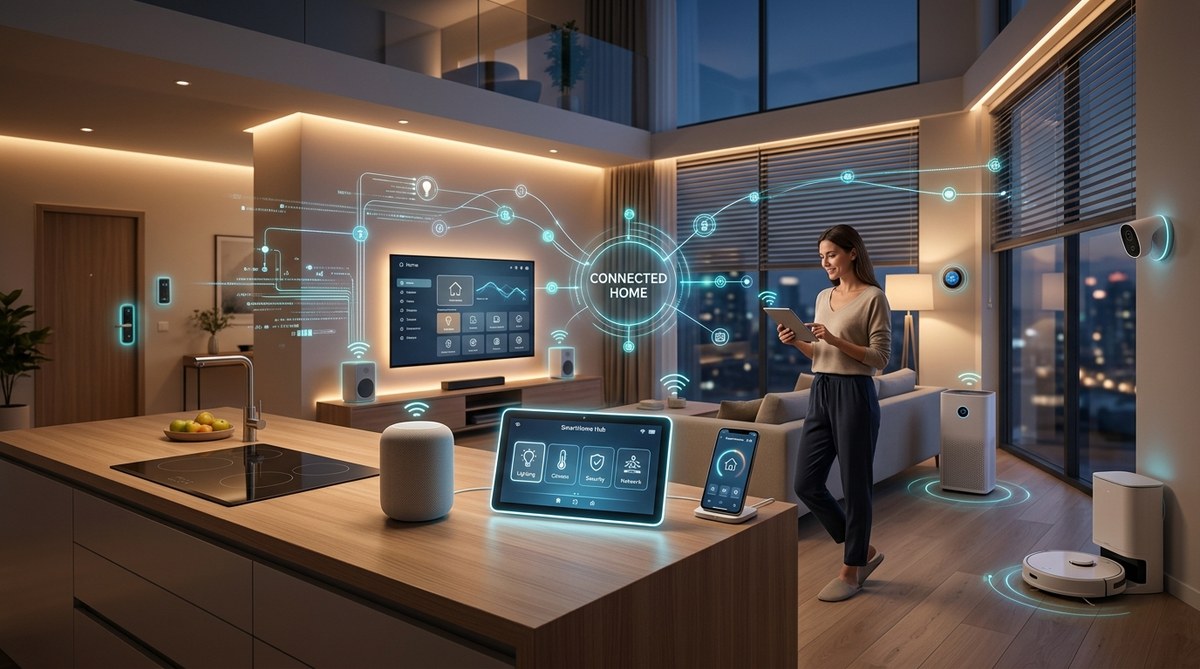
You just bought a brand new smart lock and a fancy color bulb from two different brands. You set them up, open their separate apps, and then realize they won’t talk to each other. Your motion sensor triggers the porch light, but only if you use the same brand for both. Sound familiar? This is the reality for most people who try to build a smart home without a plan. The good news is that 2026 is the year this mess finally gets cleaned up.
Building a smart home that works together starts with choosing the right communication standard, not the flashiest gadget. Focus on Matter compatibility, invest in a strong mesh Wi-Fi network, and pick a single primary ecosystem like Apple Home, Google Home, or Amazon Alexa. Avoid mixing too many proprietary bridges. Plan your automations around a central hub or platform to keep everything in sync. This approach eliminates app overload and device disconnects, giving you a reliable, unified home that actually responds when you need it.
Start With the Foundation: Your Network
Before you buy a single smart plug, fix your internet connection. Smart devices are picky. They hate weak signals and crowded 2.4 GHz bands. If your router is three years old, it might not handle the load.
You need a strong, stable Wi-Fi network that covers every corner of your home. A mesh system is almost mandatory now. Older range extenders create a separate network that confuses devices. Mesh systems like the Eero 6+ or the TP-Link Deco X95 keep everything on one seamless grid.
Check out our guide on 7 Hidden Features in Your Router That Could Double Your Wi-Fi Speed for specific tweaks. A good network also prevents the common problem of The Real Reason Your Smart Home Devices Keep Disconnecting.
Choose Your Ecosystem Wisely
You do not need to marry one brand forever. But you do need a primary dashboard. Pick one main platform to control everything. The big three in 2026 are:
- Apple Home (formerly Apple HomeKit)
- Google Home
- Amazon Alexa
Each has strengths. Apple Home is local and private. Google Home is great at search and AI suggestions. Alexa has the widest device support. Pick the one that matches your phone and daily habits.
What to Look For in a Platform
| Platform | Best For | Weakness |
|---|---|---|
| Apple Home | Privacy, local control, Apple users | Fewer third-party devices than Alexa |
| Google Home | AI features, Google users, search | Can be chatty with notifications |
| Amazon Alexa | Massive device library, routines | Privacy concerns for some users |
The Matter Standard Is Your Best Friend
Matter is the new industry standard that lets devices from different brands talk directly. It is not a product. It is a language. If a light bulb says “Works with Matter,” it will work with Apple Home, Google Home, and Alexa without extra bridges.
In 2026, Matter 1.4 is widely adopted. Most new devices support it. When you shop, look for the Matter logo on the box. This is the single easiest way to avoid compatibility headaches.
Devices That Benefit Most From Matter
- Smart lights (Philips Hue, Nanoleaf, Govee)
- Smart plugs and switches
- Door locks (Yale, Schlage, Aqara)
- Sensors (motion, contact, temperature)
- Thermostats (Ecobee, Honeywell)
Avoid buying old devices that only support Zigbee or Z-Wave unless you already have a hub that speaks those languages. Matter is the future. Stick with it.
Pick a Central Hub or Go Hubless
You have two paths. You can use a dedicated smart home hub like the Hubitat Elevation or the Homey Pro. These run automations locally without the internet. They are fast and reliable. Or you can rely on your chosen platform (Apple, Google, or Alexa) as the hub.
For most people, the platform route is simpler. You already have a phone and a smart speaker. Use those. But if you want advanced automations that work even when the internet goes down, a local hub is worth the investment.
“A local hub is like having a traffic cop inside your house. It keeps commands moving even when the cloud is slow. For critical automations like door locks and alarms, local processing is a must.” – Home automation expert at SmartThings Forum
How to Build Your System Step by Step
Follow this numbered process to avoid buying things you do not need.
-
Audit your current devices. List every smart thing you already own. Note its brand and whether it uses Wi-Fi, Zigbee, Z-Wave, or Matter. This tells you what gaps you have.
-
Choose your primary platform. Pick Apple Home, Google Home, or Alexa. Stick with it. Do not try to manage three apps at once.
-
Upgrade your network first. If you have dead zones, fix them before adding more gadgets. A single weak spot can ruin the whole experience.
-
Buy a Matter-compatible starter kit. Get a smart plug, a motion sensor, and a light bulb from the same Matter family. Set them up in your platform of choice. Test a simple automation (motion turns on light).
-
Add one device at a time. Do not buy ten things at once. Add a device, integrate it, test it, then move on. This prevents confusion.
-
Build automations gradually. Start with a “goodnight” routine that locks doors and turns off lights. Add complexity later.
Common Mistakes That Break the System
| Mistake | Why It Hurts | How to Fix It |
|---|---|---|
| Mixing Wi-Fi and Zigbee devices without a hub | They cannot talk directly | Use a hub like Hubitat or a bridge that supports both |
| Using multiple brand apps | Confusing, slow, and messy | Move everything into one platform app |
| Ignoring firmware updates | Devices get buggy and drop off | Enable auto-updates in your router or app |
| Buying cheap no-name brands | They often lack Matter support and break easily | Stick with known brands like Philips, Eve, or Aqara |
Automations That Actually Make Life Better
Do not automate just to automate. Focus on routines that save time or energy.
- Sunset porch light. A smart plug and a light sensor. No app needed.
- Morning alarm + coffee. Your smart speaker wakes you up, then triggers a smart plug for the coffee maker.
- Away mode. Your phone’s location tells the thermostat to lower, lights to turn off, and the lock to engage.
- Movie time. One command dims the lights, closes the blinds, and turns on the TV.
These are simple. They work. They do not require complicated scripting.
What About Privacy and Security?
Smart home devices are always listening. That is a fact. You can limit the risk.
- Disable microphones on devices you do not use for voice commands.
- Use a local hub for sensitive devices like cameras and locks.
- Keep your router’s guest network turned on for untrusted gadgets.
- Change default passwords on every device.
For more on this, read How to Completely Disable Telemetry and Protect Your Privacy in Windows and 8 Privacy Settings You Need to Change on Your New Device Immediately.
The One Gadget You Should Not Skip
A smart thermostat. It saves energy, learns your schedule, and works with Matter. The Ecobee SmartThermostat Premium and the Nest Learning Thermostat (4th gen) both support Matter. They integrate with every platform. This single device can cut your heating and cooling bill by 15 percent. That pays for itself in a year.
A Quick Checklist for Your Next Shopping Trip
- [ ] Does it support Matter?
- [ ] Does it work with my chosen platform (Apple, Google, Alexa)?
- [ ] Does it need a separate hub?
- [ ] Is it from a brand that provides regular updates?
- [ ] Does it require a subscription?
If you answer yes to the hub question, decide if you want that extra hardware. If you answer yes to the subscription question, think twice. Many devices require a monthly fee for full features. That adds up fast.
Your Smart Home Should Be Invisible
The best smart home is one you do not think about. Lights turn on when you walk in. The thermostat adjusts before you wake up. The door locks itself when you leave. You should not need to open five apps to make your coffee.
If you follow the steps in this guide, you will end up with a system that is reliable, private, and easy to use. Start small. Pick Matter devices. Use one platform. Build from there. Your future self will thank you when everything just works.
Make 2026 the Year Your Home Finally Listens
The technology is ready. The standards are mature. The excuses are gone. You do not need to be a programmer or spend a fortune. You just need a plan. Start with your network. Pick a platform. Buy Matter devices. Add slowly. Test often.
Your smart home can be the reliable assistant you always wanted, not a source of frustration. Take the first step today. Buy one Matter plug and set up a single automation. See how good it feels. Then keep going.

Post Comment