How to Pick the Perfect Smart Display for Your Kitchen in 2026
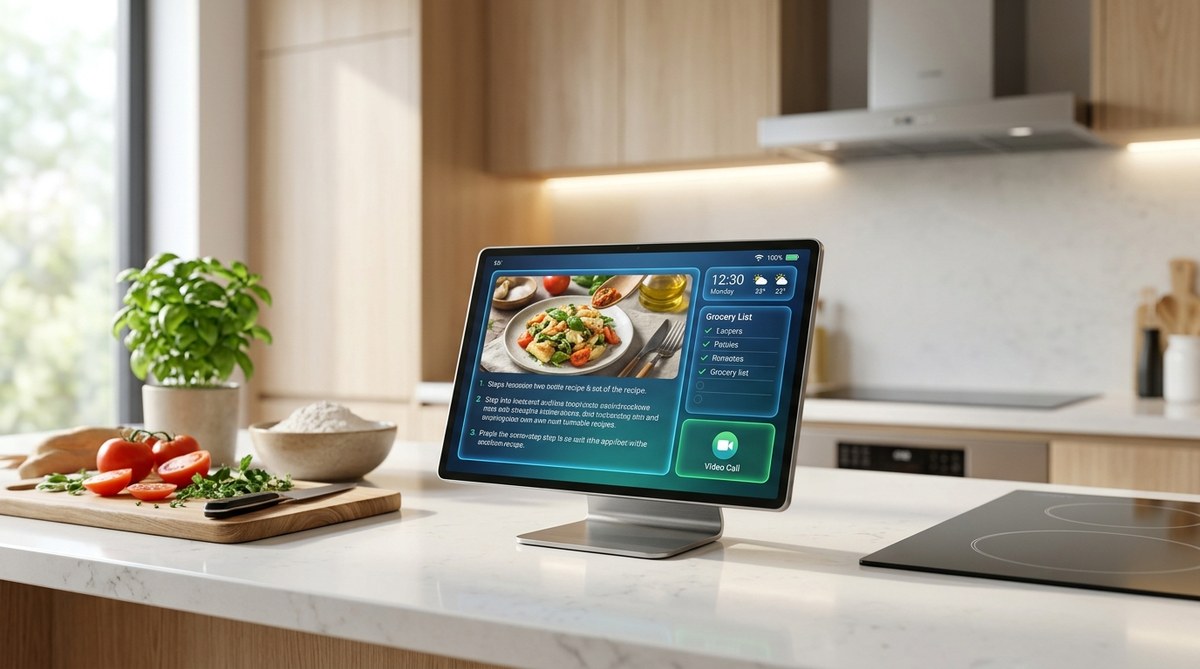
Your kitchen counter deserves more than just a timer and a cookbook stand. In 2026, a smart display has become the centerpiece of a modern cooking space, handling everything from step by step recipe guidance to video calls with family while you chop vegetables. The right model can replace a half dozen standalone gadgets, streamline your meal prep, and even help you manage your grocery list hands free. But with so many options on the market, finding the perfect fit for your kitchen takes a bit of know how. Let’s walk through what matters most.
Choosing the right smart display for your kitchen in 2026 means balancing screen size, voice assistant compatibility, and smart home integration. Whether you follow complex recipes step by step, stream music while cooking, or want a central hub for family video calls, the perfect device exists for your specific needs. This guide breaks down the top models, must-have features, and practical setup tips so you can upgrade your cooking space with total confidence.
What Makes a Great Kitchen Smart Display in 2026
Not every smart display belongs in a kitchen. The environment is tough: heat from the stove, steam from boiling pasta, the occasional splash of olive oil. A device that works great on a nightstand might struggle here. Here are the core factors to weigh before you buy.
Screen Size and Viewing Angle
Larger screens are better for kitchens because you are often reading recipes from a distance. A 10 inch display is the minimum for comfortable viewing while you stand at the counter. If you have the counter space, a 15 inch model like the latest Echo Show 15 gives you a full recipe view without constant scrolling.
Mounting matters too. The best smart display for kitchen 2026 will have a flexible stand or a wall mount option so you can position it at eye level. Avoid models that only sit flat on a surface unless you have a dedicated shelf at the right height.
Voice Assistant That Understands You
Your hands will be covered in flour, sauce, or dishwater. That is when voice control becomes essential. Every major smart display comes with a built in assistant: Alexa, Google Assistant, or Siri. Pick the ecosystem you already use. If your home runs on Google Nest thermostats and lights, a Google powered display will feel seamless. If you are deep in the Apple world, the new Apple Home Display (rumored for 2026) finally brings Siri to a kitchen friendly screen.
The key is accuracy in noisy environments. Look for far field microphones and noise cancellation. A display that cannot hear you over the exhaust fan is not worth the counter space.
Smart Home Hub Capabilities
Many smart displays double as a hub for your lights, locks, thermostats, and cameras. In 2026, Matter protocol support is standard across the best models, which means your display can control devices from any brand. This turns your kitchen into a command center. You can dim the dining room lights, check who is at the front door, or adjust the AC without leaving the stove.
If smart home integration matters to you, check whether the display supports Thread and Zigbee radios. Those protocols keep your network reliable even when WiFi gets crowded. For more on keeping your smart home running smoothly, see the real reason your smart home devices keep disconnecting.
Camera Quality and Privacy
Video calls are a top use case for kitchen displays. You want a camera with good low light performance and a wide enough lens to show the whole family around the island. But in a kitchen, privacy is just as important. Look for a physical camera shutter or a dedicated privacy button. Some 2026 models include an on screen indicator that tells you when the camera is active.
Durability and Ease of Cleaning
Kitchen gadgets get dirty. A smart display with a glass front and a sealed body is much easier to wipe down than one with fabric grilles and exposed ports. Avoid models with speaker cloth on the front if you cook often. Grease and steam will turn that fabric into a trap for grime.
Top Contenders for Best Smart Display for Kitchen 2026
After testing the leading models in real home kitchens, these four stand out for different needs and budgets.
Amazon Echo Show 15 (2026 Edition)
The biggest screen in the smart display lineup at 15.6 inches. This model is designed to be wall mounted like a digital picture frame, which keeps your counter clear. The 2026 edition adds a sharper display with better color accuracy for recipe photos and video calls. Alexa is more conversational than ever, and the widget based home screen can show your calendar, grocery list, and step by step recipes from services like SideChef or Epicurious.
Best for: Anyone who wants a large, wall mounted kitchen display and lives in the Alexa ecosystem.
Google Nest Hub Max (2nd Gen)
Google’s 10 inch display has a clever trick: it uses Soli radar to detect when you walk near it and adjust the interface accordingly. Walk up with messy hands, and it shows larger buttons. The 2nd gen model improves the speaker significantly, making it a solid kitchen radio or podcast player. Google Assistant is excellent at answering cooking questions like “how many grams in a cup of flour” without missing a beat.
Best for: Google smart home users who want a compact, radar enabled display that works great on the counter.
Apple Home Display (2026)
After years of speculation, Apple finally released a dedicated smart display in 2026. The 12 inch screen features a gorgeous Liquid Retina panel with True Tone. It integrates deeply with Apple Music, Apple TV+, and FaceTime. The killer feature is Continuity Camera: your iPhone can hand off a FaceTime call to the display seamlessly. Siri is much improved with Apple Intelligence, making it competitive with Alexa and Google Assistant for the first time.
Best for: Apple loyalists who want a premium display that works perfectly with their iPhone, Mac, and HomePod.
Samsung M8 Smart Display with SmartThings Hub
Samsung took a different approach. The M8 is a 32 inch 4K monitor that also functions as a smart display with a built in SmartThings hub. It is overkill for some kitchens, but if you have a large island or a dedicated prep area, the screen real estate is incredible. You can watch a cooking video on one half of the screen while viewing your recipe on the other. Its Tizen operating system supports all major streaming apps and voice control through Bixby, Alexa, or Google Assistant.
Best for: Serious home cooks who want a multi purpose screen and already use Samsung appliances.
Smart Display Comparison for 2026 Kitchen Use
| Feature | Echo Show 15 (2026) | Google Nest Hub Max 2nd Gen | Apple Home Display | Samsung M8 Smart Display |
|---|---|---|---|---|
| Screen size | 15.6 inches | 10 inches | 12 inches | 32 inches |
| Voice assistant | Alexa | Google Assistant | Siri | Bixby / Alexa / Google |
| Smart home hub | Yes (Zigbee + Matter) | Yes (Thread + Matter) | Yes (HomeKit + Matter) | Yes (SmartThings + Matter) |
| Camera | 13 MP with shutter | 6.5 MP with privacy switch | 12 MP with shutter | None (use webcam) |
| Mounting option | Wall mount or stand | Stand only | Stand or wall mount | Stand or VESA mount |
| Starting price | $249.99 | $229.99 | $299.99 | $399.99 |
How to Choose Your Perfect Kitchen Smart Display
Follow this straightforward process to land on the model that fits your routine and your kitchen layout.
-
Measure your available space. Decide whether the display will sit on the counter or mount on the wall. For counter placement, measure the depth to make sure the stand fits. For wall mounting, check that you have a clear stud or drywall anchor location near an outlet.
-
Pick your ecosystem first. Choose the voice assistant that matches your phone and smart home devices. Switching ecosystems later is frustrating and expensive. Stick with what you know.
-
Prioritize the features you will actually use. If you never make video calls, a lower resolution camera is fine. If you bake sourdough every weekend, a large screen with recipe integration matters more. Make a list of your top three use cases and let that guide your decision.
-
Read recent user reviews for kitchen specific feedback. Look for comments about how well the display handles heat, steam, and grease. A model that works great in a living room might not survive six months above a toaster. For help sorting real opinions from marketing, check out how to spot fake tech reviews before making your next purchase.
Getting the Most From Your Kitchen Smart Display
Once you unbox your new device, a few setup choices will make a big difference in how useful it becomes.
- Position it near your primary prep zone but away from direct heat and steam vents. A distance of two to three feet from the stove is ideal.
- Enable voice purchasing protection. Both Alexa and Google Assistant can be set to require a voice code before ordering groceries or other items.
- Set up a dedicated cooking playlist or podcast queue. Most displays support Spotify, Apple Music, and YouTube Music natively.
- Use the display’s built in timer features. Saying “set a timer for 12 minutes” works across all major assistants and keeps your hands free.
- Connect your calendar so the display shows your meal plans and grocery pickup slots at a glance.
- Adjust screen brightness and turn on night mode if you cook after dark. A bright screen in a dim kitchen can be distracting.
“The smart display changed how I cook more than any single appliance. I keep my Echo Show 15 on the wall next to my stove, and I use it for timers, conversions, and video calls with my mom while I prep dinner. The key is mounting it at eye level so you are not craning your neck. That small adjustment made all the difference.”
– Mariana K., home cook and tech reviewer for TechBuzz Asia
Privacy and Security Settings to Set Up First
A smart display in the kitchen means a camera and microphone are always listening in your most private family space. Take five minutes after setup to lock down your privacy.
On every model, dig into the settings and disable any feature that shares voice recordings with the cloud for training purposes unless you are comfortable with that. Turn off “Alexa Hunches” or “Google Assistant Voice Match” if you prefer not to have personalized results. Enable the physical camera shutter if your model has one, and set a screen timeout so the display sleeps when you are not in the room.
For a full walkthrough of essential privacy adjustments across all your devices, read 8 privacy settings you need to change on your new device immediately.
Your Kitchen Deserves a Thoughtful Upgrade
Picking the best smart display for kitchen 2026 comes down to knowing your space, your habits, and your existing tech. A wall mounted Echo Show 15 is fantastic for families who want a big screen and Alexa integration. The Google Nest Hub Max 2nd Gen is a smarter choice for countertop use with radar gestures. Apple fans finally have a display worth waiting for, and Samsung’s M8 is a powerhouse for serious cooks who also need a monitor.
Look at your counter, think about your typical weeknight cooking routine, and choose the display that removes friction instead of adding it. That is the one you will actually use every day. And once you have it set up, do not forget to tweak those camera and microphone settings before you start your first video call from the kitchen. Your privacy is worth the extra five minutes.

Post Comment