The Hidden Costs of Cheap USB-C Cables That Could Damage Your Devices
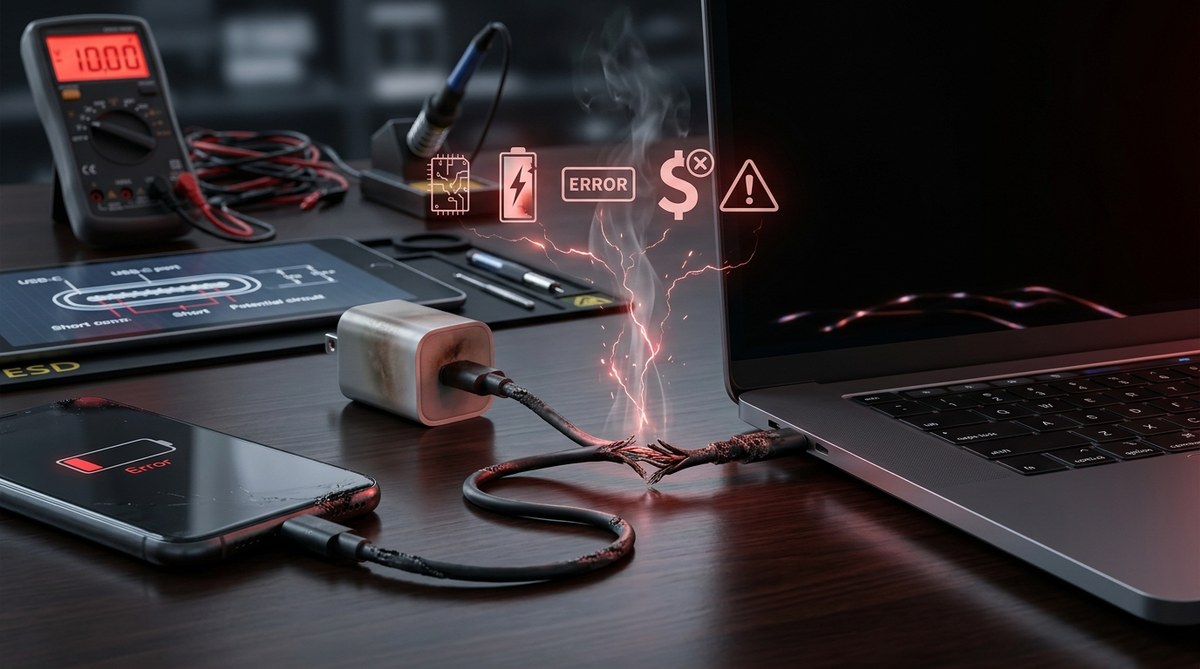
Using a cheap USB-C cable might seem like a smart way to save a few dollars, but it can come with hidden costs that damage your devices and drain your wallet over time. Many consumers overlook the risks of opting for inexpensive cables, assuming all are created equal. The truth is, low-cost cables often sacrifice quality and safety, leading to issues that can be costly and frustrating. Understanding these hidden costs helps you make smarter choices and protect your tech investments.
Cheap USB-C cables may save money upfront but often cause device damage, safety hazards, and long-term expenses. Investing in quality cables protects your devices and wallet.
The dangers of opting for inexpensive USB-C cables
Many consumers purchase cheap USB-C cables from online marketplaces or discount stores without considering the quality implications. These cables are often made with substandard materials or poor manufacturing processes. As a result, they may look similar to premium options but lack essential safety features and durability.
Why cheap cables pose safety risks
Low-cost USB-C cables may not meet safety standards. They can overheat, cause electrical shorts, or even lead to fires. For example, poorly insulated cables might expose metal connectors or wiring, increasing the risk of electrocution. A blockquote from an electronics safety expert emphasizes this point:
How cheap cables damage your devices
Inexpensive cables often lack the proper internal wiring and shielding needed for safe and efficient power transfer. This can lead to:
- Overheating that damages internal components
- Voltage fluctuations that harm batteries
- Data corruption during transfers, risking data loss or device malfunction
Over time, these issues can make devices unreliable or even permanently damage internal components. For instance, a damaged USB-C port on a smartphone or laptop might require costly repairs or replacements.
The long-term financial impact
While cheap cables may save a few dollars initially, the cost of replacing damaged devices or repairing internal components can far surpass the savings. In some cases, using inferior cables voids device warranties, making repairs even more expensive.
- Device repair costs can run into hundreds of dollars
- Data loss or corruption might require professional recovery services
- Safety hazards could lead to property damage or injury
How to identify reliable USB-C cables
Choosing a high-quality cable doesn’t have to be confusing. Here are some practical tips to help you spot safe and durable options:
1. Look for certification marks
Certified cables often display logos from reputable organizations like Underwriters Laboratories (UL) or the USB Implementers Forum. These marks indicate compliance with safety standards.
2. Check for proper build quality
Reliable cables use thick insulation, sturdy connectors, and good strain relief. Avoid cables with thin or flimsy materials that bend easily or show signs of poor manufacturing.
3. Read reviews and ratings
Customer feedback can reveal real-world performance and safety issues. Prefer brands with positive reviews from verified buyers.
4. Avoid suspiciously low prices
If a cable’s price seems too good to be true, it probably is. Investing a little more in a reputable brand ensures your devices’ safety and longevity.
5. Verify compatibility with your device
Ensure the cable supports the necessary data transfer speeds and power levels. Using a cable that isn’t rated for your device’s requirements can lead to problems.
Common mistakes that lead to device damage
Many consumers unknowingly make errors that increase the risk of damage. Understanding these can help you avoid costly mistakes.
| Technique or mistake | Explanation |
|---|---|
| Using unverified cables | Bypasses safety standards, risking overheating and damage |
| Overloading cables | Connecting cables to devices with higher power demands than supported |
| Reusing damaged cables | Frays, cuts, or bent connectors can cause shorts or sparks |
| Ignoring signs of wear | Ignoring frayed insulation or loose connectors can lead to failure |
Practical steps to protect your devices
Protecting your electronics from cheap cable risks requires a few simple but effective actions:
- Purchase cables from reputable brands or certified outlets.
- Regularly inspect cables for damage and replace any that show signs of wear.
- Avoid bending or twisting cables excessively.
- Use cables rated specifically for your device’s power and data needs.
- Keep cables away from heat sources or water to prevent damage.
The true cost of choosing cheap USB-C cables
Many people focus solely on initial savings, but the hidden costs often outweigh those benefits. For example, a cheap cable might cause your smartphone’s battery to degrade faster or lead to data corruption. The expense of replacing a damaged device or dealing with safety hazards can be significant.
How to avoid falling into the cheap cable trap
- Invest in certified, well-reviewed cables.
- Prioritize safety and durability over price.
- Understand that quality cables are an investment in your devices’ health.
- Keep a few reliable cables for daily use and store spares safely.
- Educate yourself on the signs of poor-quality cables.
Protecting your devices for the long run
Preventing damage from subpar cables involves a mix of awareness and proactive choices. Here’s a simple process:
- Research before purchasing: Check for certifications and reviews.
- Inspect upon receipt: Look for quality signs and test the cable with your device.
- Use appropriately rated cables: Match the cable’s specifications with your device’s requirements.
- Replace damaged cables immediately: Do not continue using frayed or faulty cables.
- Store cables properly: Avoid tight bends and exposure to harsh environments.
Techniques and mistakes table
| Technique | Mistake | Impact |
|---|---|---|
| Buying certified cables | Ignoring certification | Increased safety risk |
| Using cables within rated specs | Overloading cables | Device damage or safety hazards |
| Proper cable storage | Bending cables sharply | Premature wear and failure |
Expert advice
“Always choose cables that meet official safety standards. Cutting corners on quality can lead to expensive repairs or dangerous incidents.”
A smarter approach to USB-C cables
Instead of impulsively grabbing the cheapest option, consider your devices’ needs and the potential costs of failure. Investing in high-quality cables from reputable brands might cost more upfront but saves money and trouble in the long run.
Practical checklist for safe USB-C cable shopping
- Check for certification marks
- Read user reviews carefully
- Test the cable before regular use
- Keep an eye out for physical quality
- Avoid overly discounted or unbranded cables
Wrapping up your cable choices with care
Opting for cheap USB-C cables might seem like a clever way to save cash, but it can introduce risks that affect your device’s performance and safety. The long-term expenses of repairs, data loss, or safety hazards make quality cables a wise investment. Remember, protecting your tech today can prevent costly headaches tomorrow. Take time to research, select certified options, and regularly inspect your cables to keep your devices safe and functioning smoothly for years to come.


Post Comment